


vDefend Security Services Platform (SSP) is a software-defined security platform tightly integrated into the hypervisor layer and is the replacement for NSX Application Platform (NAPP) which was intended to build in lateral security for private cloud environments, at the hypervisor layer.
NAPP was originally introduced to host advanced NSX security capabilities such as Security Intelligence and Network Detection and Response. In practice, however, it often proved operationally heavy, with complex Kubernetes requirements and ongoing maintenance overhead.
vDefend SSP was built to address those challenges. It delivers the same core security services that previously depended on NAPP, but with a simplified deployment model, improved lifecycle management, and clearer security workflows. From a product direction standpoint, NAPP is being phased out, and SSP is the strategic platform moving forward.
vDefend SSP Architecture and Components
The vDefend Security Services Platform on VCF is built around a simple two-layer architecture that separates lifecycle management from the security services themselves.
SSP Installer (SSPI)
The SSP Installer is a dedicated management appliance, delivered as an OVA and deployed in the management domain, that manages the full lifecycle of the vDefend SSP environment, including deployment, upgrades, and ongoing platform management through a web interface.
SSP Instance
Are deployed to each workload domains and runs the actual security services on a Kubernetes-based platform, using controller nodes for coordination and worker nodes to process traffic and threats.
The default configuration of vDefend’s Distributed Firewall includes a final rule that permits all traffic. To activate micro-segmentation or enforce a full traffic block, this rule must be modified to a Deny action

Lab Setup
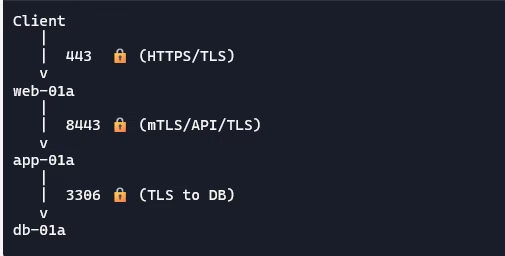
Our environment consists of a classic three‑tier application: client → web → app → DB. We’ll use NSX Distributed Firewall (DFW) with Context Profiles to enforce TLS version control.
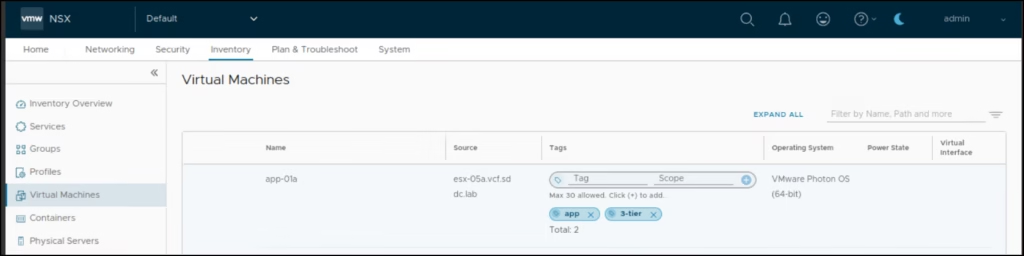
Set tags to VM
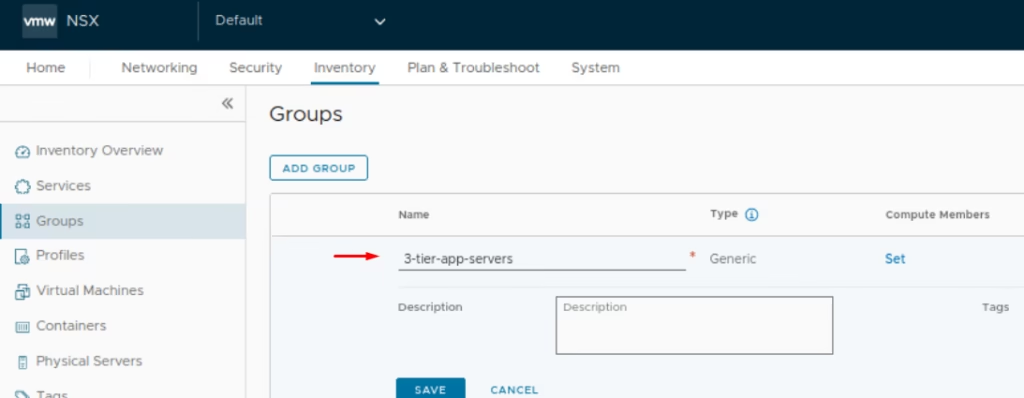
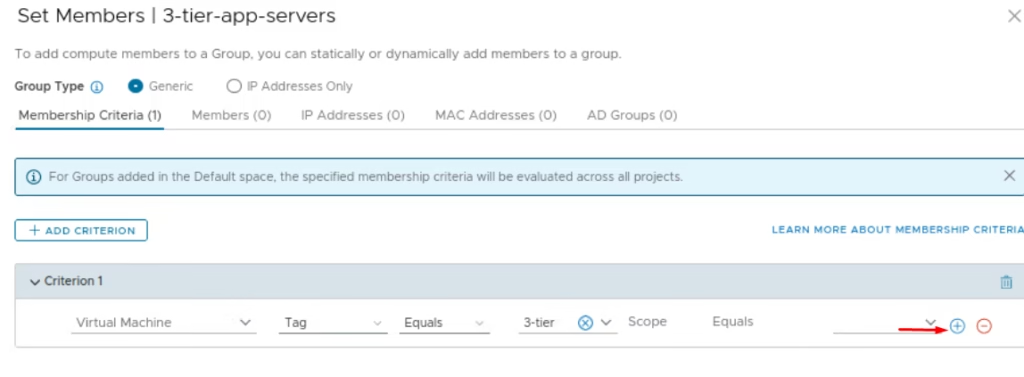
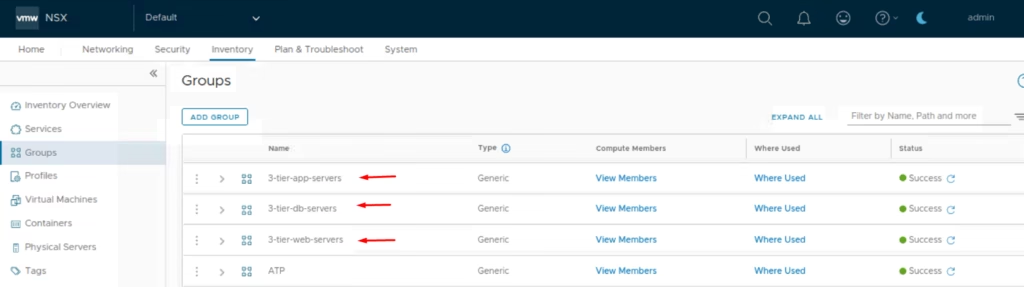
Navigate to Inventory > Groups > New Group > Name the group 3-tier-app-servers.
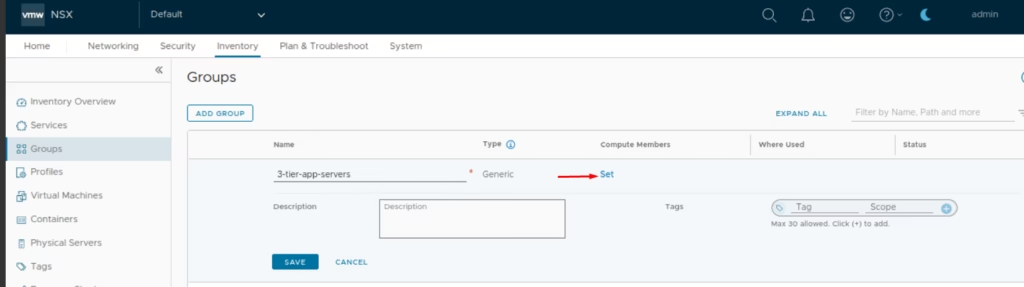
Click on Compute Members
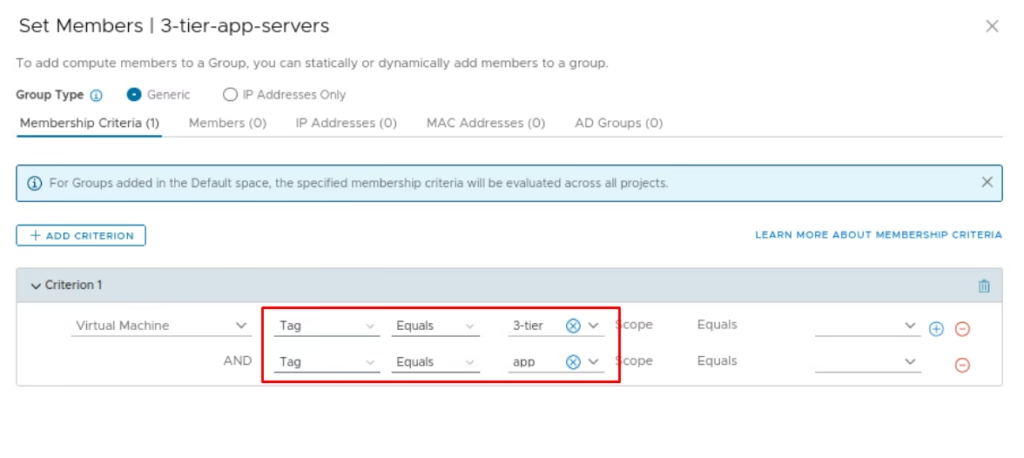
Under Membership Criteria: Criterion 1: Virtual Machine Tag =3 tier
Set the AND criterion as Tag Equals app
Click Save and Repeat for web and DB servers with appropriate tags.
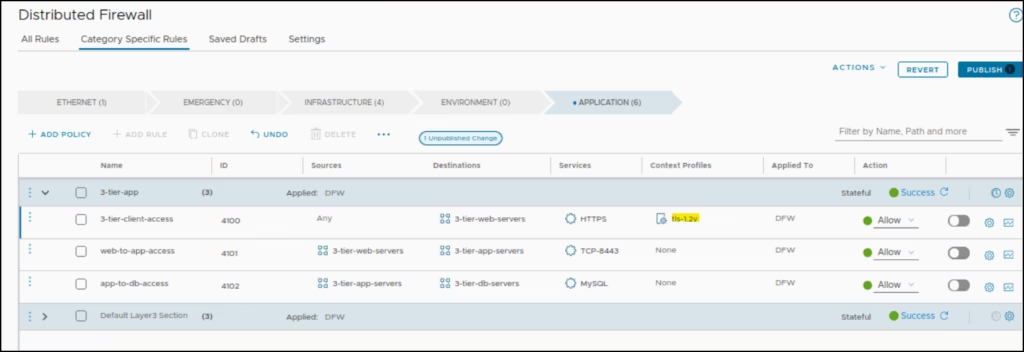
Go to DFW → Application Section> Add a new policy named 3-tier-client-access.
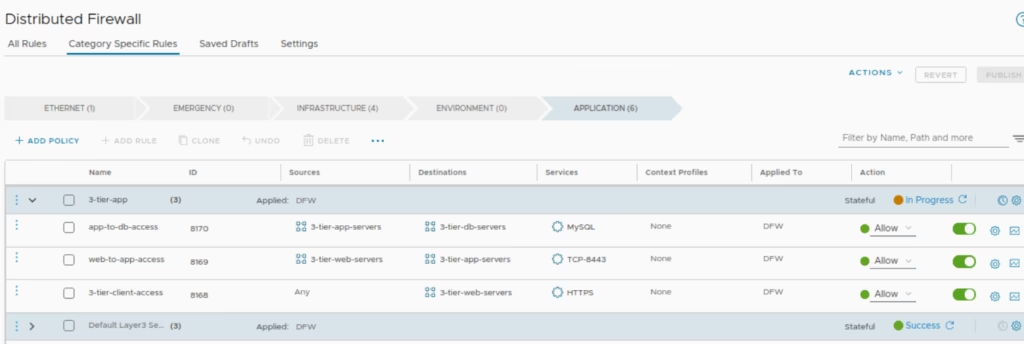
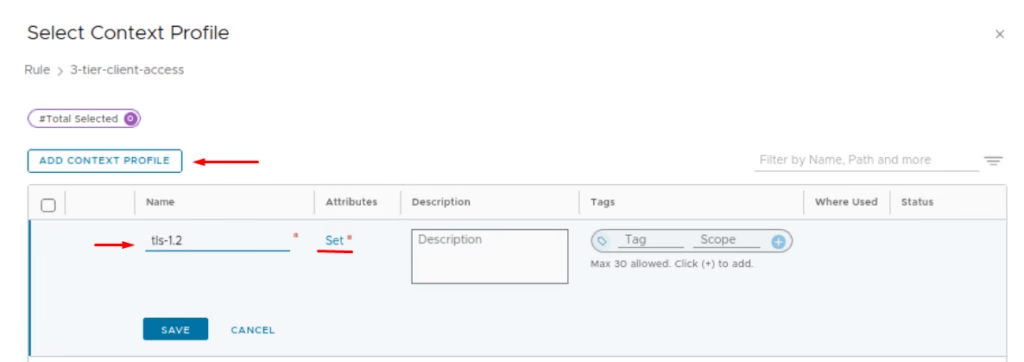
For our 3-tier-client-access rule only to allow TLS 1.2, lets tweak that L7 security policy so click on Context Profiles field . Context Profiles give NSX the ability to make decisions based on application context, URL categories, FQDNs, and Layer-7 attributes to enable smarter, application-centric security model that drastically simplifies micro-segmentation.
Under Context Profiles, give it a name and click Set
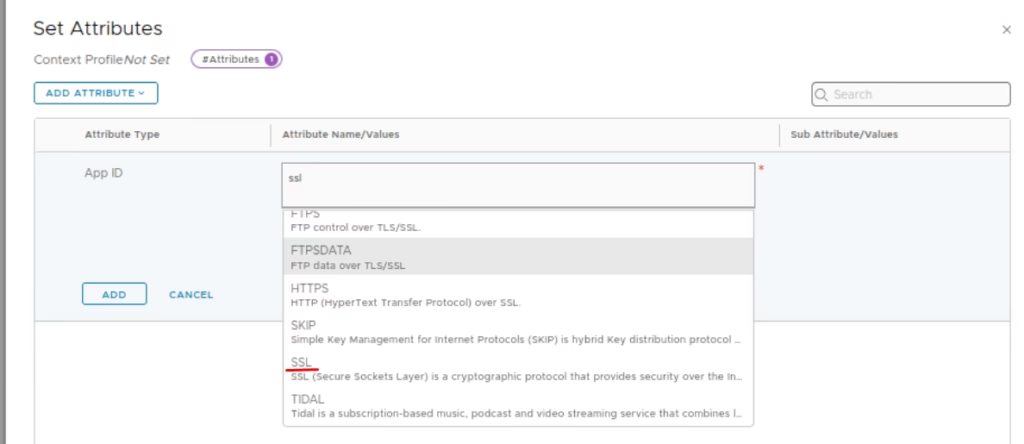
Add Attribute → App ID > Choose SSL
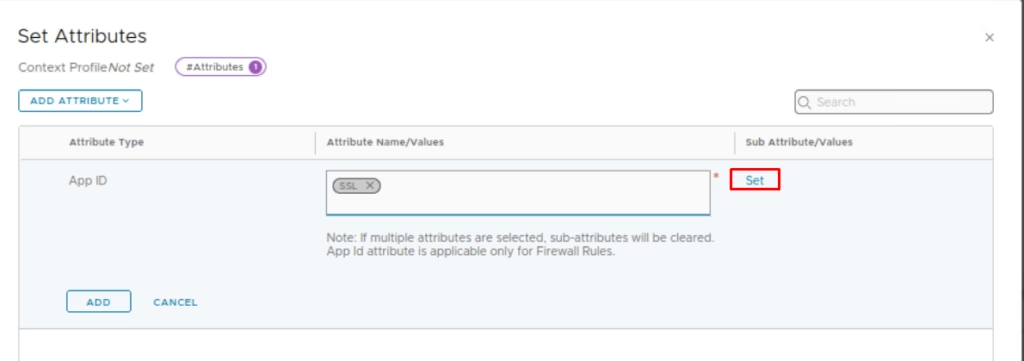
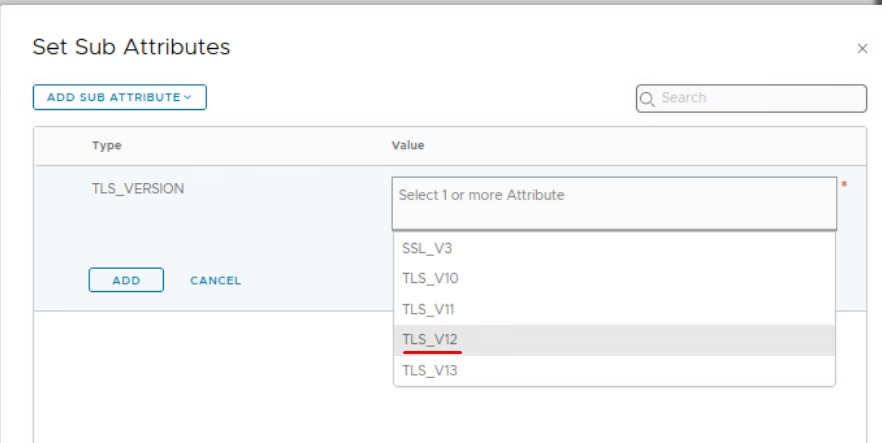
Under Sub‑Attributes, choose set option
Choose the tls version
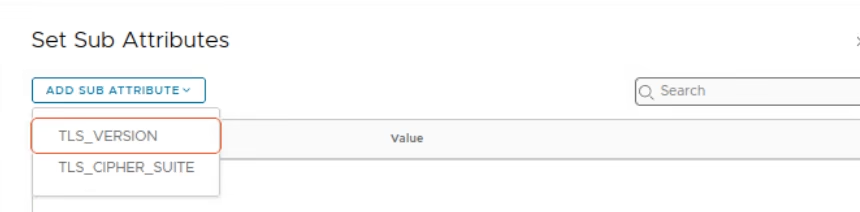
choose TLS Version = 1.2.
Click Save and Publish the rules
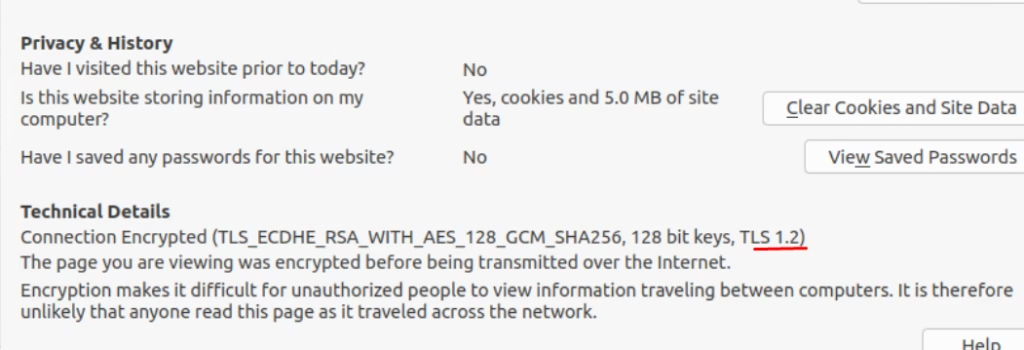
Now as you browse the webserver, we can see web connection is authenticated using TLS 1.2
This demonstrates how NSX can simplify micro‑segmentation with application‑aware policies, moving beyond simple IP/port rules to true operational clarity. In the next blog, we will take a look at how to apply vDefend policies.