

Network Address Translation (NAT) is one of those core networking concepts that shows up everywhere from your home router to enterprise data centers. In NSX‑T, NAT is built into the Tier‑0 (T0) and Tier‑1 (T1) gateways, and it’s essential for connecting private workloads to external networks or exposing internal services to the outside world.
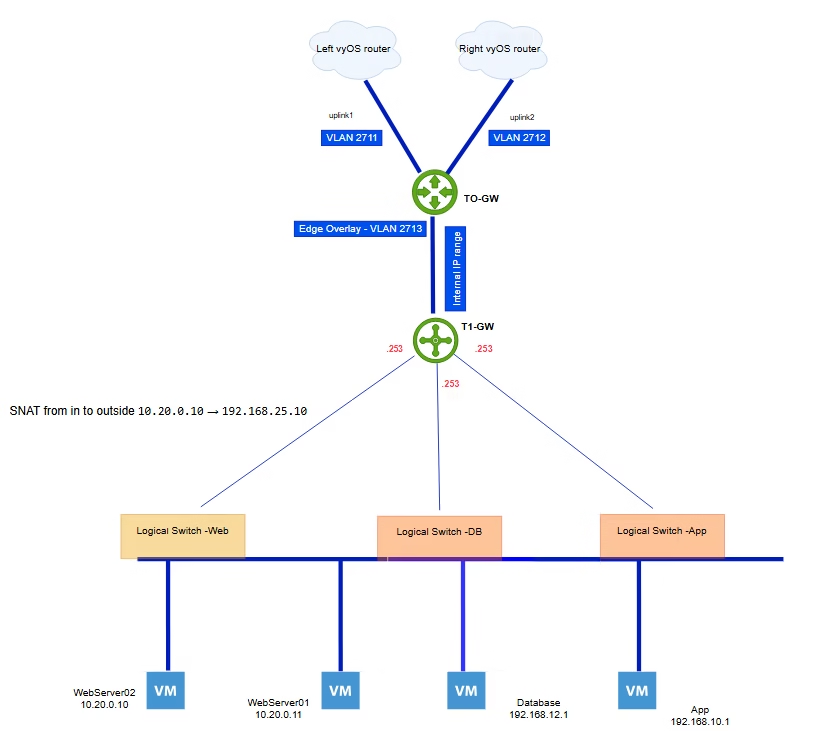
NAT is a centralized service that happens in the service router of the tier 1 or tier 0 gateway but typically is implemented in T1-GW
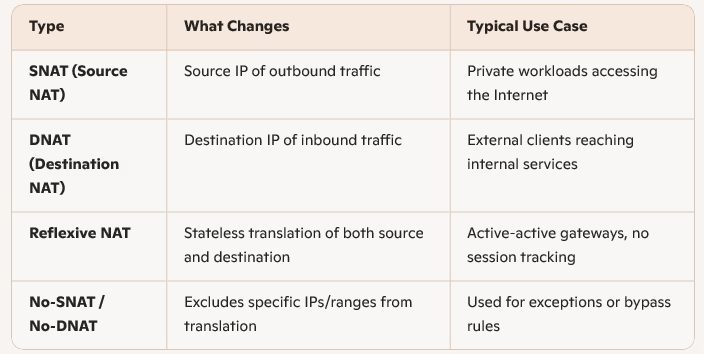
Types of NAT in NSX 9
NAT changes either the source or the destination of a packet:
Source NAT (SNAT) Configuration
Scenario:
A web VM with IP 10.20.0.10 in the Web segment needs Internet access.
Flow:
- The T1 SR applies an SNAT rule, changing the source IP from
10.20.0.10→192.168.25.10. - Reply traffic comes back to
192.168.25.10, and the SR translates it back to10.20.0.10.
Packet Transformation Table

Key Requirement:
For NAT to work, route advertisement for NAT IPs must be enabled: By default, NAT advertisement is disabled — you need to explicitly enable it.
On the T1 gateway, so NAT IPs are advertised upstream.
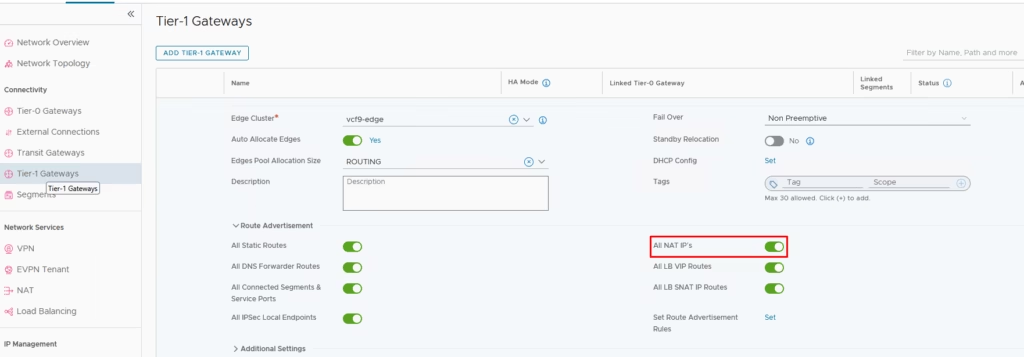
Likewise, on the T0 gateway, NAT redistribution must also be turned on.
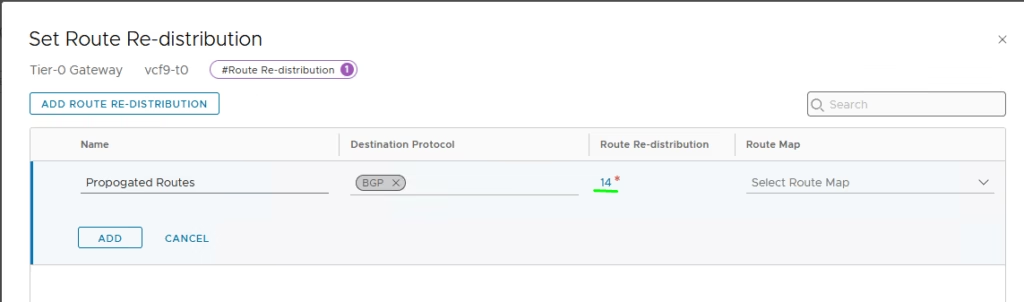
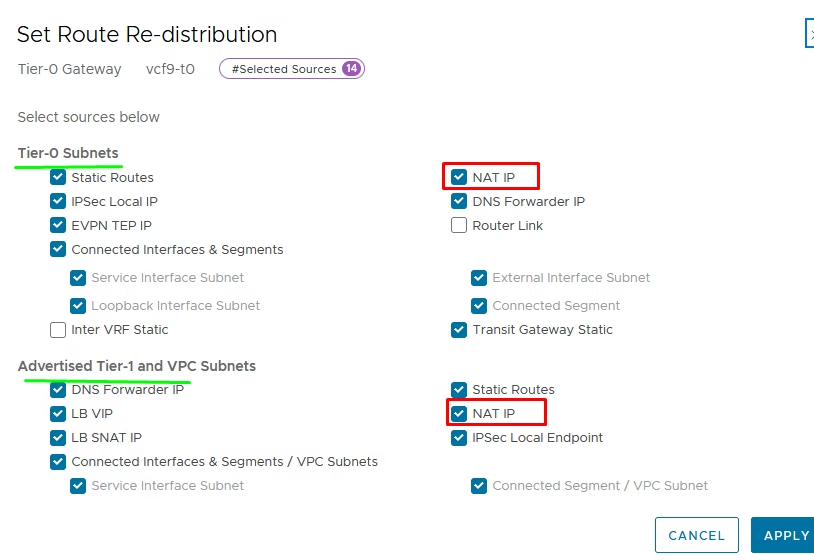
Our web subnet 10.20.0.0/24 needs outbound access so SNAT changes the source IP address of traffic leaving NSX.
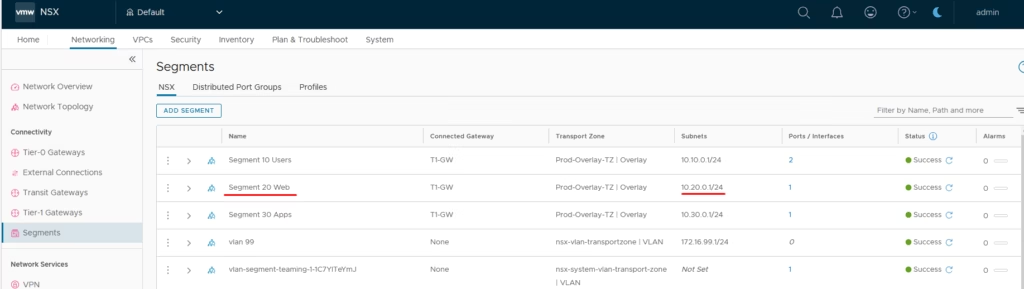
Here, only the source changes. Outbound traffic from the private subnet appears to originate from the public IP. Navigate to Network Services → NAT & Switch the gateway to T1‑GW.
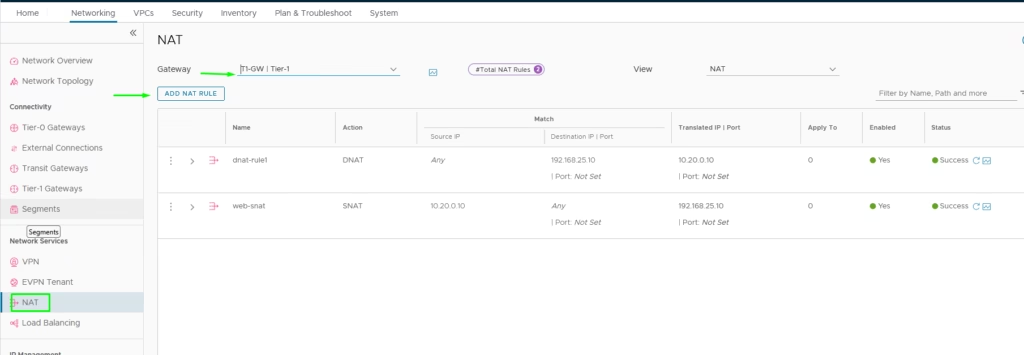
Add SNAT rule: Source IP of our webserver 10.20.0.10 → Translated IP 192.168.25.10.
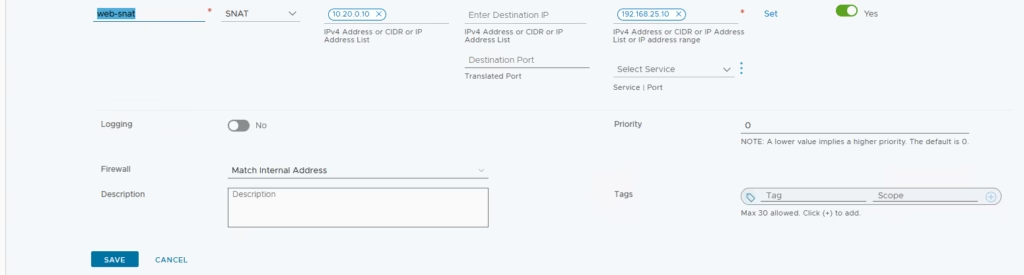
Our NAT rule is now defined
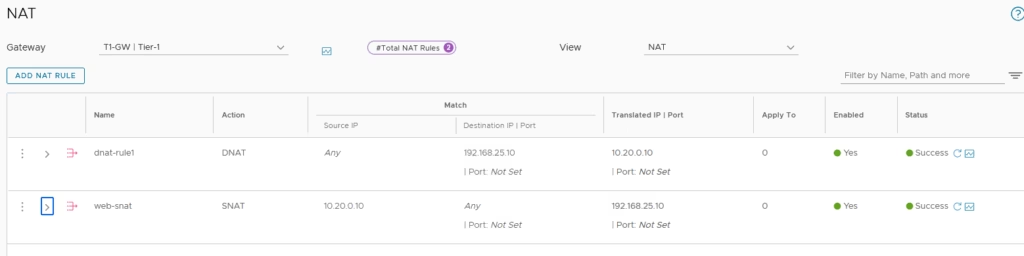
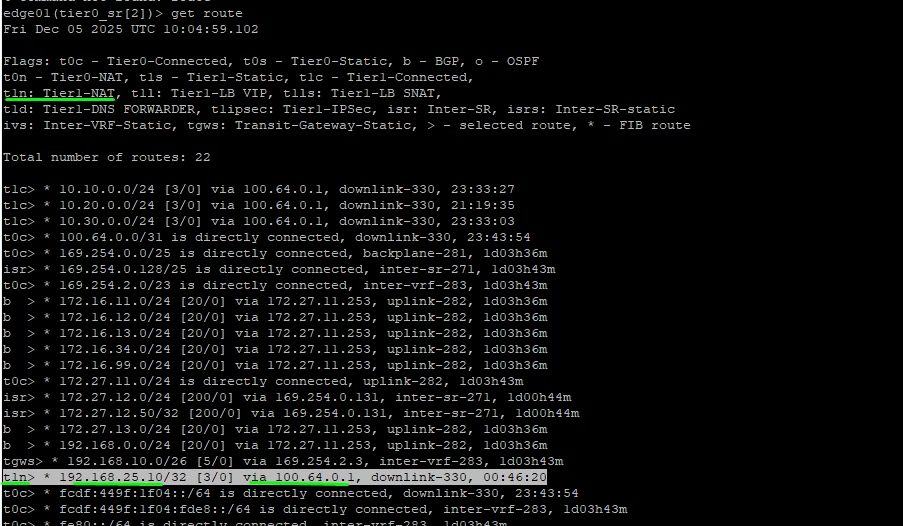
Login to an Edge node, run get route, and confirm the NAT IP (t1n) appears in the routing table.
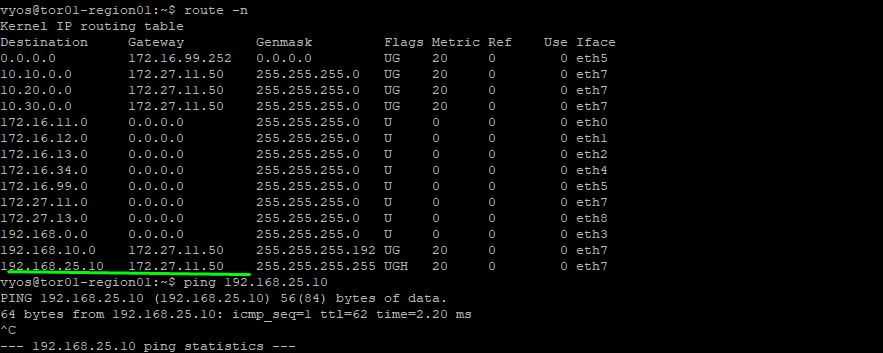
Lets also take a look at router to see if we can the translated address and we see it
Destination NAT (DNAT) Configuration
DNAT changes the destination IP address of traffic coming into NSX. . External clients connect to the public IP, and traffic is forwarded internally.
Scenario:
External traffic from 50.50.50.50 wants to reach the web VM at 10.20.0.10.
Flow:
- A DNAT rule maps the public IP
192.168.25.10→ internal VM IP10.20.0.10. - The T1 SR rewrites the destination, and replies flow back through DNAT
Packet Transformation Table

To Create a DNAT rule, navigate to Network Services → NAT, Switch the gateway to T1‑GW.
Add DNAT rule: Destination IP 192.168.25.10 → Translated IP 10.20.0.10
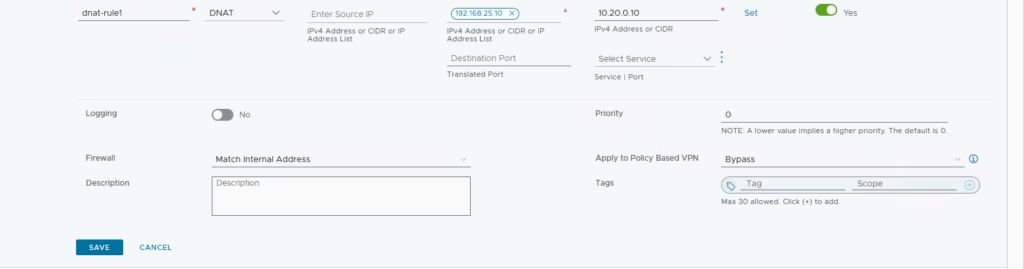
SNAT ensures outbound traffic from private subnets appears to originate from a public IP. DNAT ensures inbound traffic to a public IP is correctly delivered to internal workload