


This lab shows how to install the AWS CLI on CentOS and Ubuntu using one Ansible playbook, with tags, conditions, and remote downloads.
Example Playbook (remote-download-installer.yml)
sudo vi remote-download-installer.ymlWhat this playbook does
- Installs unzip (CentOS + Ubuntu)
- Downloads the Kubectl and AWS CLI ZIP from the internet
- Unzips it on the managed node
- Runs the installer
- Uses tags so you can run only what you want
---
- hosts: all
  become: true
  tasks:
    - name: Install unzip on CentOS
      tags: ["unzip", "awscli"]
      dnf:
        name: unzip
        state: present
      when: ansible_distribution == "CentOS"

    - name: Install unzip on Ubuntu
      tags: ["unzip", "awscli"]
      apt:
        name: unzip
        state: present
        update_cache: yes
      when: ansible_distribution == "Ubuntu"

    - name: Install curl on CentOS
      tags: ["kubectl"]
      dnf:
        name: curl
        state: present
      when: ansible_distribution == "CentOS"

    - name: Install curl on Ubuntu
      tags: ["kubectl"]
      apt:
        name: curl
        state: present
        update_cache: yes
      when: ansible_distribution == "Ubuntu"

    - name: Download kubectl binary
      tags: ["kubectl"]
      get_url:
        url: https://dl.k8s.io/release/v1.30.0/bin/linux/amd64/kubectl
        dest: /usr/local/bin/kubectl
        mode: "0755"
      when: ansible_distribution in ["CentOS", "Ubuntu"]

    - name: Download AWS CLI ZIP
      tags: ["awscli"]
      get_url:
        url: https://awscli.amazonaws.com/awscli-exe-linux-x86_64.zip
        dest: /tmp/awscliv2.zip
        mode: "0644"
      when: ansible_distribution in ["CentOS", "Ubuntu"]

    - name: Unzip AWS CLI installer
      tags: ["awscli"]
      unarchive:
        src: /tmp/awscliv2.zip
        dest: /tmp/
        remote_src: yes
      when: ansible_distribution in ["CentOS", "Ubuntu"]

    - name: Run AWS CLI installer
      tags: ["awscli"]
      shell: /tmp/aws/install
      when: ansible_distribution in ["CentOS", "Ubuntu"]
See all tags in the playbook
ansible-playbook remote-download-installer.yml --list-tags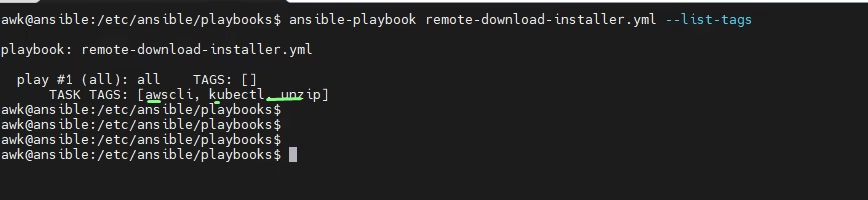
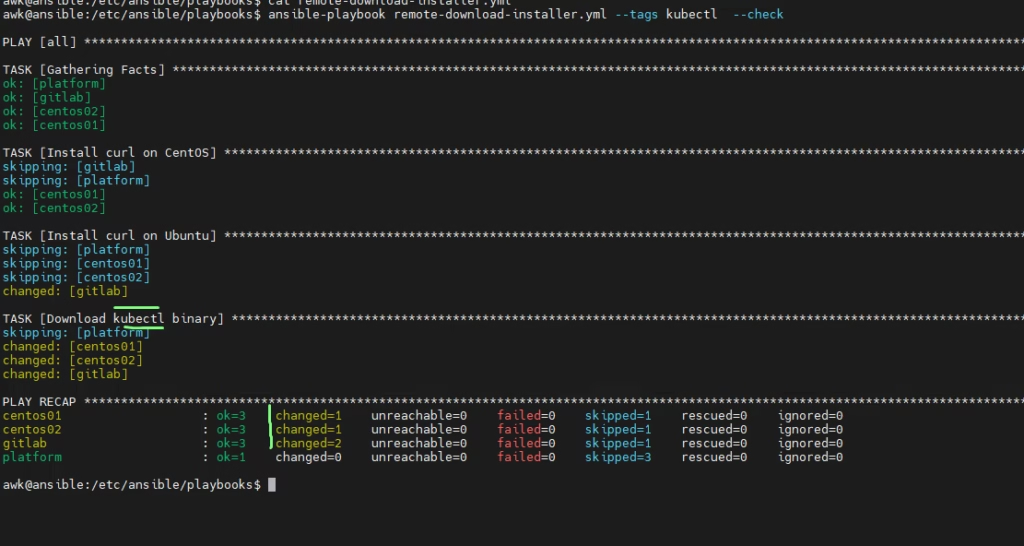
Dry‑run kubectl CLI only
ansible-playbook remote-download-installer.yml --tags kubectl --checkSo by Running --tags kubectl it checks what the installs is going to be
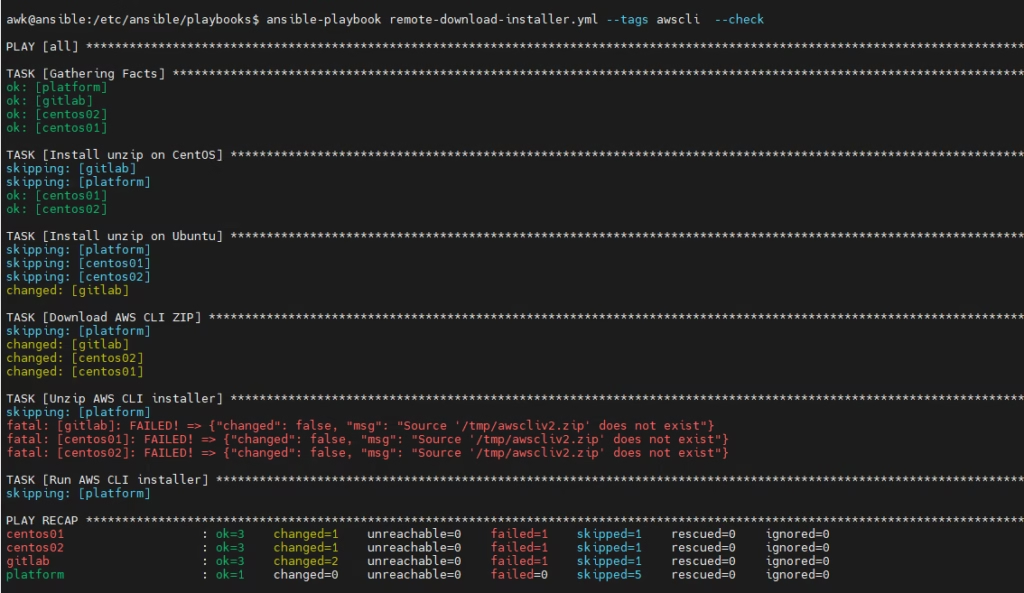
Dry‑run AWS CLI only
ansible-playbook remote-download-installer.yml --tags awscli --checkSo by Running --tags AWSCLI it checks what the installs is going to be
Install AWS CLI only
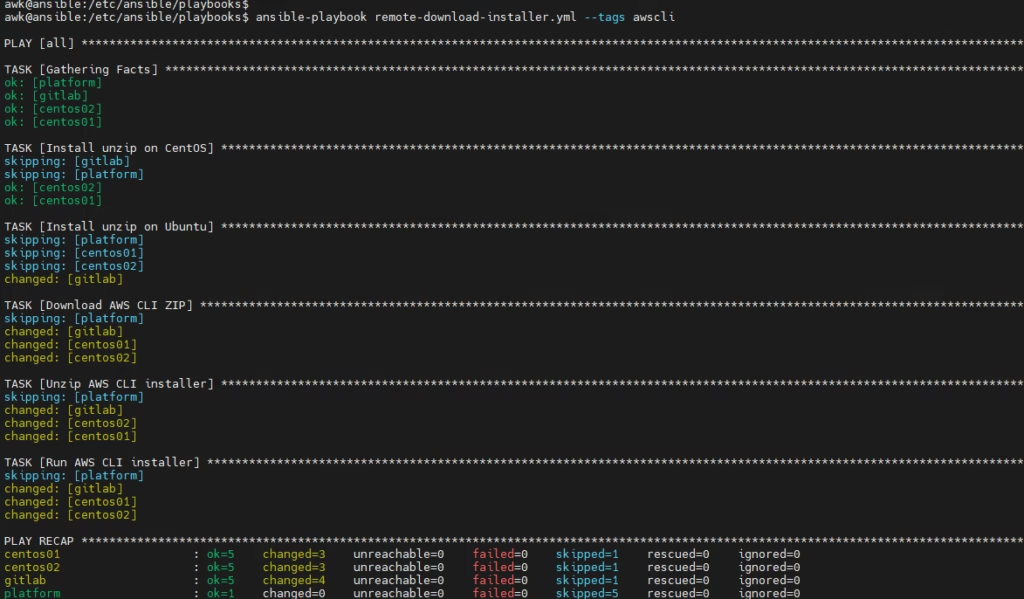
This is the remote download + install pattern you’ll reuse everywhere.
(Visited 7 times, 1 visits today)