


Sometimes you just want to push a file to a remote machine and overwrite something that already exists so here we are configuring a simple webserver and in that attempt trying to push the config file from our ansible server to the remote host.
Before automating the install, I removed any existing Apache installation:
ansible ubuntu -b -m apt -a "name=apache2 state=absent purge=yes"ansible ubuntu -b -m apt -a "autoremove=yes"If it returns “command not found”, the machine is clean.
ansible ubuntu -m shell -a "apache2 -v"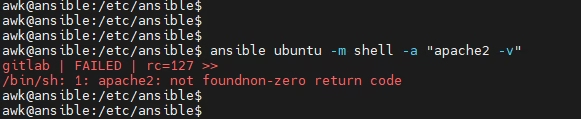
Create a directory under our /etc/ansible
sudo mkdir webfilesCreate a custom HTML file under /etc/ansible/webfiles/default-site.html
<html>
    <title> this is a cool website </title>
    <body><p>Ansible and vcf automation in motion </p></body>
</html>
Create the playbook to install Apache and copy the file Example Playbook (webserver-rebuild.yml)
---
- hosts: ubuntu
  become: true
  tasks:
    - name: Install Apache2 fresh
      apt:
        name: apache2
        state: present
        update_cache: yes

    - name: Copy custom index.html to webserver
      copy:
        src: /etc/ansible/webfiles/default-site.html
        dest: /var/www/html/index.html
        owner: root
        group: root
        mode: 0644
Run the playbook
ansible-playbook webserver-rebuild.yml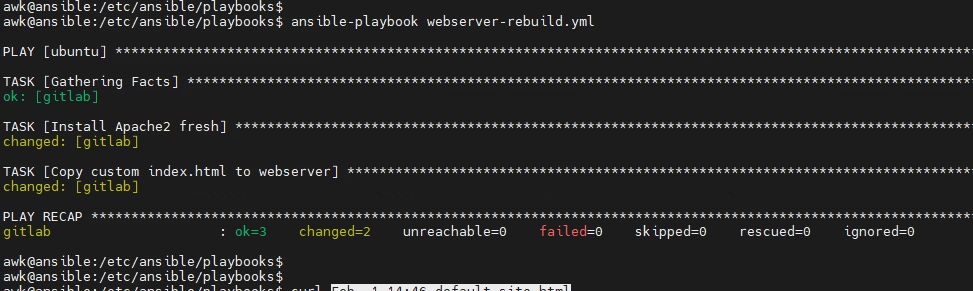
Check if files are present
ansible ubuntu -m shell -a "cat /var/www/html/index.html"
Test the webpage

I wrote a small playbook that installs Apache and copies that file to the Ubuntu webserver. Ansible overwrote /var/www/html/index.html with my file. My webpage is now live.