

Both the online depot and the offline depot that is a self-managed web server require a token that ensures the entitlement required to download binaries. In this walkthrough, I’ll show you how to configure the Online Depot option in a brand‑new VCF 9 lab. The offline method is covered here.
On the SDDC manager, ensure we have these two parameters added correctly else the activation will fail.
vi /opt/vmware/vcf/lcm/lcm-app/conf/application-prod.properties

# Ensure the following is added to the file:
lcm.depot.adapter.httpsEnabled=true
lcm.depot.adapter.host=dl.broadcom.com  < change from vmware.com

# restart the LCM service to apply the change:
systemctl restart lcm
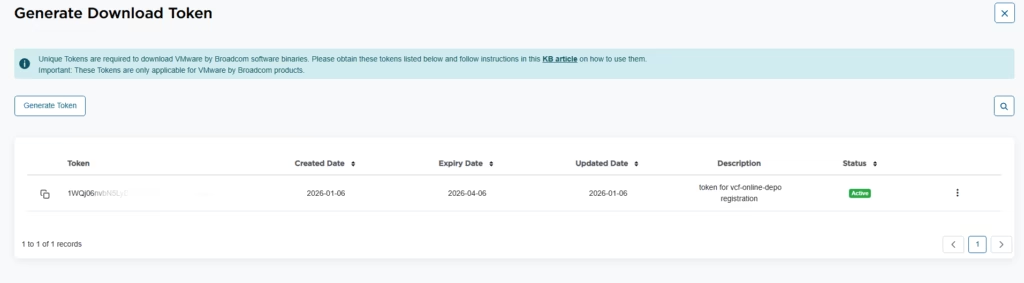
For configuring the depot, you must generate a token that ensures the entitlement required to download binaries.
For Corporate Users the procedure is,
- Log in to the Broadcom Support Portal and select VMware Cloud Foundation.
- On My Dashboard, in the Quick Links box that appears, select Generate Download Token.
- Find your Site ID on the list displayed and add it as input. Then click Generate Token.
- Copy the token to use in VCF Operations fleet management appliance.
For VMUG Users the procedure is as show,
Log in to the Broadcom Support Portal Alpine Cert
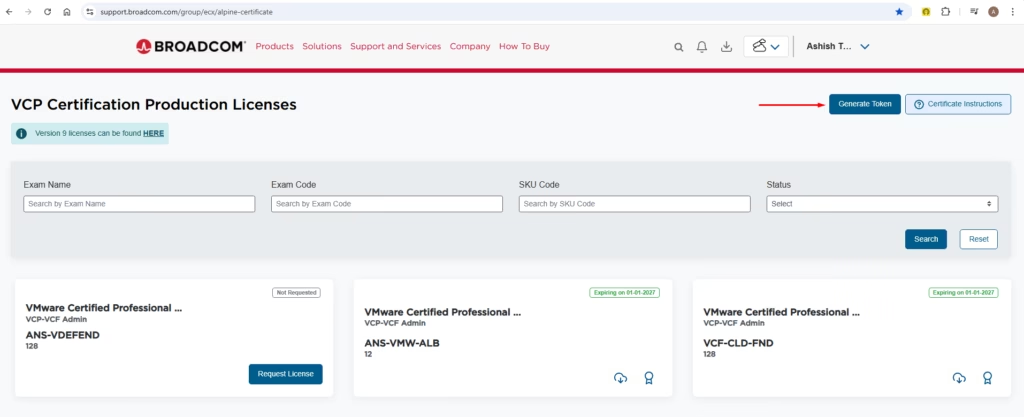
Generate Download Token.
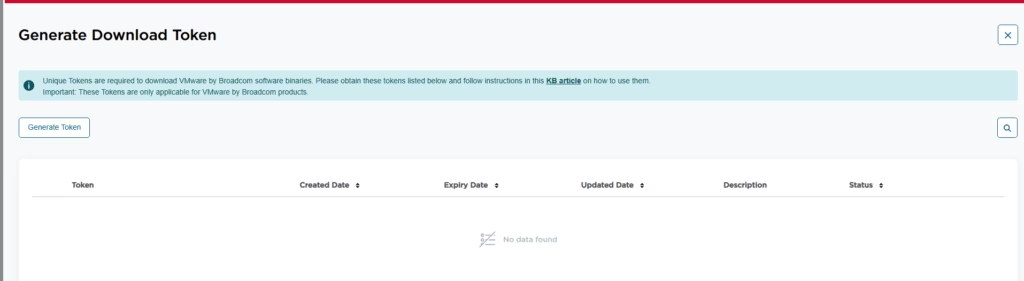
Give the token a description and click Submit
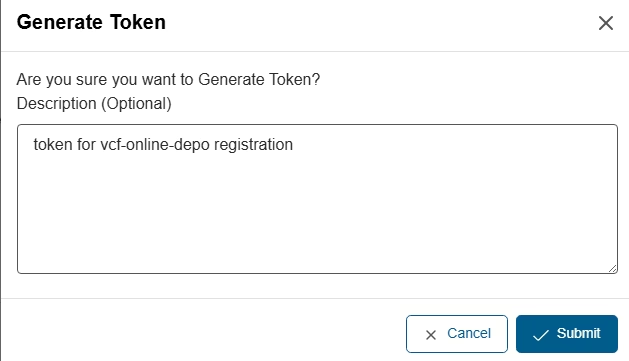
Give the token a description and click Submit
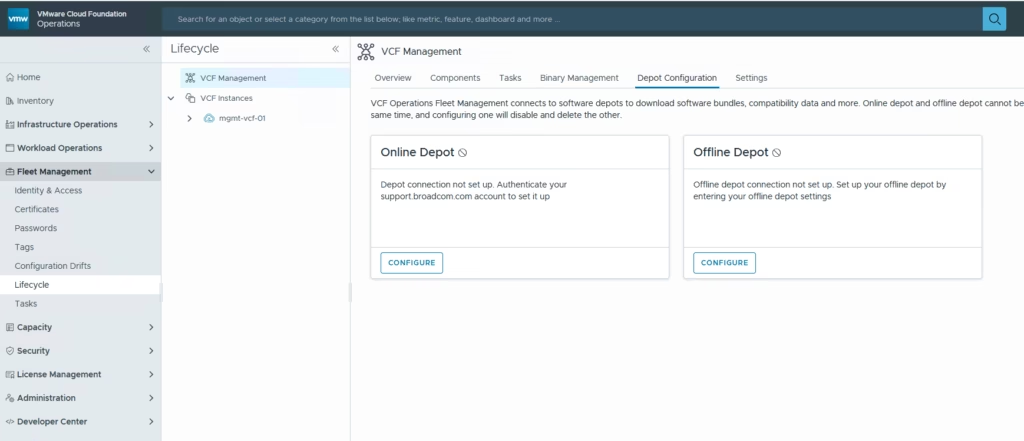
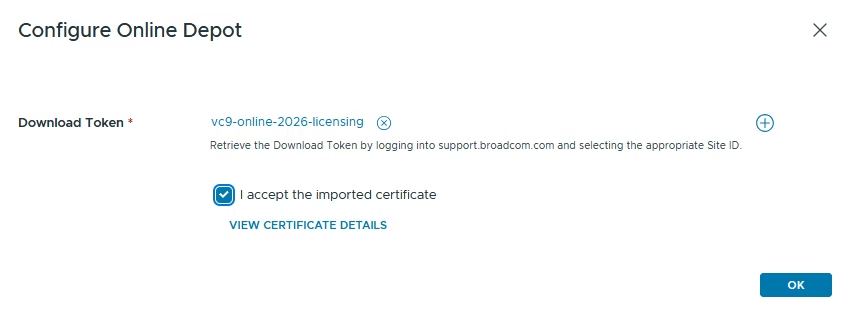
Under the VCF Ops, go to VCF Management > Choose Online Depot
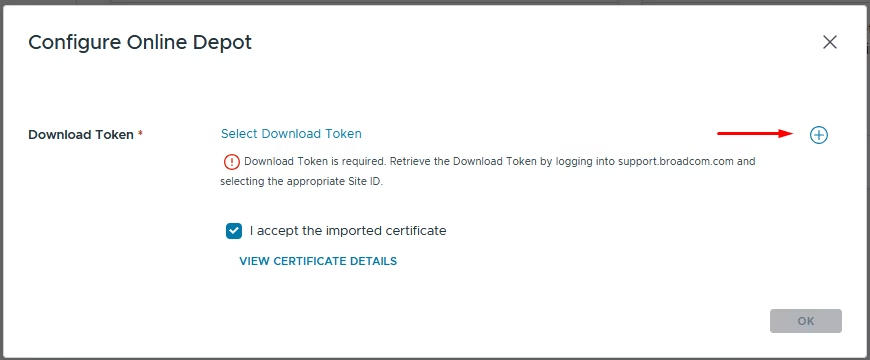
Click the + icon to add a new credential
Fill in the fields,
- Password Alias: Any friendly name
- Password: Paste your Broadcom download token
- Confirm Password: Paste the same token again
- The remaining fields are optional
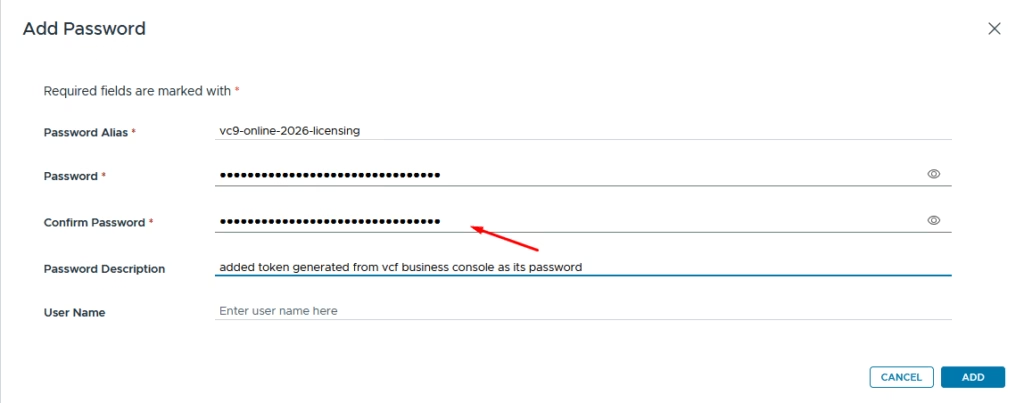
Save the credential
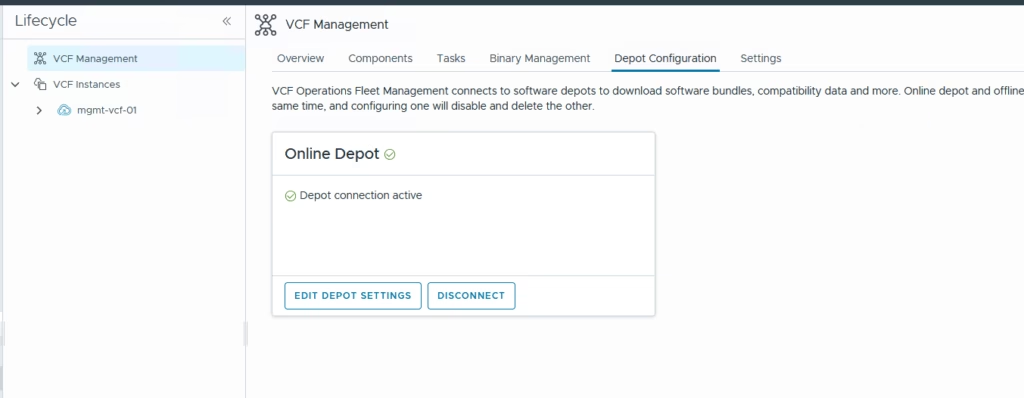
Your Online Depot should now show as Active.
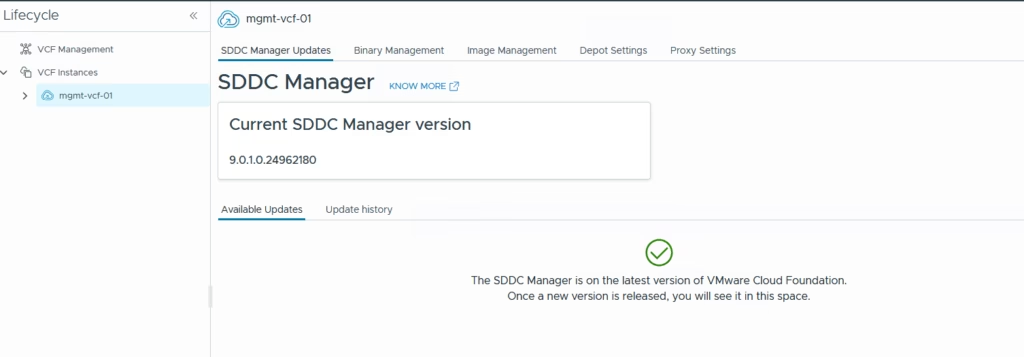
Once the depot is active, VCF Operations will display all available components you can download
Test the download to see if any issues.
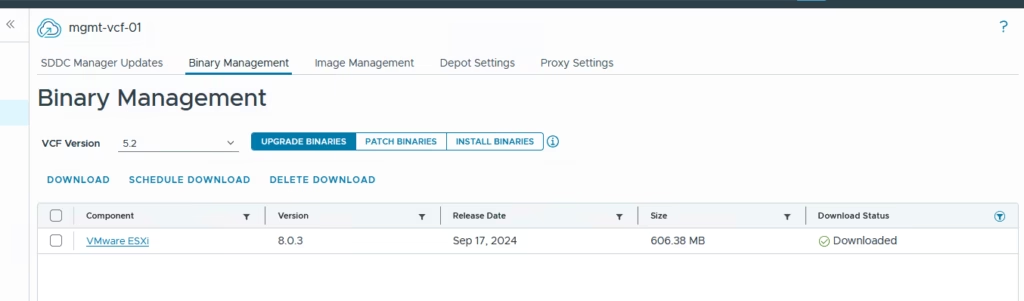
Leave tail -f /var/log/vmware/vcf/lcm/lcm-debug.log running on the sddc manager so we can capture any alerts.