

VMware NSX Context Profiles give us the ability to enforce security policies based on application context, URL categories, FQDNs, and Layer‑7 attributes. This enables a smarter, application‑centric security model that drastically simplifies micro‑segmentation.
In this lab, we’ll demonstrate a simple but powerful use case: restricting client access so that only TLS 1.2 connections are permitted in a three‑tier application environment
Lab Setup
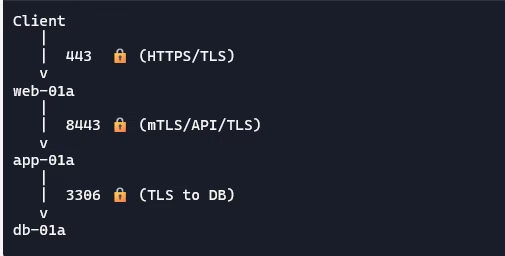
Our environment consists of a classic three‑tier application: client → web → app → DB. We’ll use NSX Distributed Firewall (DFW) with Context Profiles to enforce TLS version control.
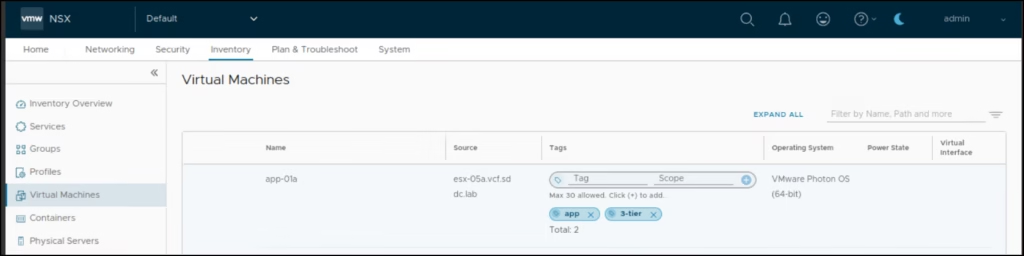
Set tags to VM
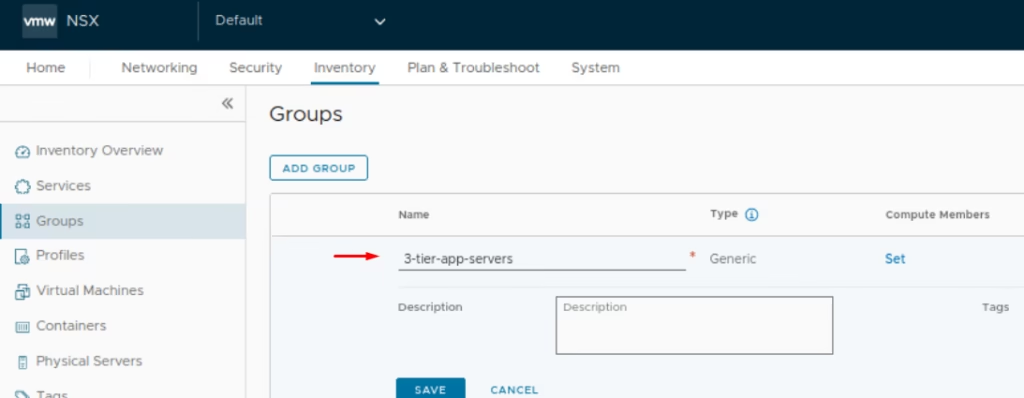
Navigate to Inventory > Groups > New Group > Name the group 3-tier-app-servers.
Click on Compute Members
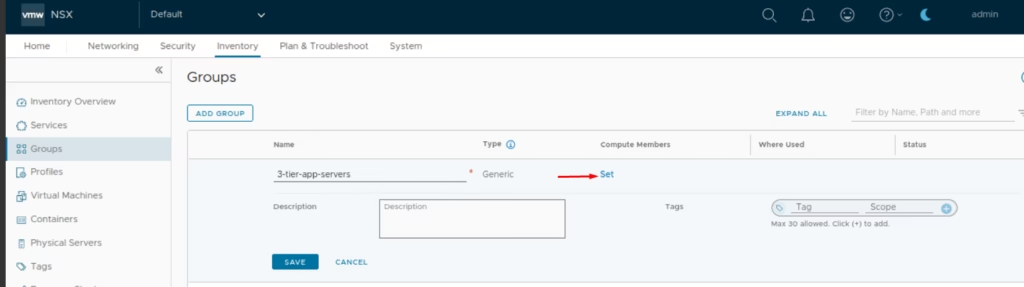
Under Membership Criteria: Criterion 1: Virtual Machine Tag =3 tier
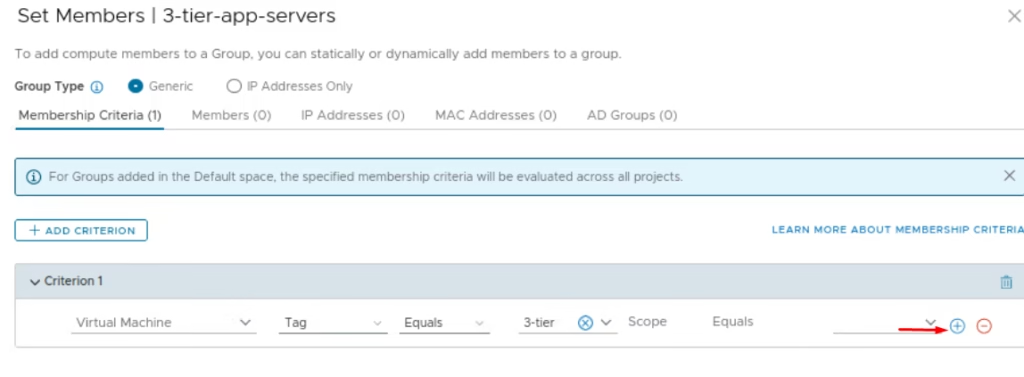
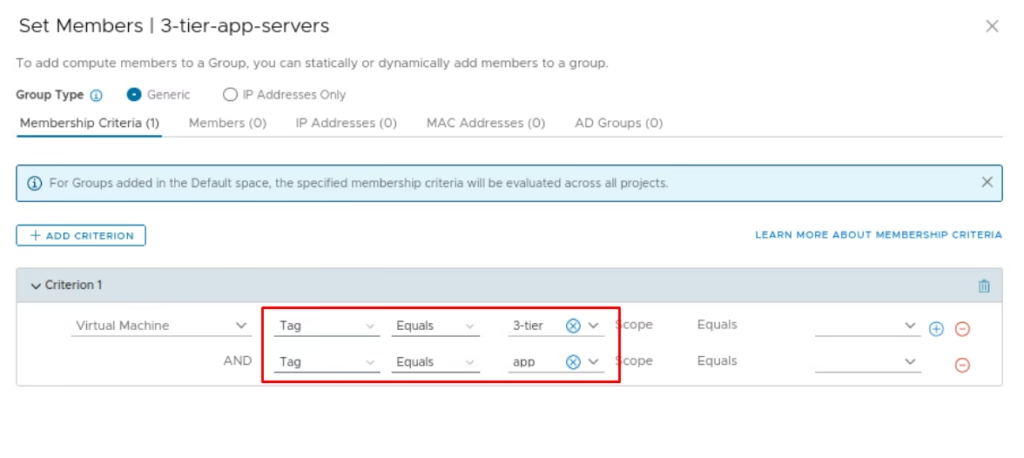
Set the AND criterion as Tag Equals app
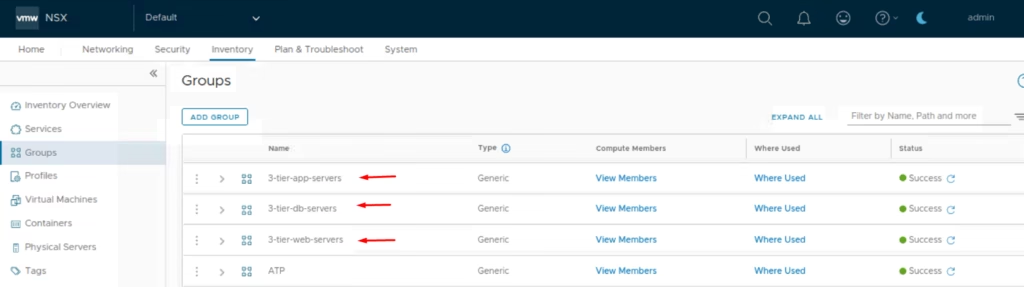
Click Save and Repeat for web and DB servers with appropriate tags.
Go to DFW → Application Section> Add a new policy named 3-tier-client-access.
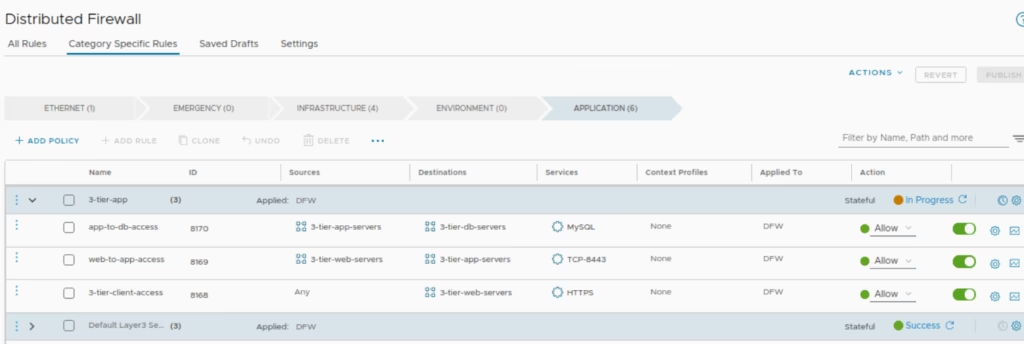
For our 3-tier-client-access rule only to allow TLS 1.2, lets tweak that L7 security policy so click on Context Profiles field . Context Profiles give NSX the ability to make decisions based on application context, URL categories, FQDNs, and Layer-7 attributes to enable smarter, application-centric security model that drastically simplifies micro-segmentation.
Under Context Profiles, give it a name and click Set
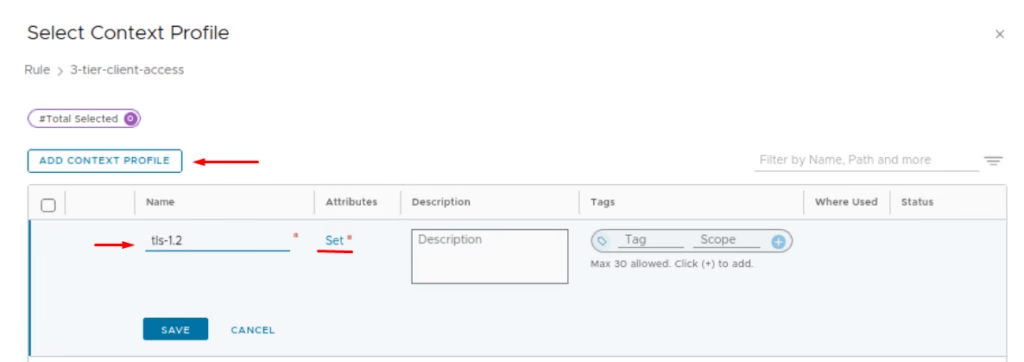
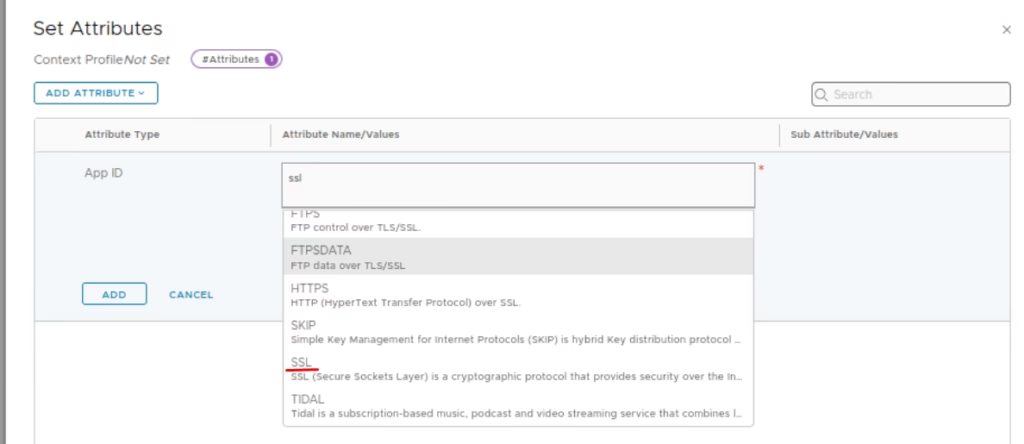
Add Attribute → App ID > Choose SSL
Under Sub‑Attributes, choose set option
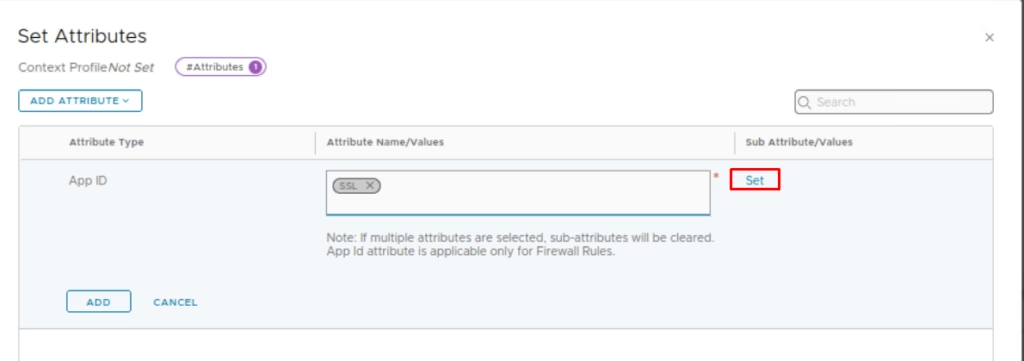
Choose the tls version
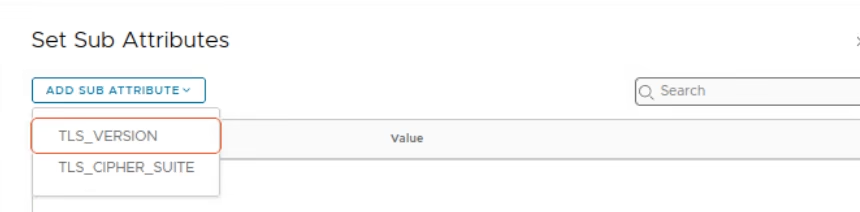
choose TLS Version = 1.2.
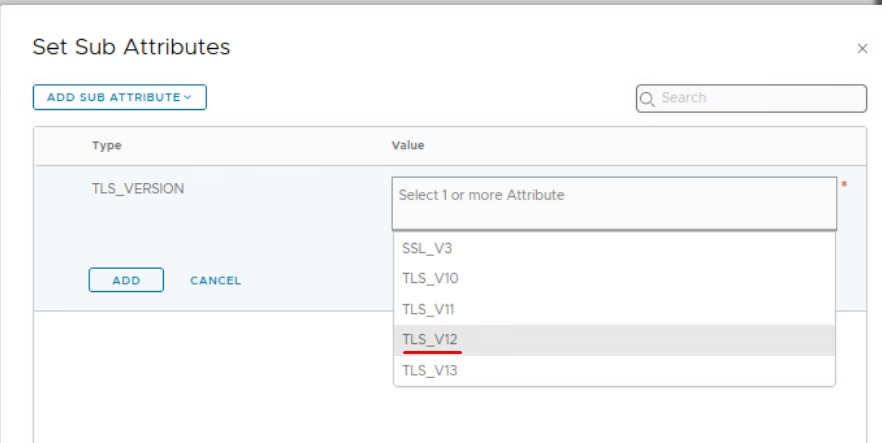
Click Save and Publish the rules
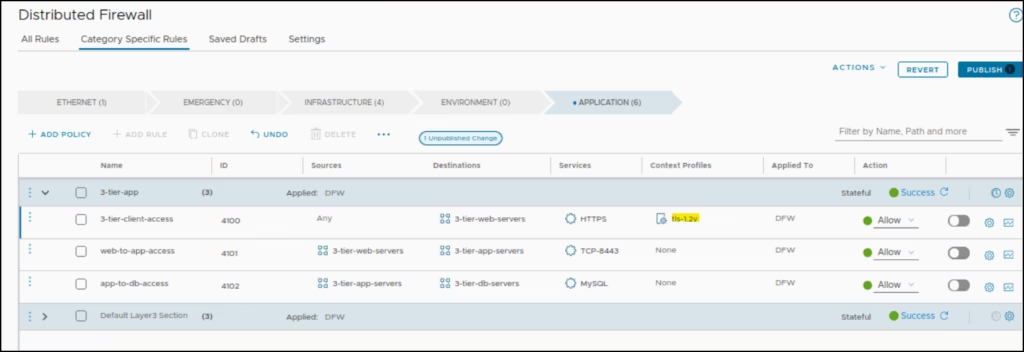
Now as you browse the webserver, we can see web connection is authenticated using TLS 1.2
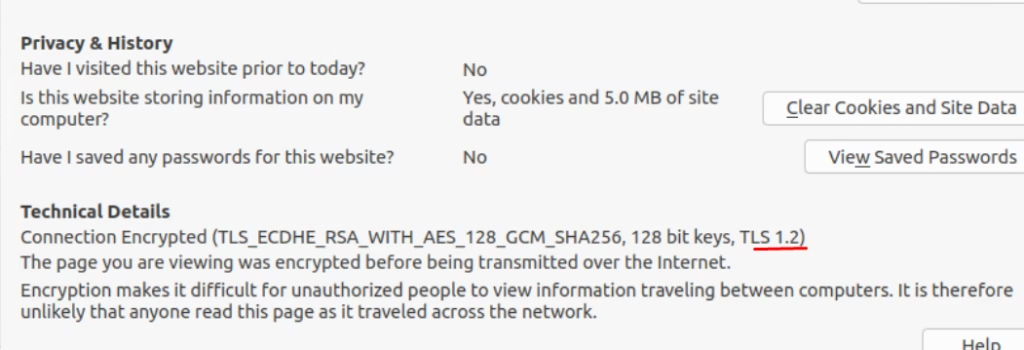
By leveraging NSX Context Profiles, we’ve enforced TLS version control at Layer‑7, ensuring that only secure TLS 1.2 connections are permitted. This demonstrates how NSX can simplify micro‑segmentation with application‑aware policies, moving beyond simple IP/port rules to true operational clarity.