

A while back, I wrote about micro-segmentation in NSX-V, and the same core principles still apply here—we’re just extending them into NSX-T with more flexibility, better grouping, and a modern distributed firewall model.
The main goal of NSX is to secure applications in a smarter, application-centric way. Instead of relying on traditional network boundaries, NSX applies security rules directly at the hypervisor level, using the Distributed Firewall (DFW). This gives you fine-grained filtering based on tags, security groups, and actual workload needs.
Why Traditional Security Falls Short
In a traditional network, everything inside a subnet (for example, a /24) can usually talk to everything else.
So if an attacker breaks into any machine inside that subnet, they can freely move sideways—this is called lateral movement.
Perimeter firewalls only protect north-south traffic (in/out of the data center). But east-west traffic (VM-to-VM) is often completely unprotected, so once attackers get in, they spread quickly.
How NSX Fixes This
NSX uses micro-segmentation, which means:
- Security rules are applied at the individual workload level
- Only essential traffic is allowed
- Lateral movement is stopped even if someone breaches the perimeter
- Policies follow the application, not the network layout
Firewall rules and policies in NSX are tied directly to applications, security groups, and tags, not IP addresses. This drastically reduces the attack surface and stops attackers from roaming inside subnets.
Layers of Firewall Protection in NSX-T
NSX-T firewall rules can be applied to:
- Virtual machines
- vNICs
- Segments
- Groups
- Dynamic membership (tags, names, OS type, etc.)
However, the best practice is to use dynamic groups, because workloads are automatically added/removed based on their attributes.
Hands-On Example: 3-Tier Application
We’ll use a simple 3-tier design:
| Tier | VM Name | IP Address |
|---|---|---|
| Web | web01 | 10.10.0.10 |
| Web | web02 | 10.10.0.11 |
| App | app01 | 10.20.0.10 |
| DB | db01 | 10.30.0.10 |
By default, everything can talk to everything. We want to lock it down so that only the required flows are allowed:
Allowed
- ✅ Web → App
- ✅ App → DB
Blocked
- ❌ Everything else
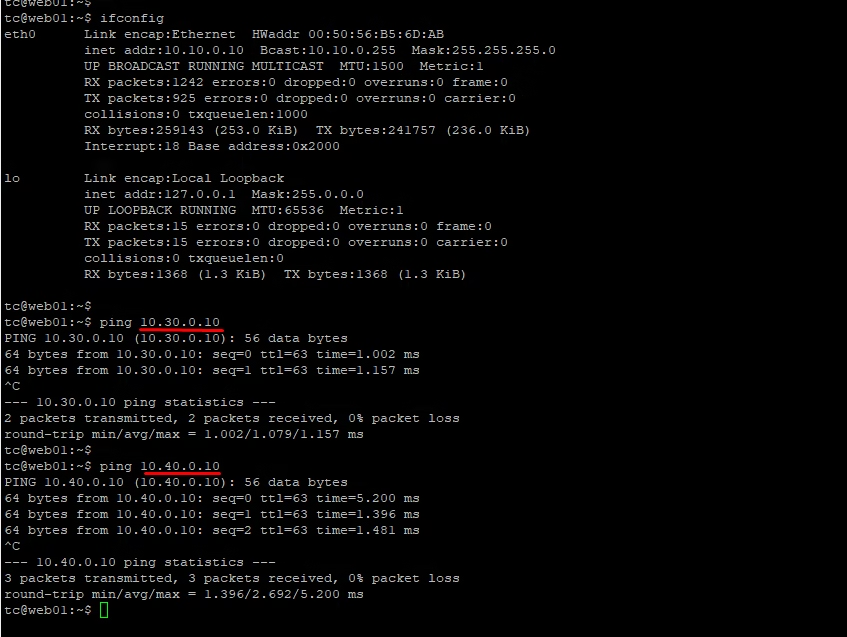
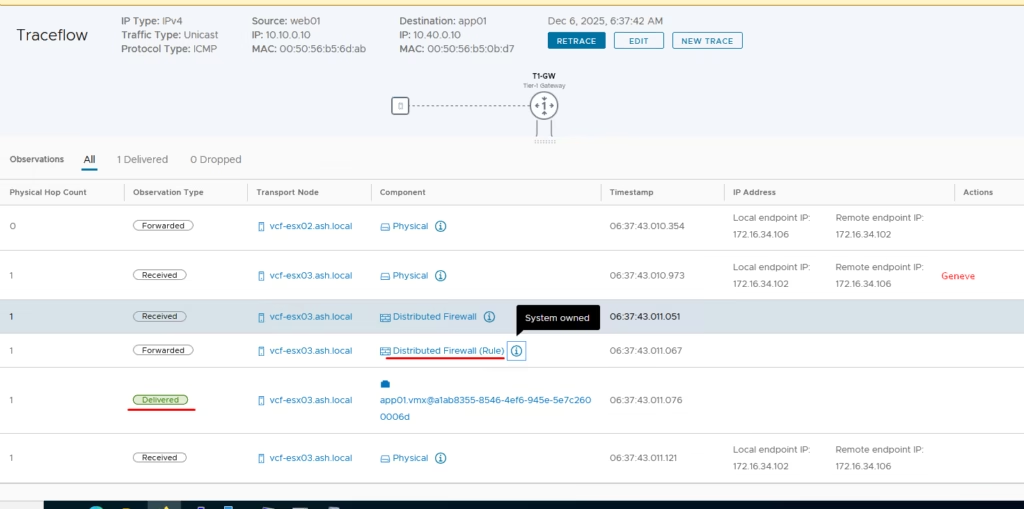
If you ran Traceflow before applying the rules, it would show all traffic being allowed by the default DFW rule.
The trace flow will be letting everything via the distributed firewall rule.
Security Groups
Security Groups (SGs) let you select VMs based on properties such as:
- VM name
- Tags
- OS
- Segment
- vCenter object
- Custom attributes
For the 3-tier example, create:
- Web SG
- App SG
- DB SG
Add the appropriate VMs into each group (or use dynamic membership).
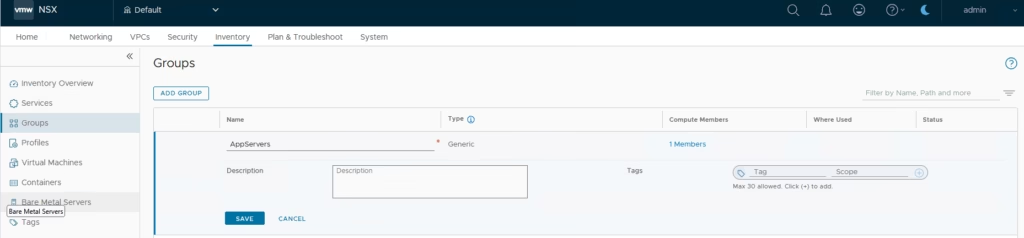
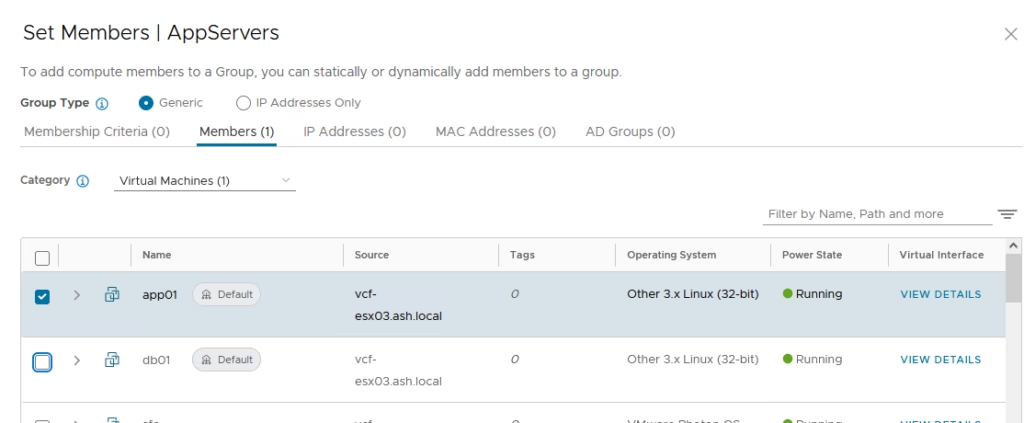
Choose the app server SG
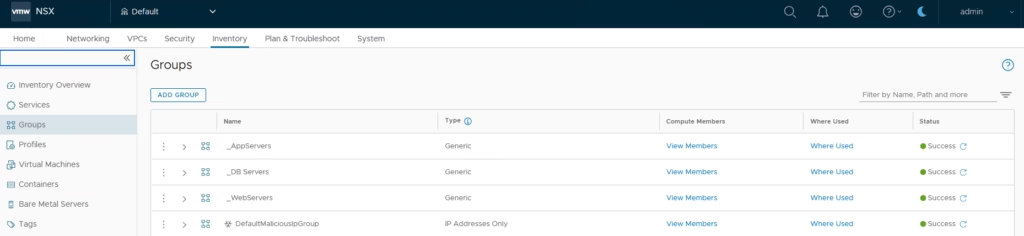
Create the Web Security Group and also the DB Security Groups
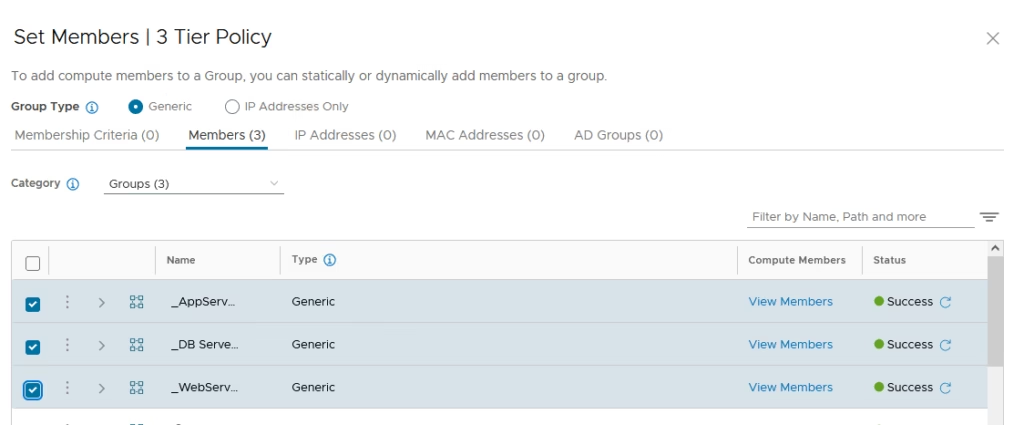
Create the Tier Policy and just add the above security groups we added earlier.
All the four security groups are now ready.

Creating the Policy
Our simple 3-tier example shows how quickly an environment can shift from “everything talks to everything” to a least-privilege, application-centric architecture. Lets create a new security policy (for example: 3-Tier-Policy) and attach the security groups to the policy and add rules like this:
| Rule ID | Name | Source | Destination | Service / Port | Action | Applied To |
|---|---|---|---|---|---|---|
| 1 | Allow Web Traffic | Web SG | App SG | HTTPS / 8443 | Allow | Web + App Servers |
| 2 | Allow DB Traffic | App SG | DB SG | MySQL / 3306 | Allow | App + DB Servers |
| 3 | Reject All Others | Any | Any | Any | Deny | Any |
Choose to Add a Policy and give the policy a name.
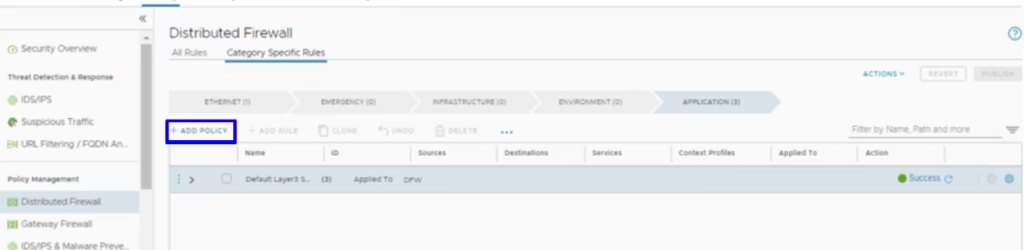
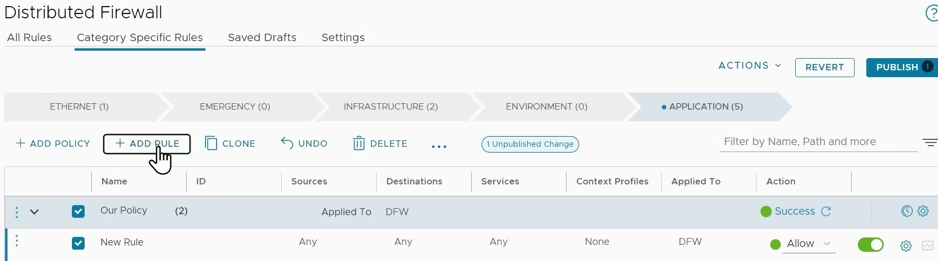
Under the policy, we just create rules as shown
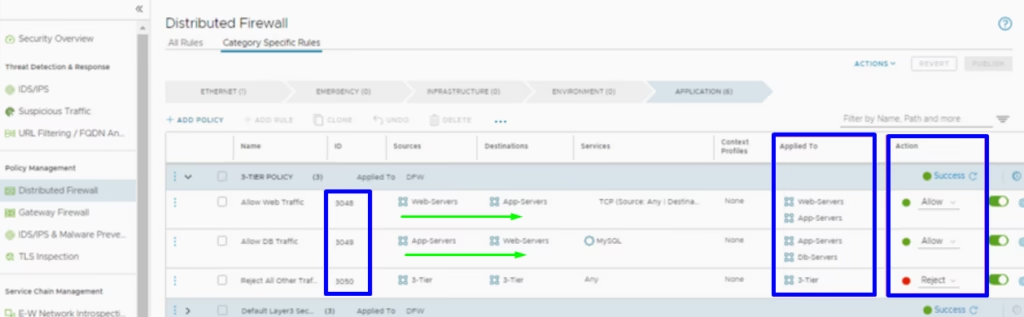
Once these rules are placed above the default allow rule (or after disabling default allow), NSX will enforce micro-segmentation for this application and if you watch Traceflow to confirm the enforcement, it becomes obvious: NSX changes the game. No more free lateral movement.