


VCF integrates multiple components—SDDC Manager, NSX, Fleet Manager, Identity Broker, and more.
What you need before starting:
- Admin access to all VCF components
- A reachable, hardened SFTP server (required for all backup targets)
- Sufficient storage on the SFTP target
SDDC Manager & NSX Backups
- Go to Operations > Administration > SDDC Manager > Backups
- Enter SFTP server details: hostname, port, credentials, and path
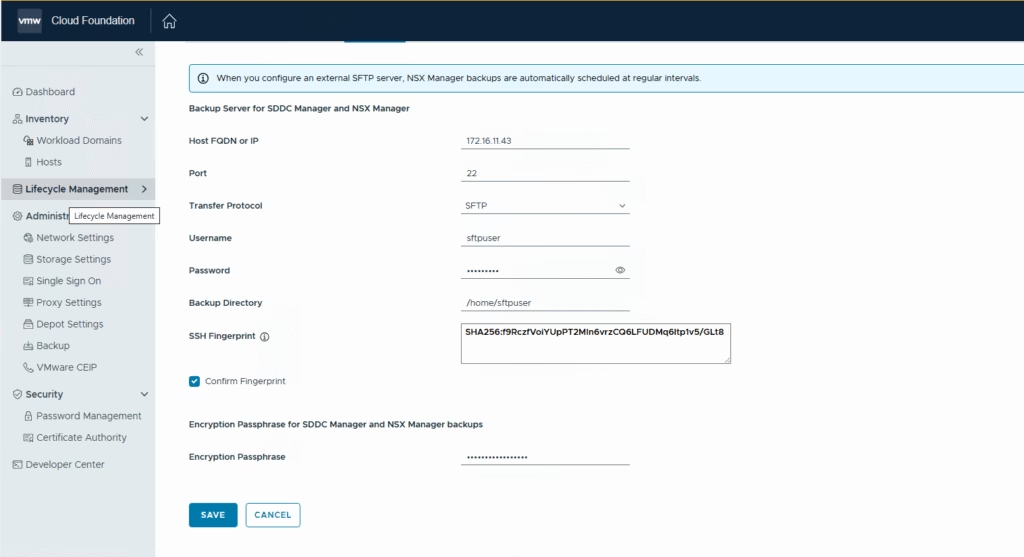
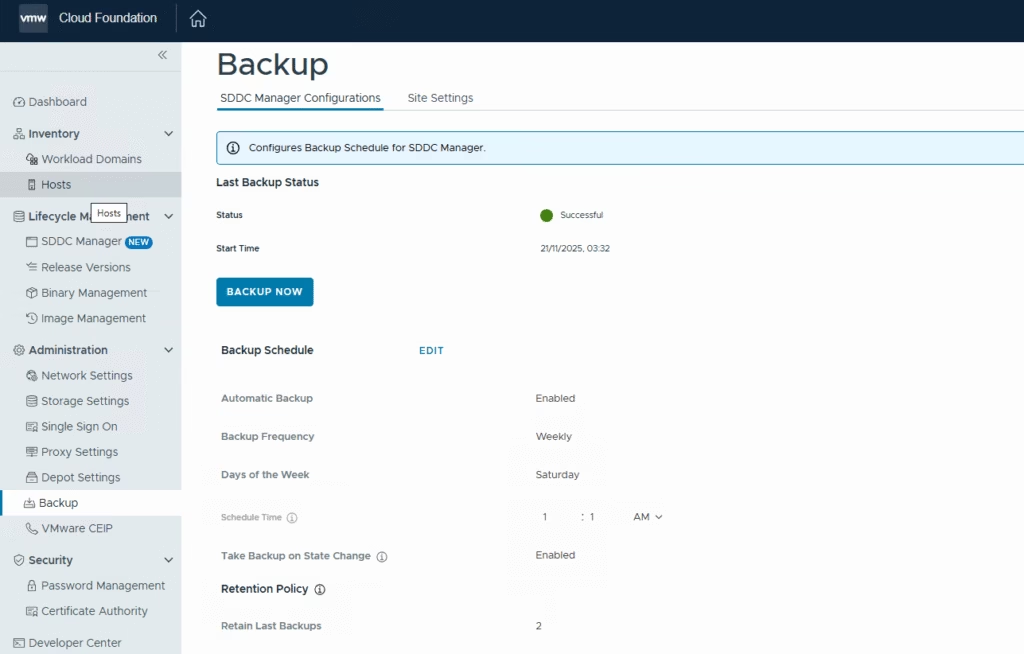
- Set backup frequency (daily/weekly) and retention count
- Run a manual backup to validate the setup
- NSX backups are triggered from the same UI but stored separately but ensure the edges and the NSX appliances are also backed up using a backup software too.
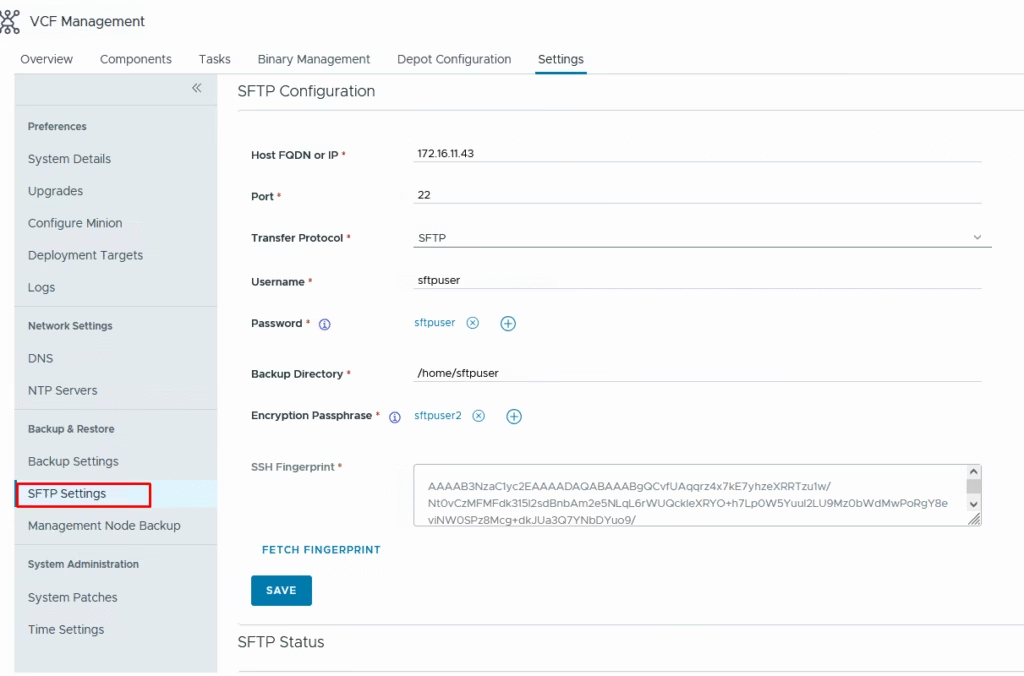
Fleet Manager, Identity Broker, VCF Automation
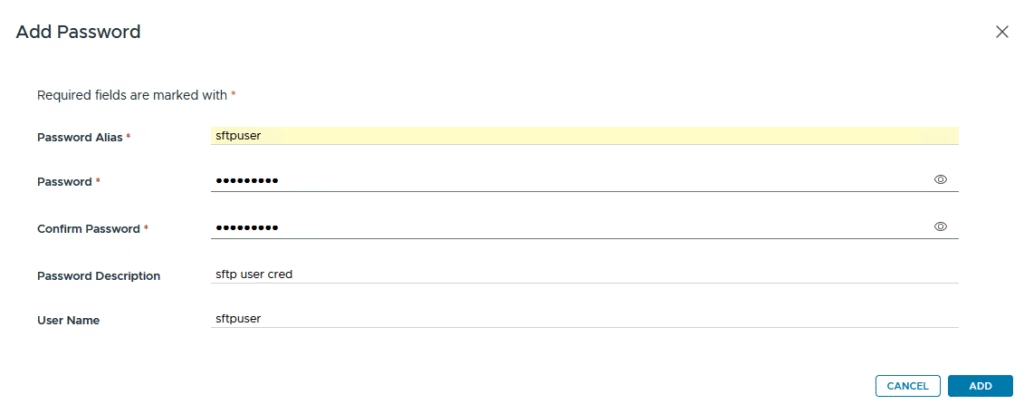
Configure a user for sftp backups
Navigate to Fleet Management > Lifecycle > Settings > SFTP/Backup
Enable automatic backups and define retention policy
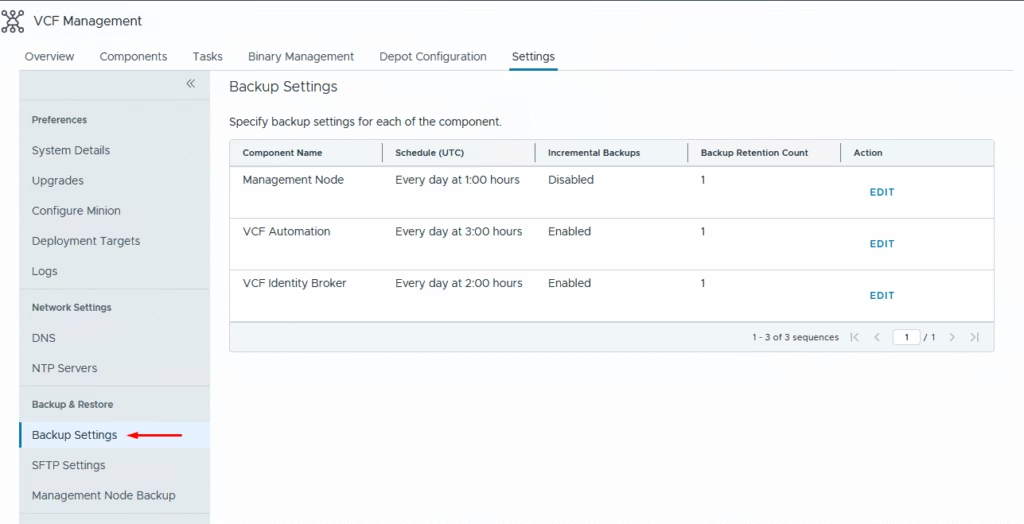
Run a quick backup to ensure if everything works
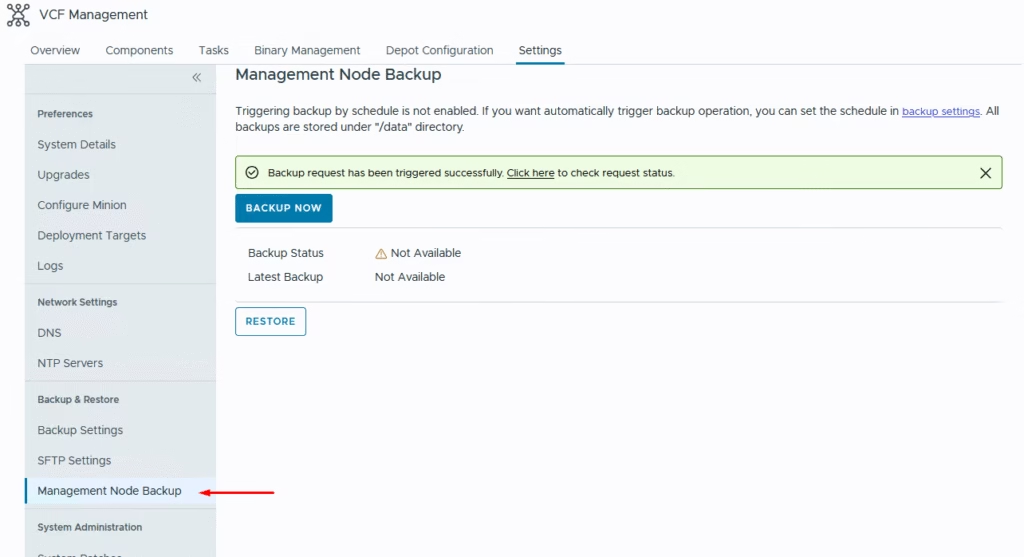
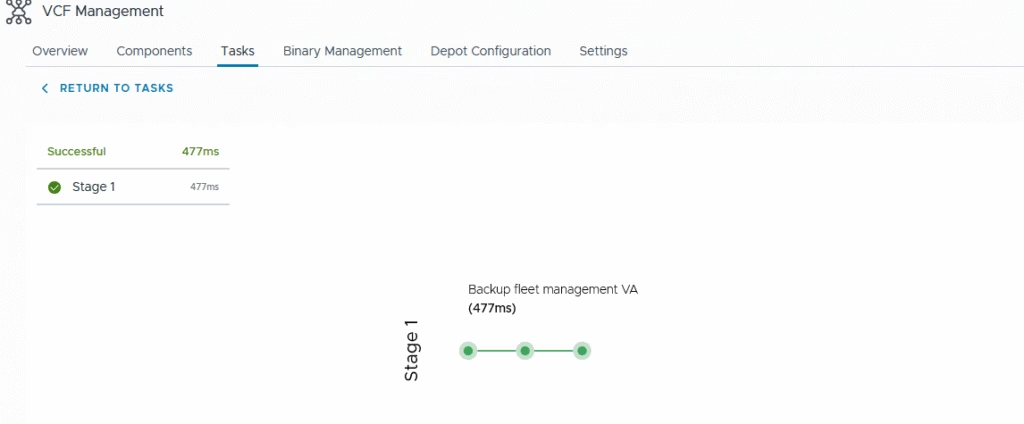
Monitor the status of the run
vCenter
Configure a user for sftp backups
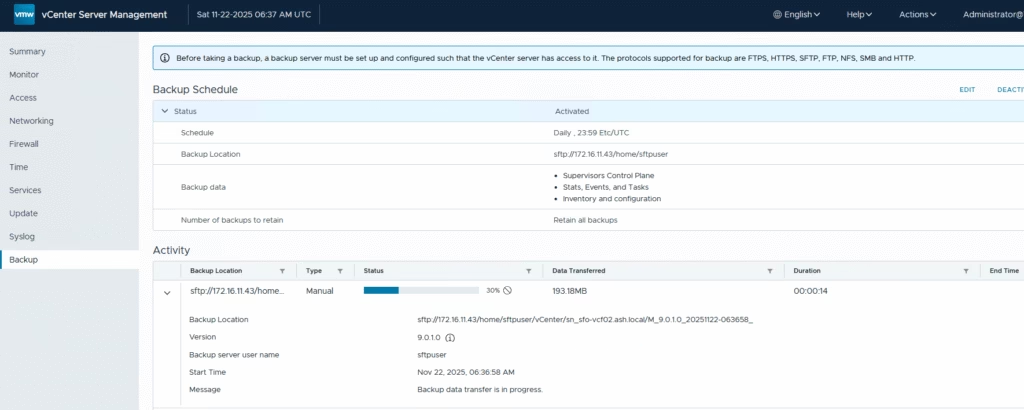
Validate backups on the SFTP server.

(Visited 81 times, 2 visits today)