When deploying VMware Cloud Foundation (VCF) in air-gapped environments, the installer expects access to a structured offline depot via HTTP. This guide shows how to serve that depot using Python’s built-in HTTP server—no big Apache setups, no NGINX, just raw functionality.
Prerequisites
- Photon OS or any Linux distro with Python 3
- Offline depot extracted to a known path (e.g.,
/var/www/html/PROD/COMP) under subdirectories as shown below - Network access between the VCF appliance and your HTTP host
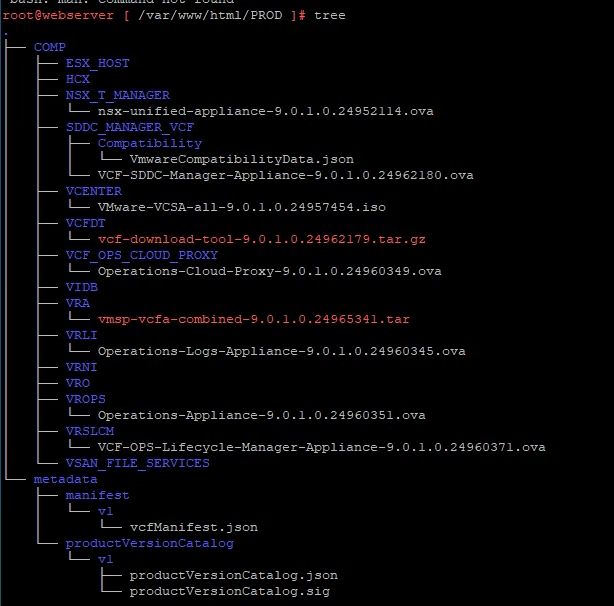
Expected Depot Structure
The VCF installer will attempt to pull files from the this path ../COMP . Your sub directories and the software components we plan to deploy must be created for each of the folder being deployed under ../COMP and will look like:
Step 1 – Download the OVA file. Prior to booting the VM, attach an additional 100GB virtual disk to serve as the software repository.
Step 2 – Assign a static IP address to the web server VM and set a host name
Step 3 – Install Apache HTTP Server, update the OS, and reboot the VM
tdnf install httpd tar jq --assumeyes
tdnf update --assumeyes
reboot
Step 4 – Create a file system on the new 100GB we added earlier. Next, we’ll format and mount the additional disk we added earlier. Run the following commands:
mkdir -p /var/www/html
mkfs.ext4 /dev/sdb
echo "/dev/sdb /var/www/html ext4 defaults 1 1" >> /etc/fstab
mount -aStep 5 – Clean up default files and set secure permissions
# Now, remove any default files and tighten the permissions on the web directory:
rm -f /var/www/html/index.html
find /var/www/html -type d -exec chmod 0500 {} \;
find /var/www/html -type f -exec chmod 0400 {} \;Step 6 – Configure a user for SDDC Manager to authenticate with the web server
# Replace <vmware> with your desired username
htpasswd -c /etc/httpd/conf/.htpasswd <vmware>
chown apache /etc/httpd/conf/.htpasswd
chmod 0400 /etc/httpd/conf/.htpasswdStep 7 – Finally, start the Apache service and enable it to launch automatically on boot:
systemctl start httpd && systemctl enable httpdStep 8 – Configure the VCF Installer to allow non-HTTPS connections
vi /opt/vmware/vcf/lcm/lcm-app/conf/application-prod.properties
# Add the following line to the file:
lcm.depot.adapter.httpsEnabled=false
# restart the LCM service to apply the change:
systemctl restart lcm
This disables HTTPS enforcement for the depot connection and ensures the VCF Installer can access your offline web server.
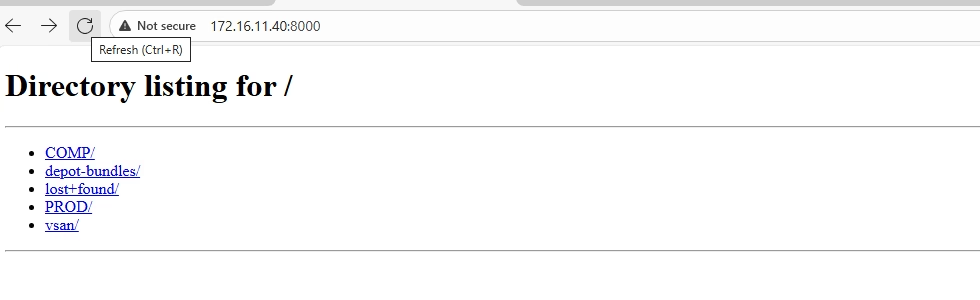
Step 9 – Serve the web directory using Python’s HTTP server
root@webserver [ /var/www/html ]# python -m http.server 8000
Serving HTTP on 0.0.0.0 port 8000 (http://0.0.0.0:8000/) ...This starts a lightweight HTTP server on port 8000, making your /var/www/html/ directory accessible for the VCF Installer or other clients.
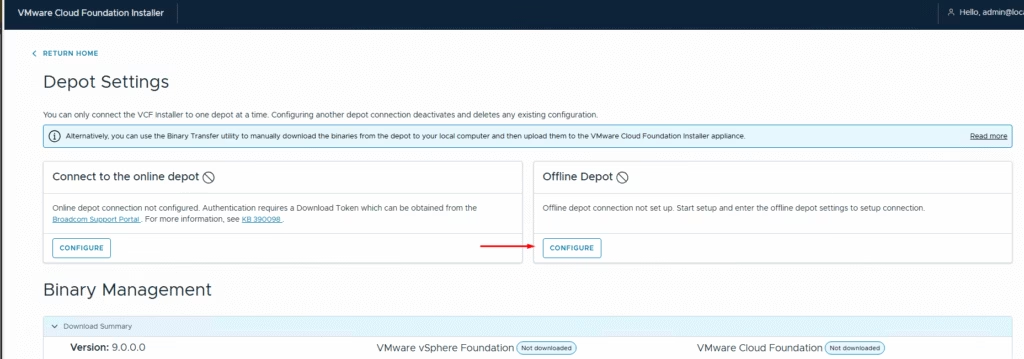
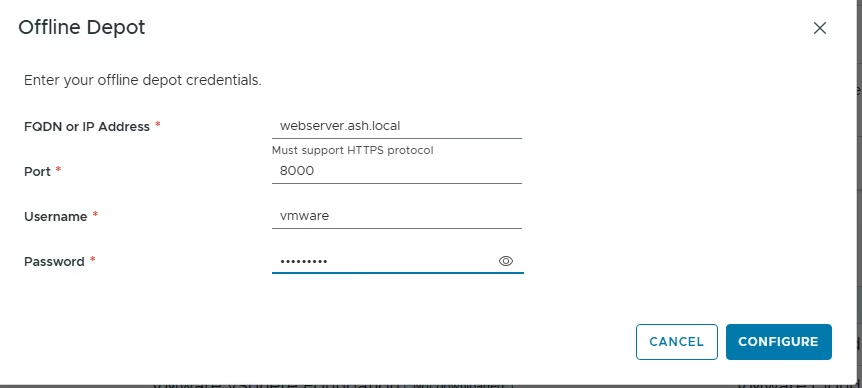
Step 10 – Browse to the vcf installer and click offline depot
Step 11 – Provide all the info required and click connect
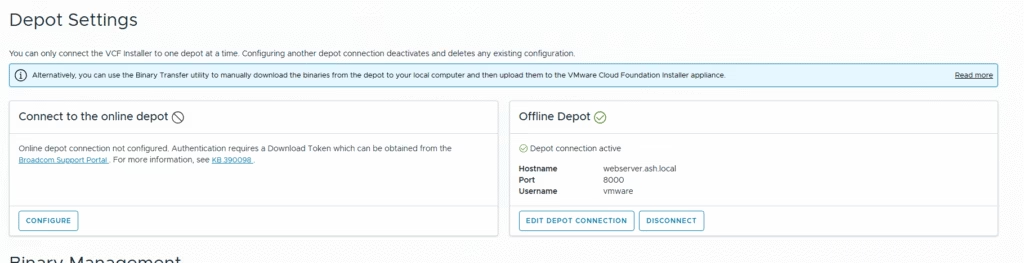
Step 12 – Our offline depot is connected and you can begin to place software’s in the directories
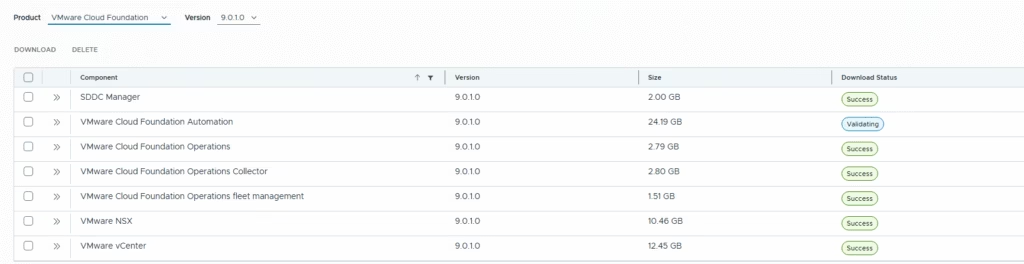
Step 13 – Choose the binaries you want to download and click the Download button.
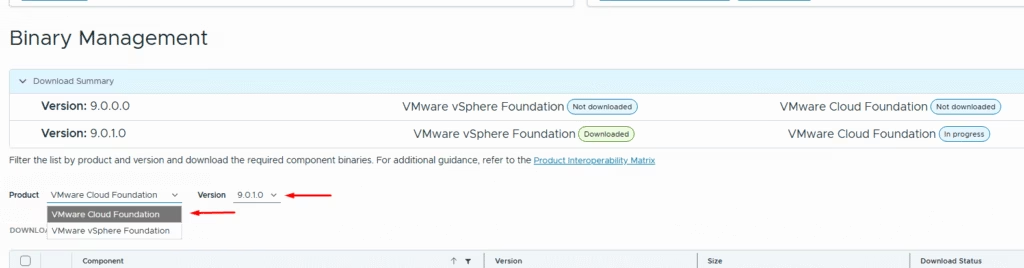
Step 14 – Once the binaries are downloaded, the download status should show successful as shown