

This Lightning Setup Guide walks through the exact workflow I use to bring an NSX environment from zero to functional in five to ten minutes flat.
Deploy NSX Manager
- ESX host with 4 uplinks connected and in trunk mode.
- Edit switch properties to allow Promiscuous Mac address and forged transmits on vSwitch
- Deploy the NSX Manager OVA using the Medium form factor
- Assign management IP, DNS, NTP
- Power on and log in at
https://nsx-ui - Register vCenter as a Compute Manager

Label the vDS switches correctly
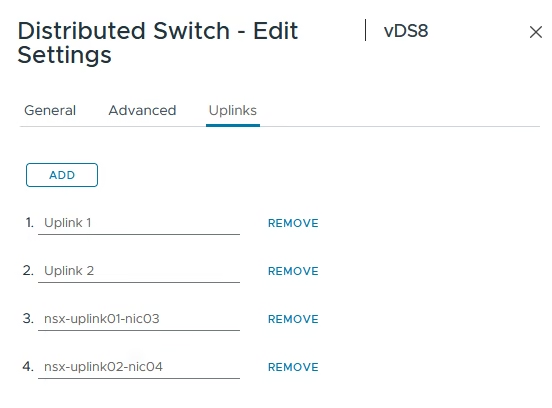
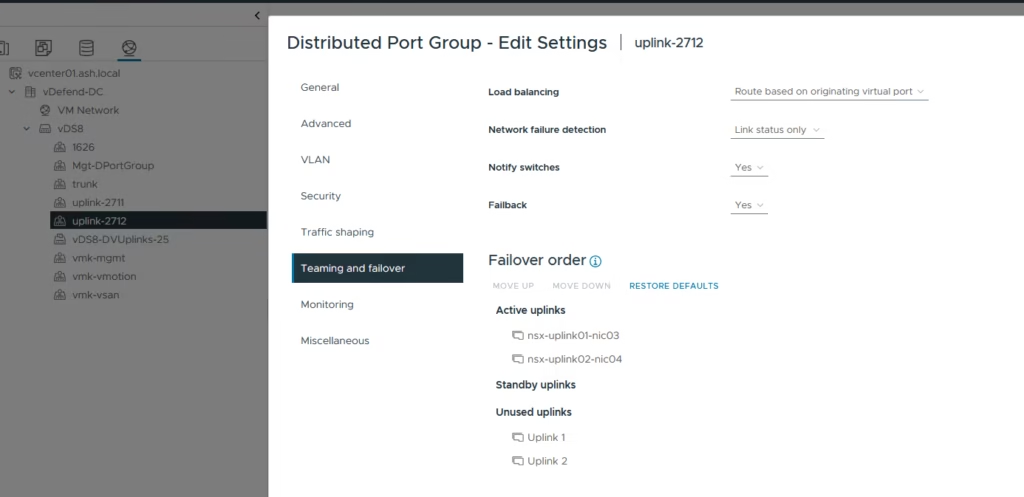
Under the nsx uplinks, which are trunked create the teaming policy for nsx uplinks
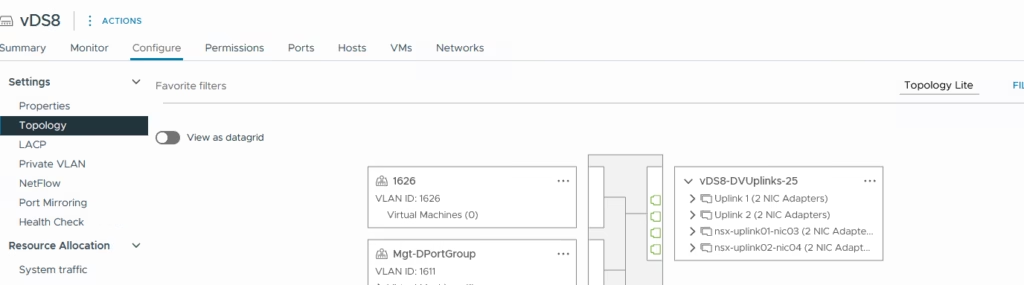
Topology view looks this way
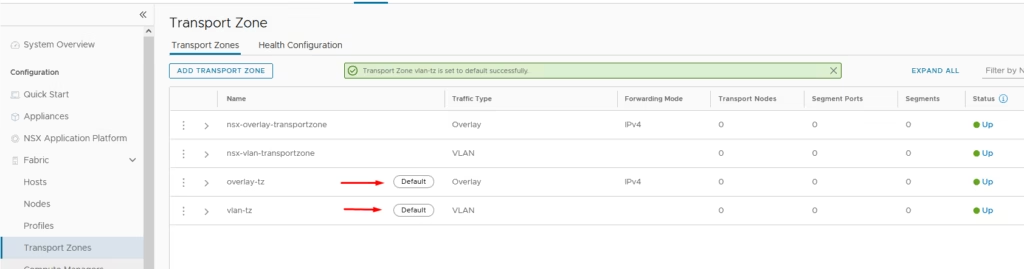
Create Transport Zones
Create two zones:
- Overlay-TZ → Overlay
- VLAN-TZ → VLAN
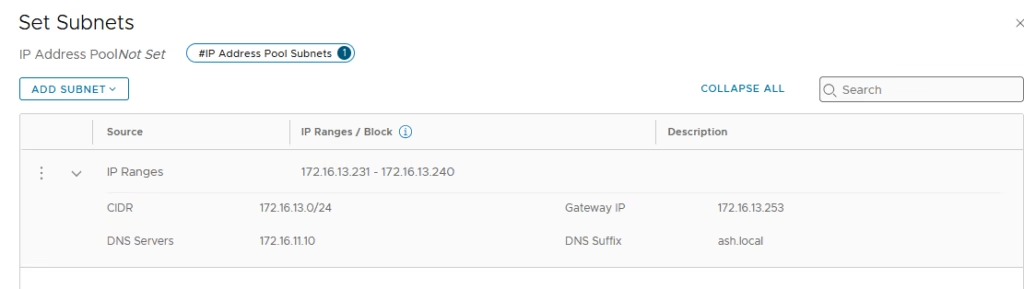
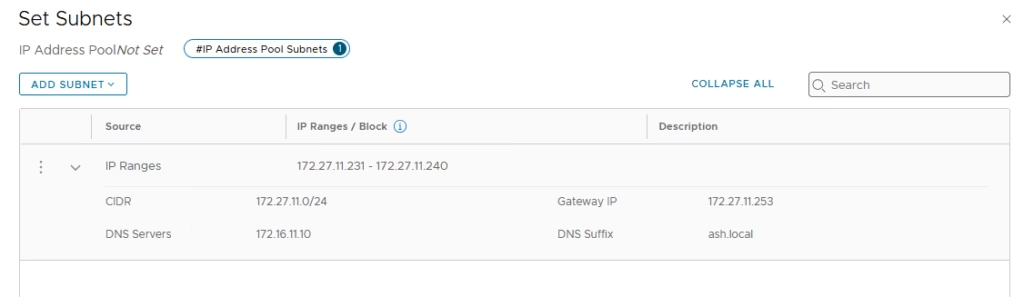
Add two IP pools:
- Add esx-tep-pool


Add edge-tep-pool
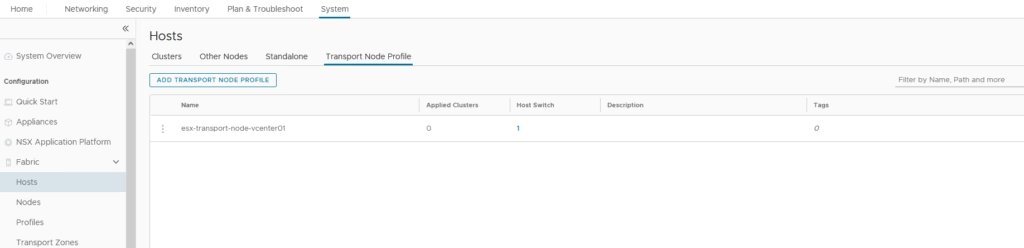
Add a esx transport profile , select your cluster → Configure NSX
Choose:
- Overlay-TZ
- VLAN-TZ
Quick Uplink Profile:
- Teaming: Load Balance Source
- TEP IP Pool as esx-tep-pool
- Uplink1 → nsx-uplink03
- Uplink2 → nsx-uplink04
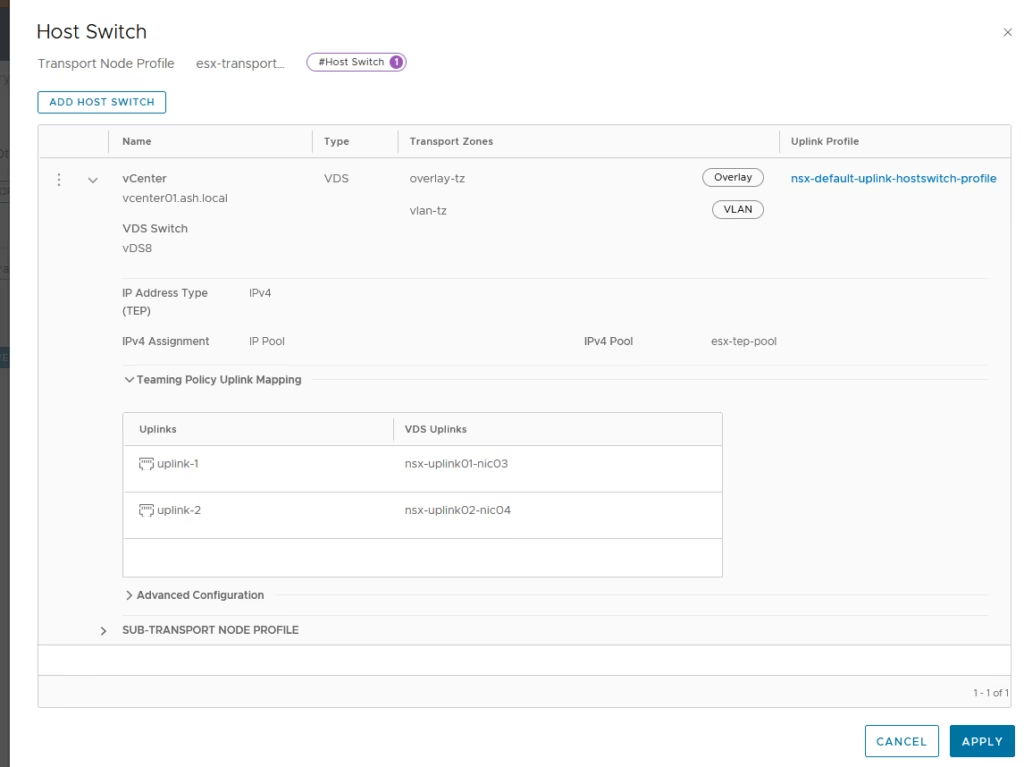
Click Apply and Prepare ESXi Hosts
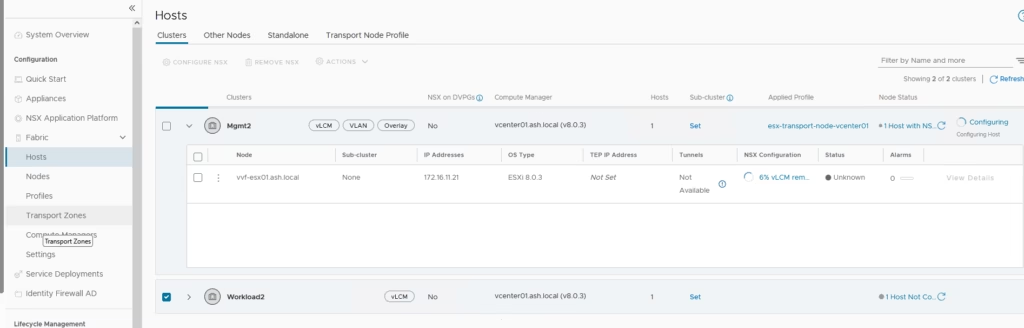
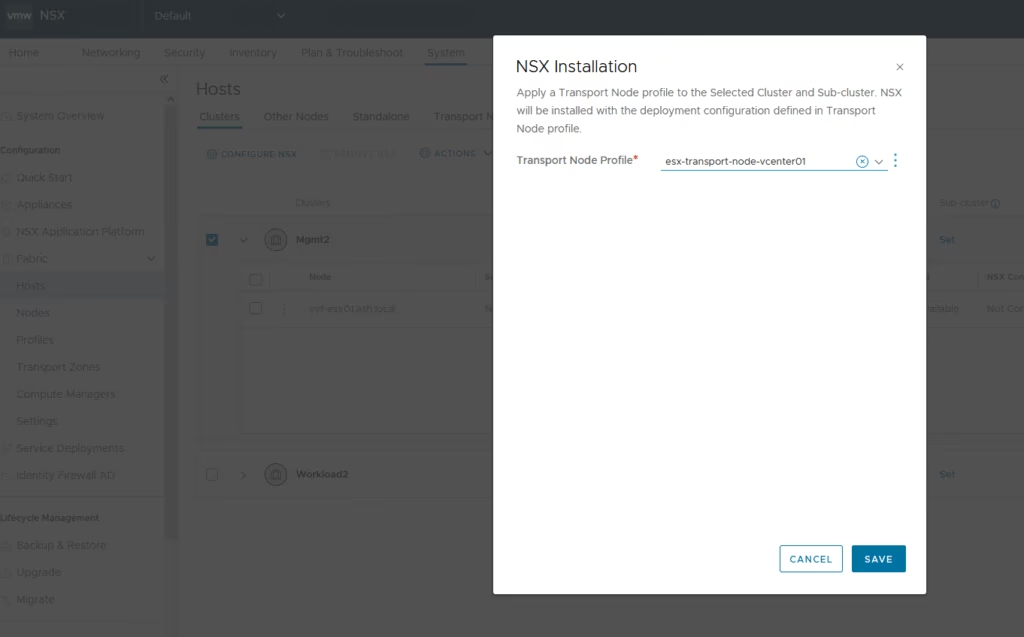
Add the host to the transport profile
Deploy an Edge Node If you want North‑South routing:
- Add it under Edge Transport Nodes
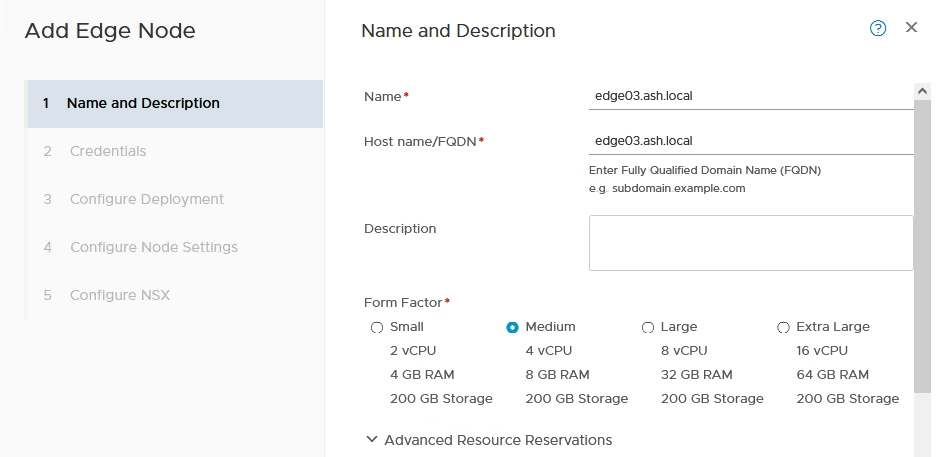
Choose the compute manager to deploy it to
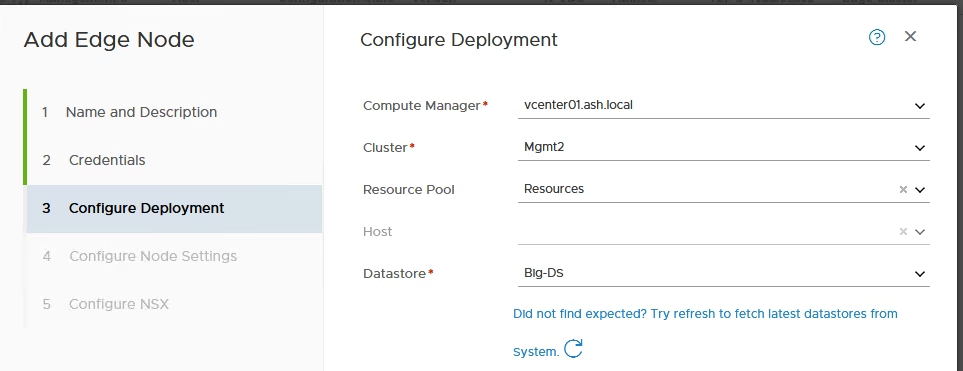
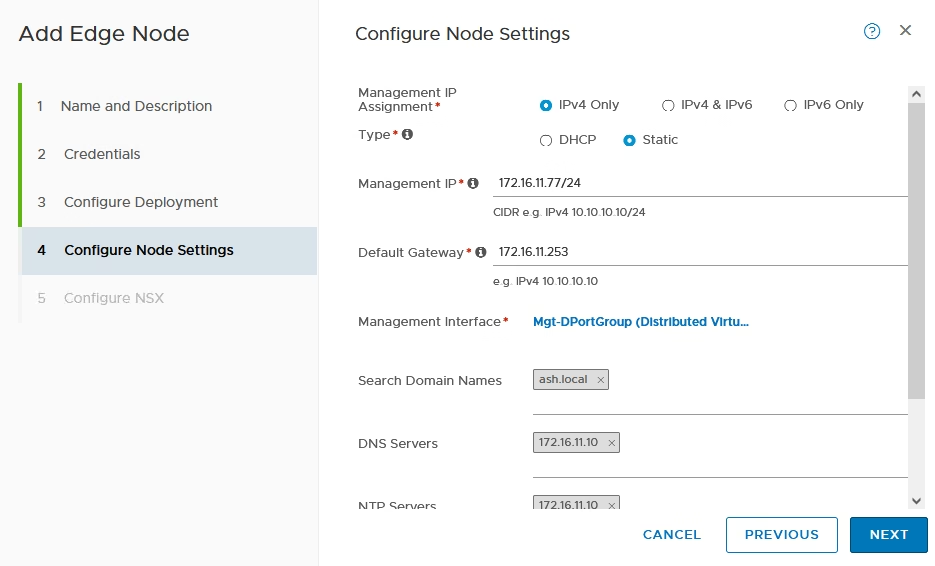
Give the ip address and add to management portgroup
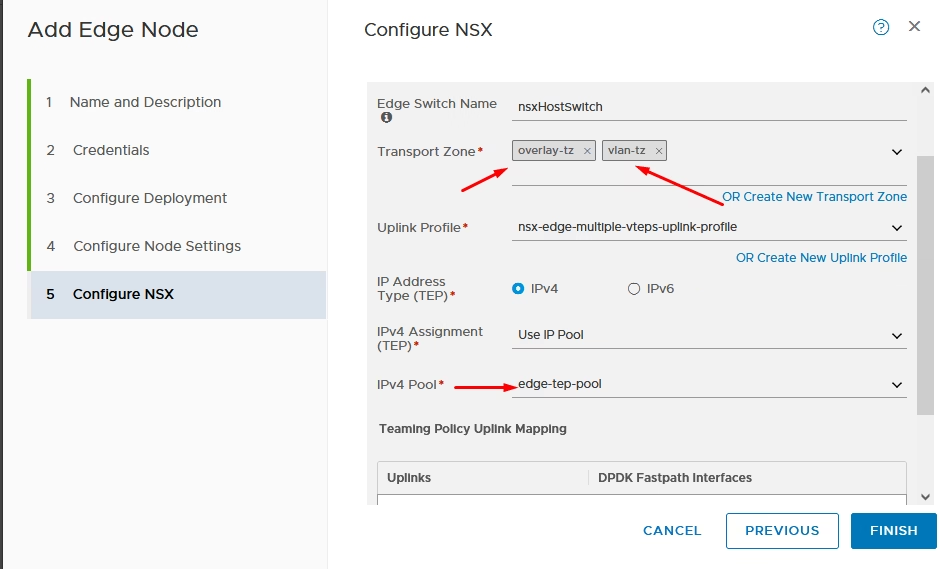
Choose the transport zone as and select the edge pool we created
- Assign Overlay + VLAN TZs
- tep pool – edge-tep pool
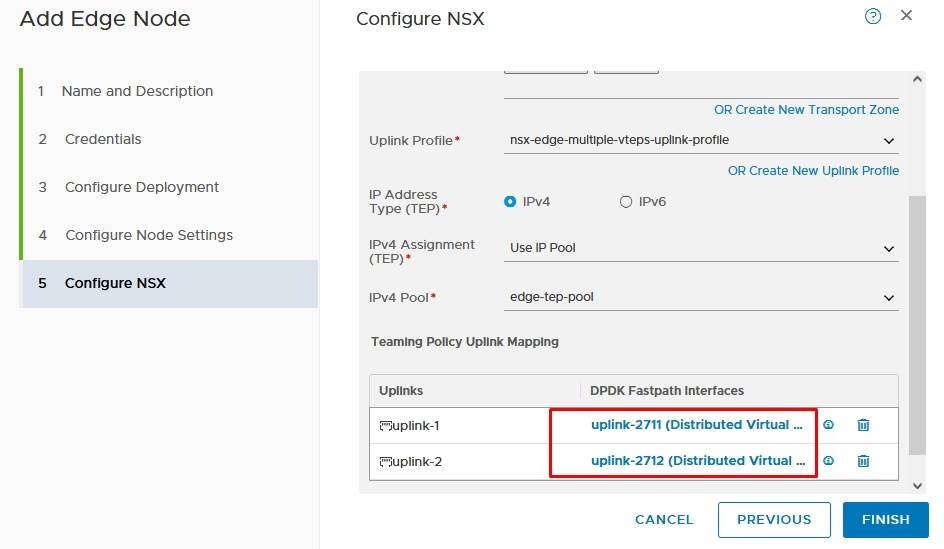
Attach uplinks to your lab network , ie choose the trunked interfaces
Edge nodes are ready

Attach it to edge cluster

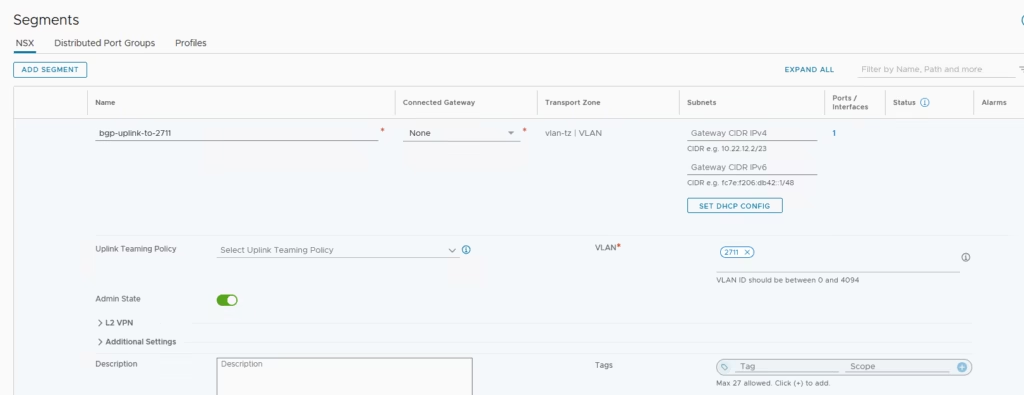
Create two VLAN segments for BGP
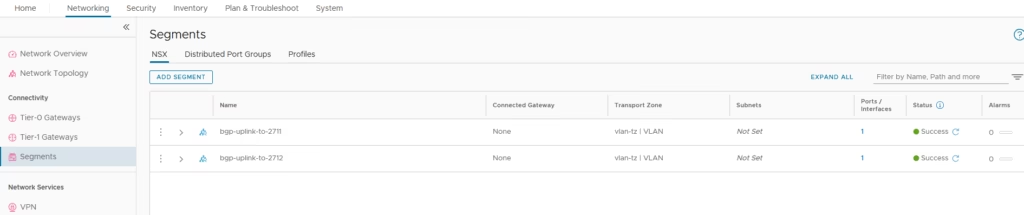
Example: 2711 as the left uplink to the external router
Build Tier‑0 and Tier‑1 Gateways
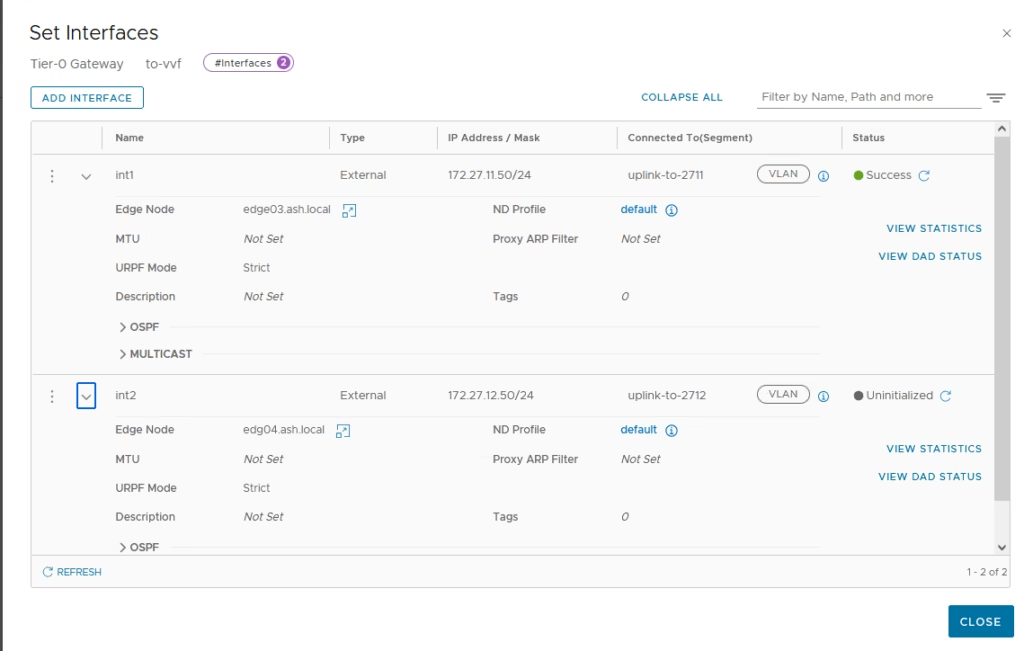
- Add uplink interface
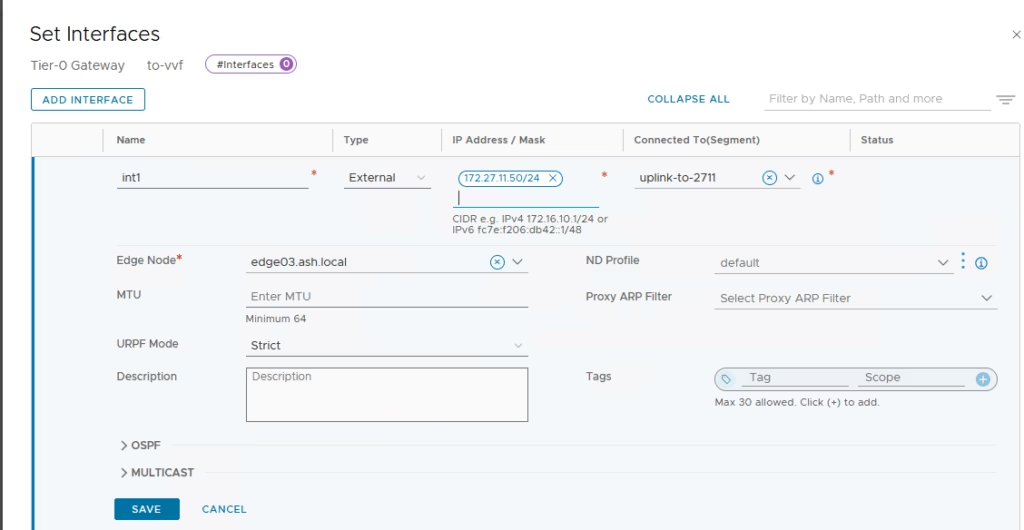
Example: 2712 as the right uplink to the external router
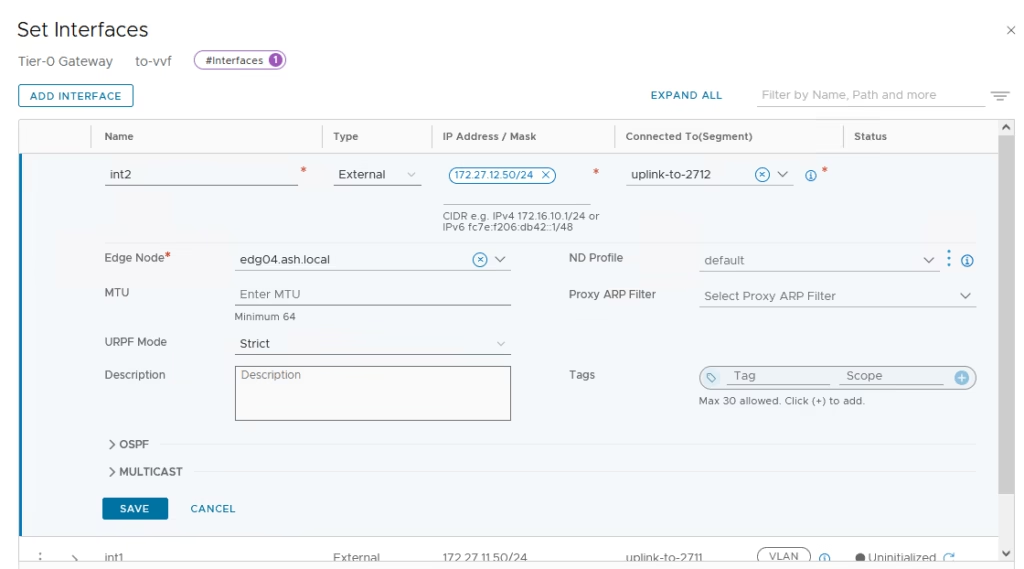
Both interfaces are ready
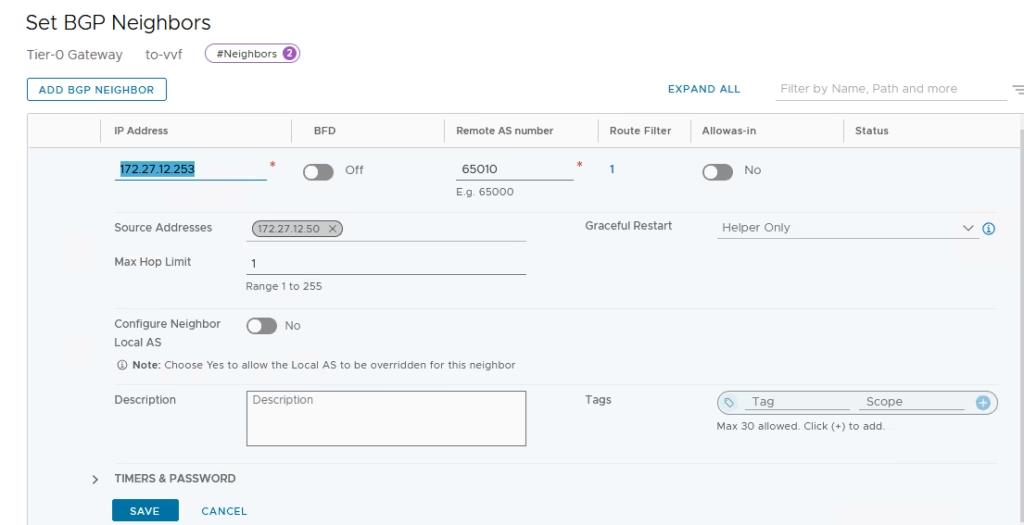
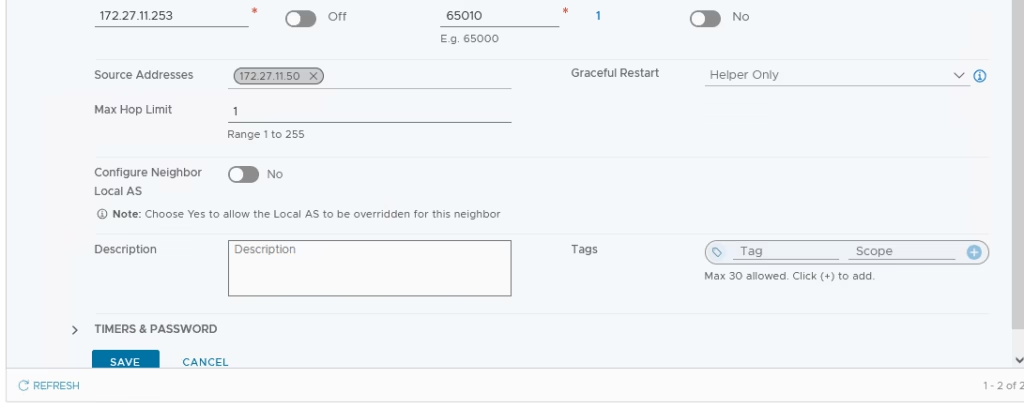
Add bgp neighbours and connect to the segments
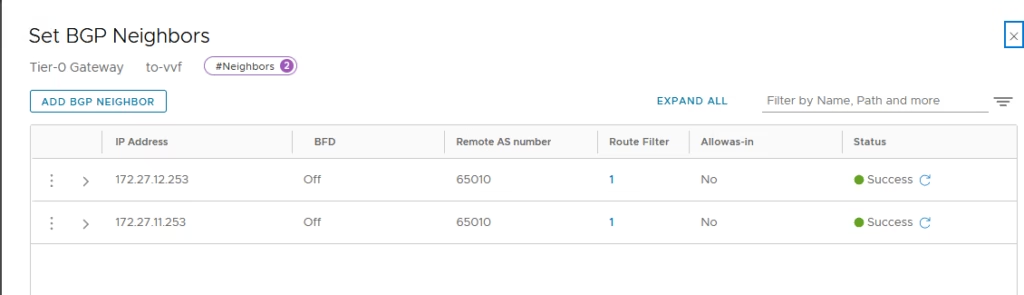
Our BGP peer has worked as desired
Advertise the BGP routes in our vyos router
set protocols bgp 65001 address-family ipv4-unicast network 172.16.12.0/24
set protocols bgp 65001 address-family ipv4-unicast network 172.16.11.0/24
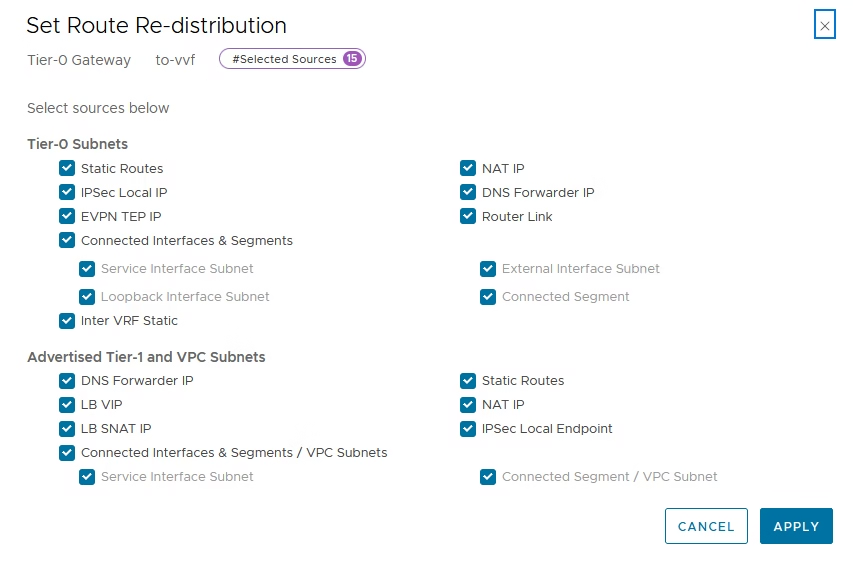
Enable route advertisement for T0
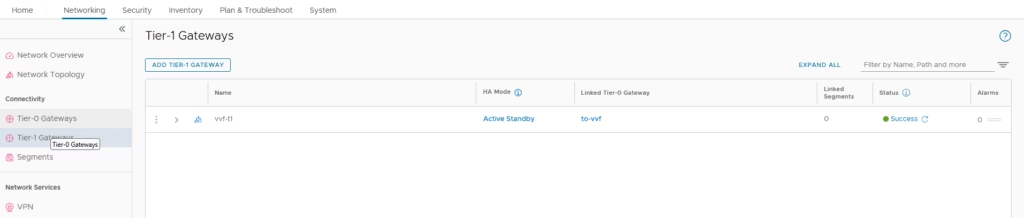
Create Tier‑1 & Connect to T0
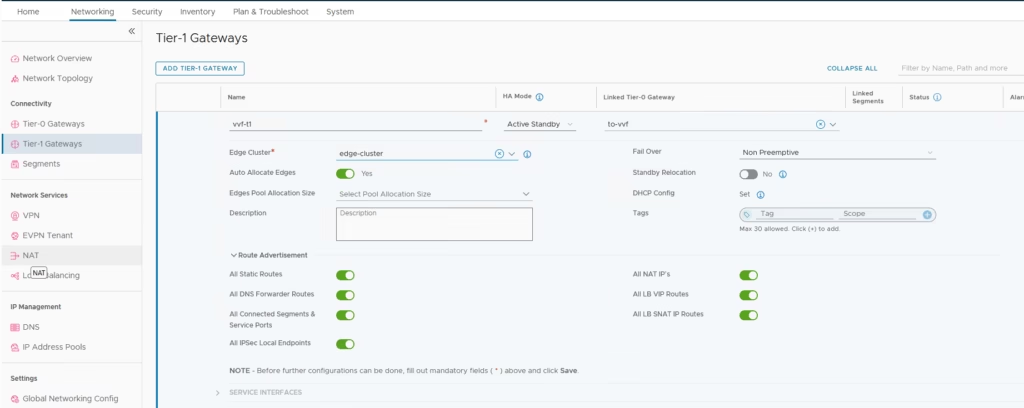
Enable route advertisement for T1
Done. NSX in 5 Minutes