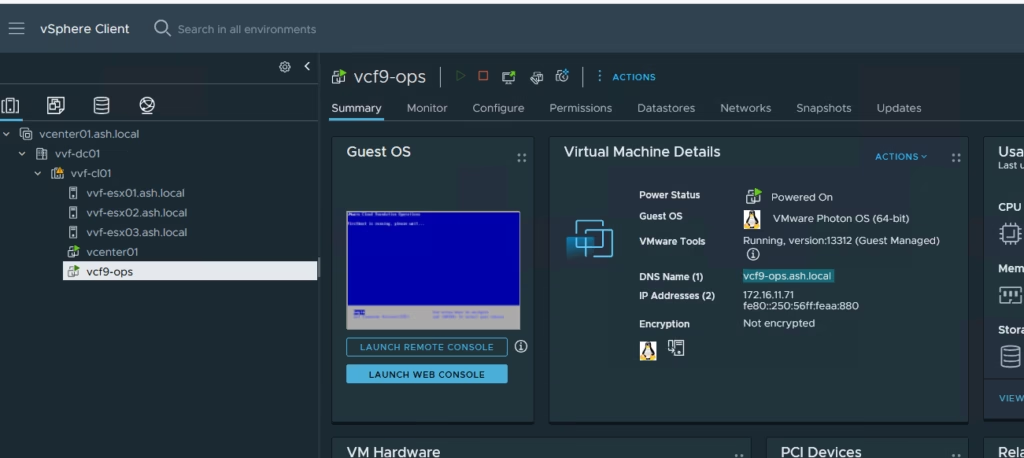
VMware vSphere Foundation (VVF) is the streamlined option in VMware’s portfolio for organisations that don’t need the full private‑cloud capabilities of VMware Cloud Foundation. It delivers the core vSphere and vSAN experience with lifecycle automation, without the broader cloud‑management stack
A number of my customers operate VVF in production, so I maintain a nested version of it in my lab. Having this setup gives me a safe, isolated environment where I can test upgrades, validate designs, and troubleshoot issues without touching my physical VCF deployment. It’s also a great way to reproduce customer scenarios quickly.
We have three four ESXi hosts deployed and configured, the next step is to bring up the VVF instance using the VCF Installer appliance.
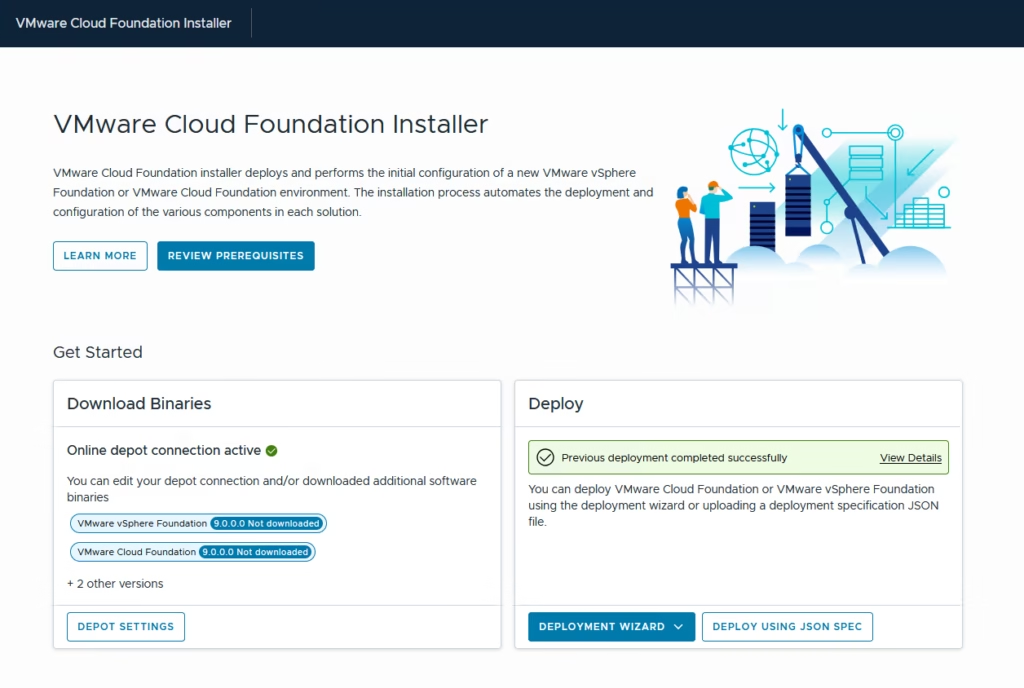
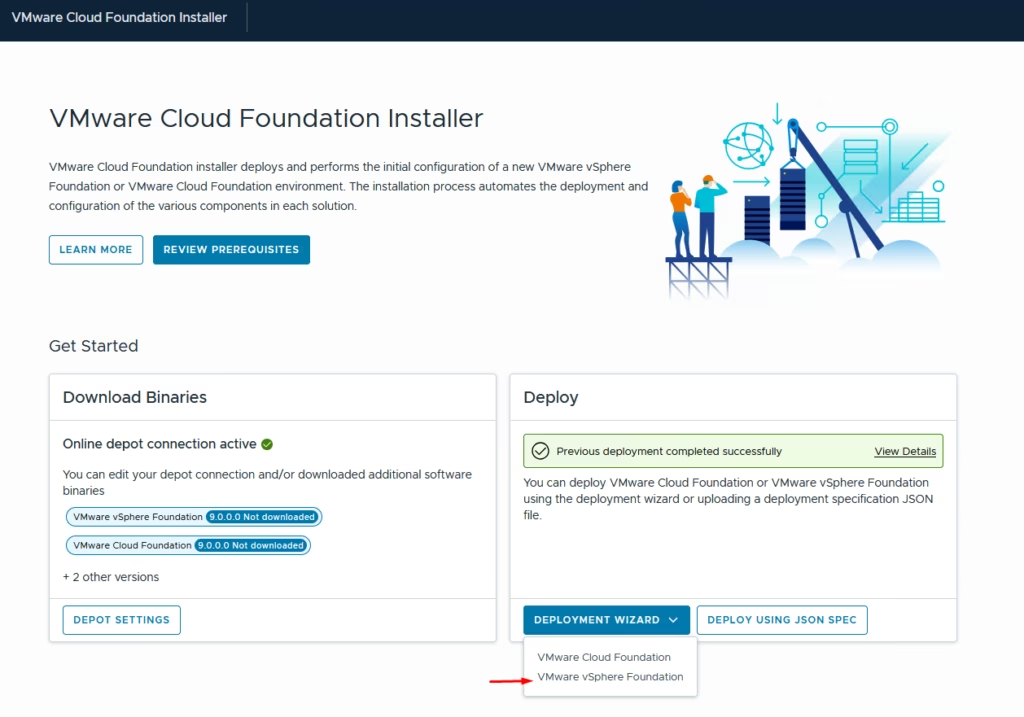
Log in to the VCF Installer appliance and begin the deployment wizard and choose to deploy VMware vSphere Foundation (VVF)
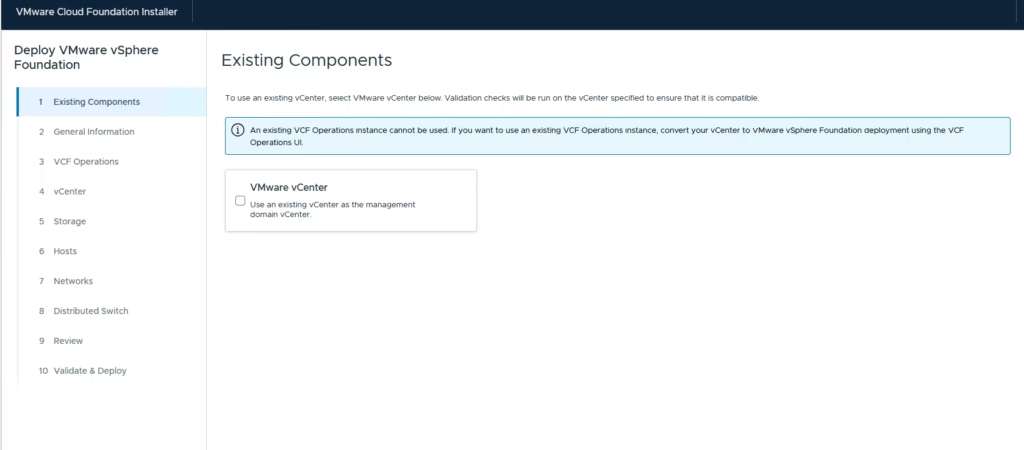
Since this is a clean environment, I’m not bringing across any existing components, so select Next. If you already have a vCenter deployed, this is where you would provide those details and we will cover this in one of my other blogs about converge.
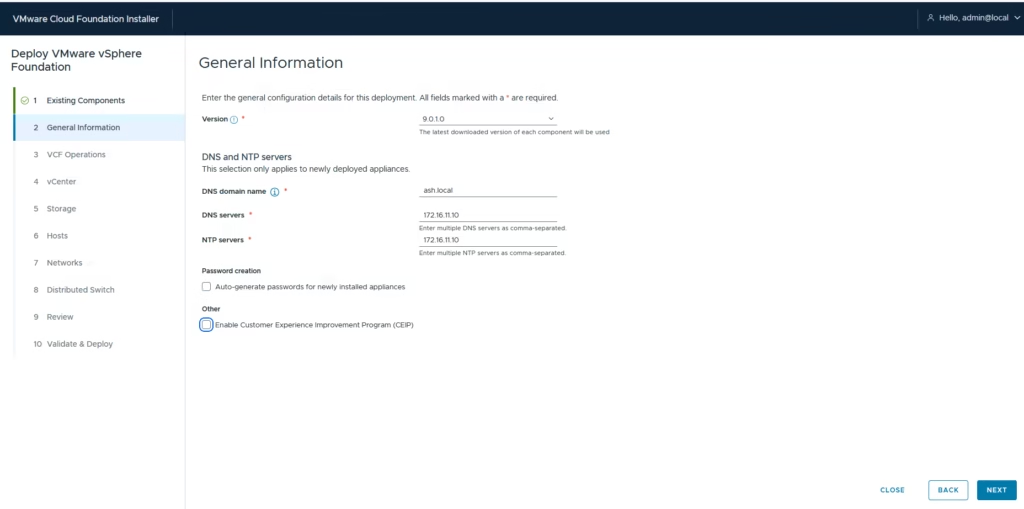
On the General Information screen, enter:
- Version required
- DNS domain info
- DNS servers
- NTP server
Disable the Customer Experience Improvement Program (CEIP) for lab environments.
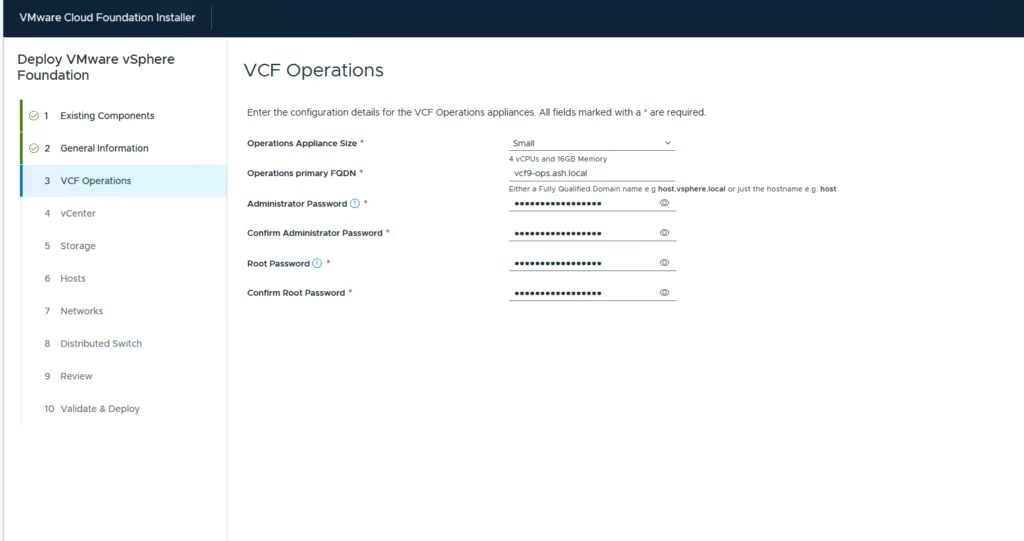
Provide the details for the new VCF Operations appliance.
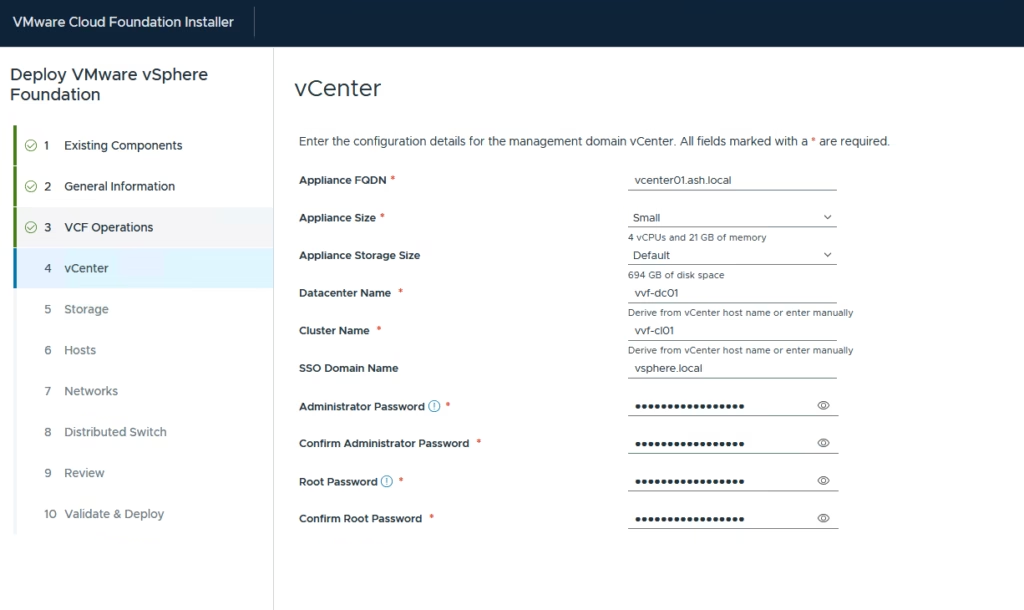
Enter the new vCenter deployment information
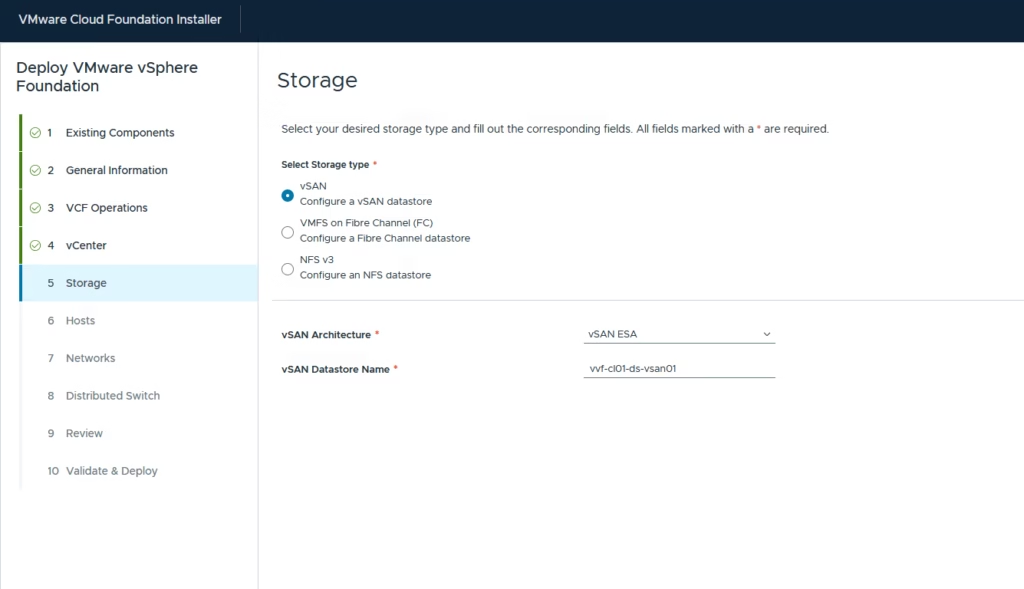
For this build, I’m using vSAN ESA, so I leave the defaults and specify the vSAN datastore name.
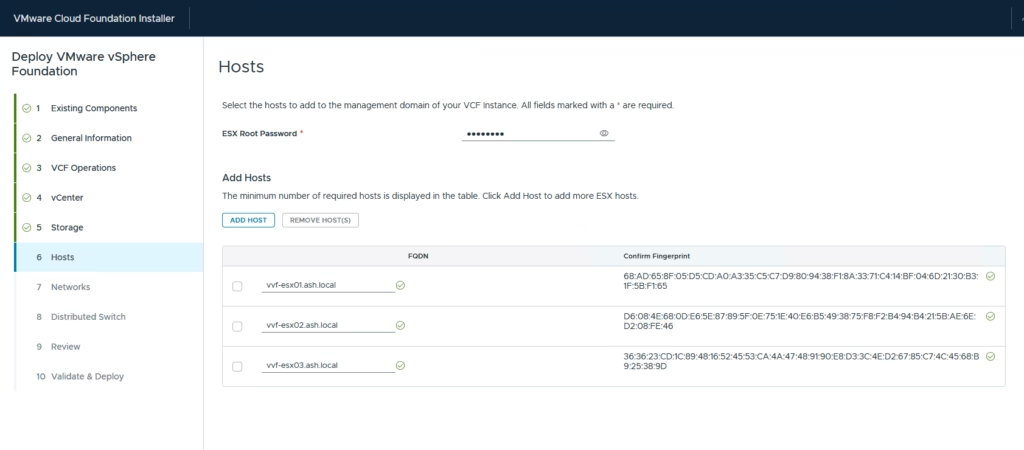
Enter the ESXi root password and the FQDN of each host.and confirm all fingerprints, then Next
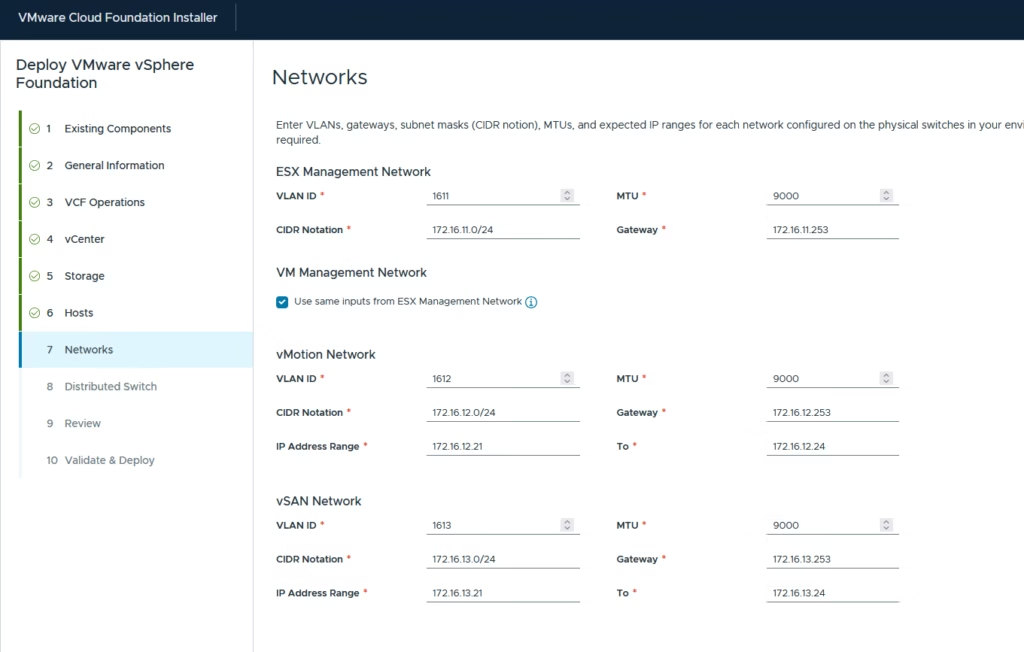
Provide the network details for:
- ESXi management
- vMotion
- vSAN
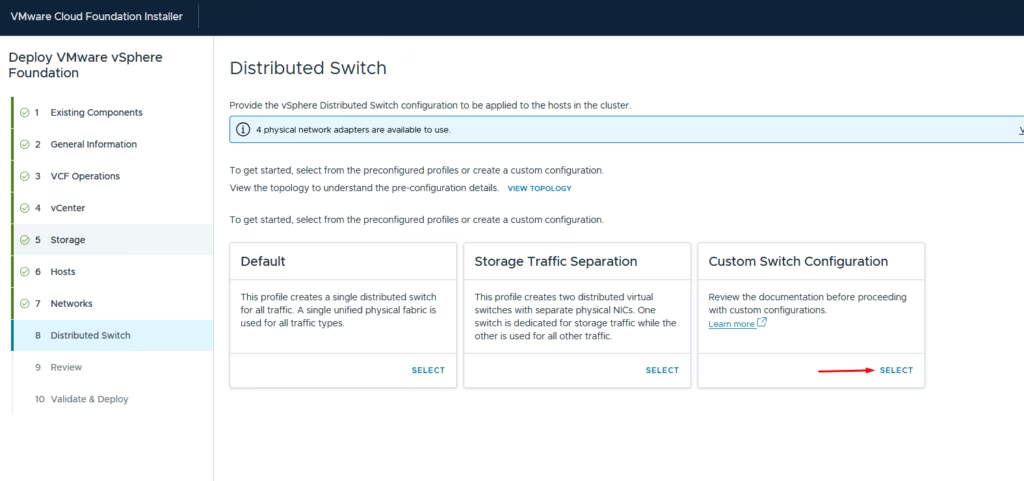
For vDS, choose Copy From Preconfigured Profile and select Default then we can just rename the port groups to match my naming standards.
Adjust uplinks, load balancing, and vmnic mappings here
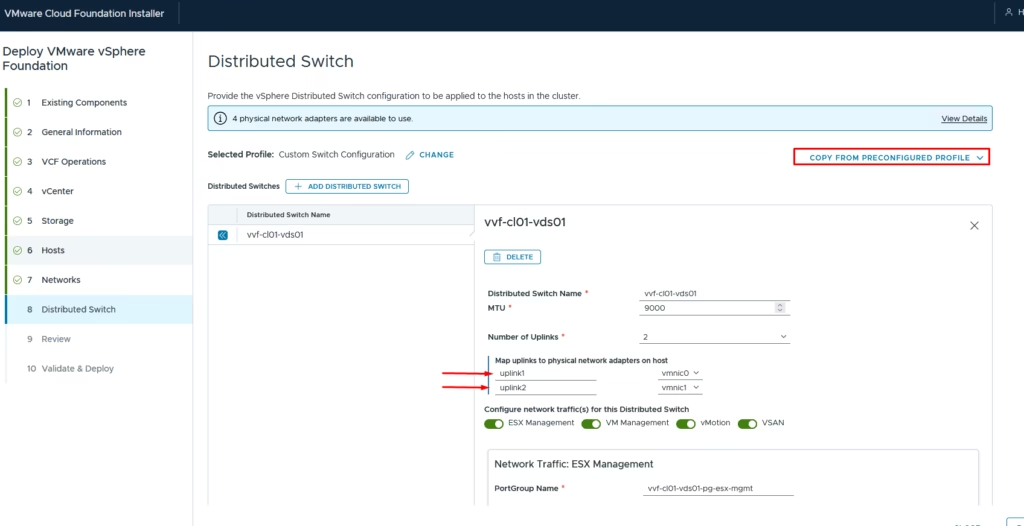
If we wish to, we can use this chance to adjust failover policies for the uplinks
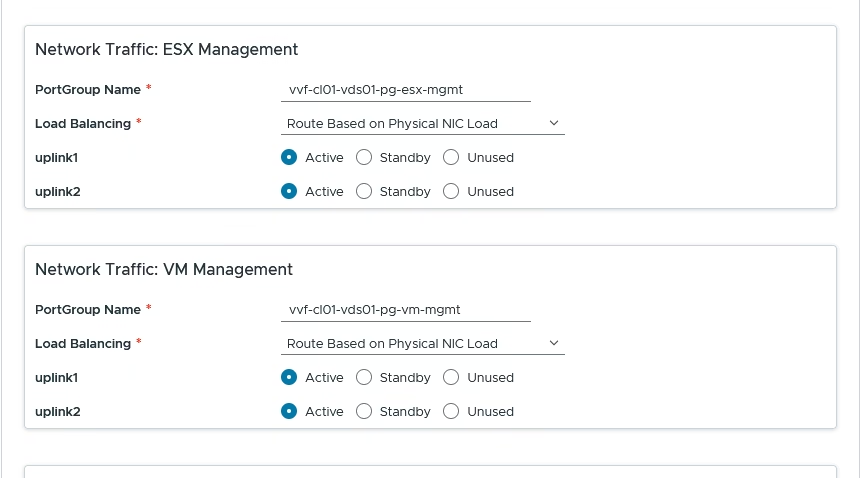
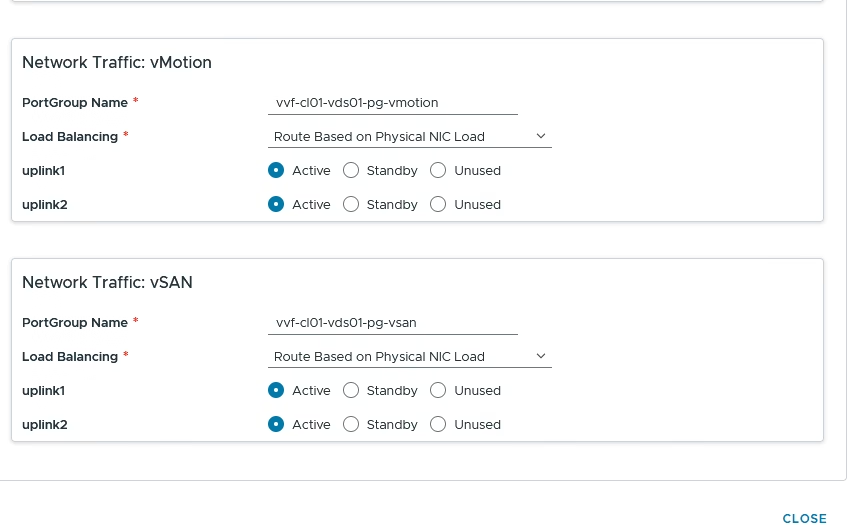
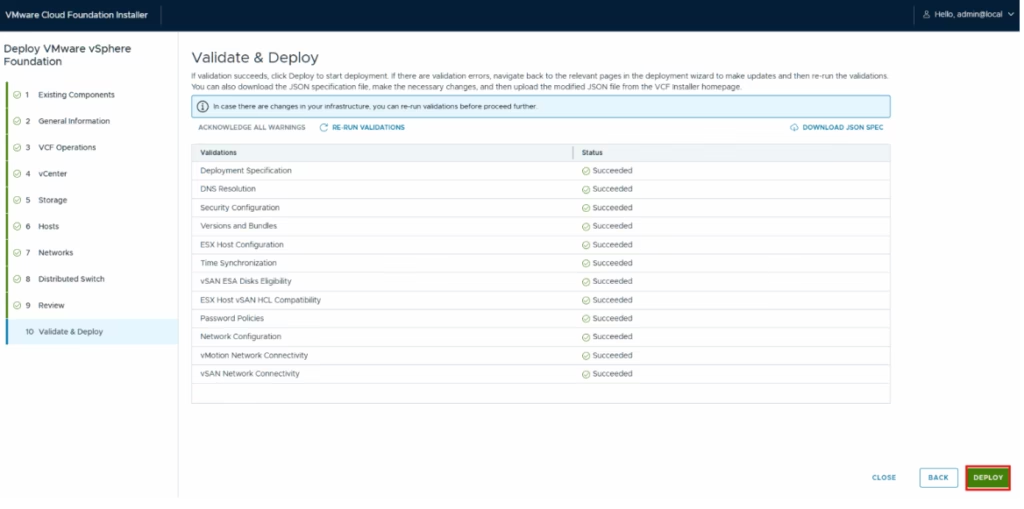
The installer validates all inputs.
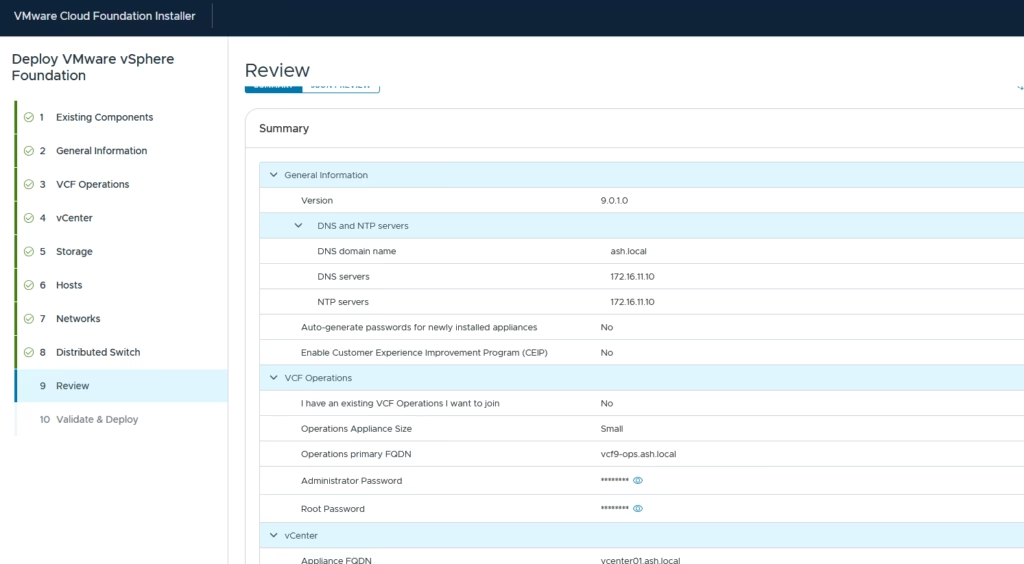
Once everything checks out, click Deploy to begin building the VVF environment.
The process starts with deploying vCenter
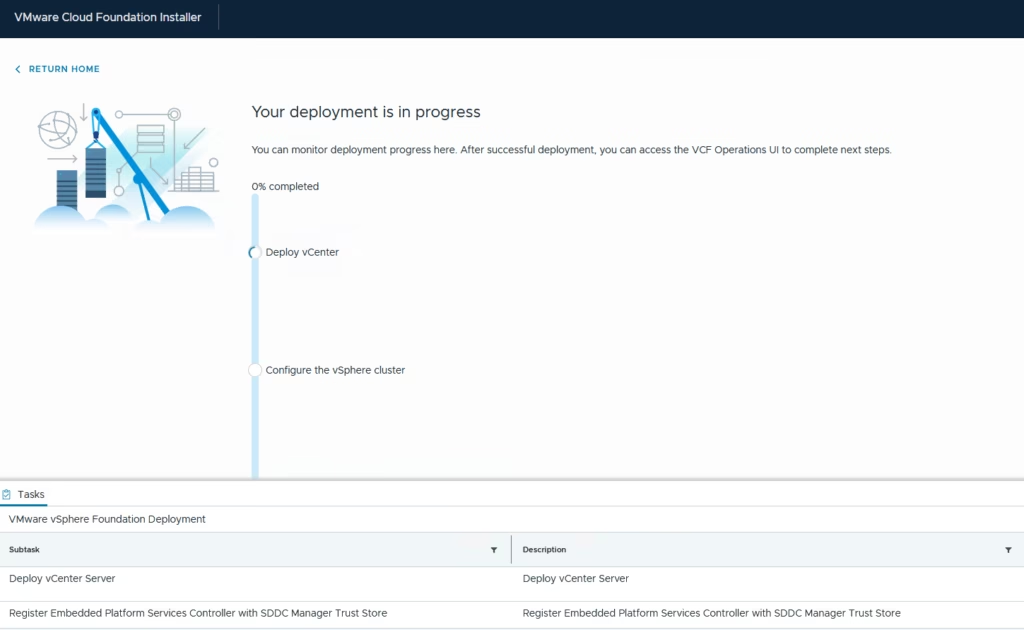
You can watch the progress directly from the installer UI.
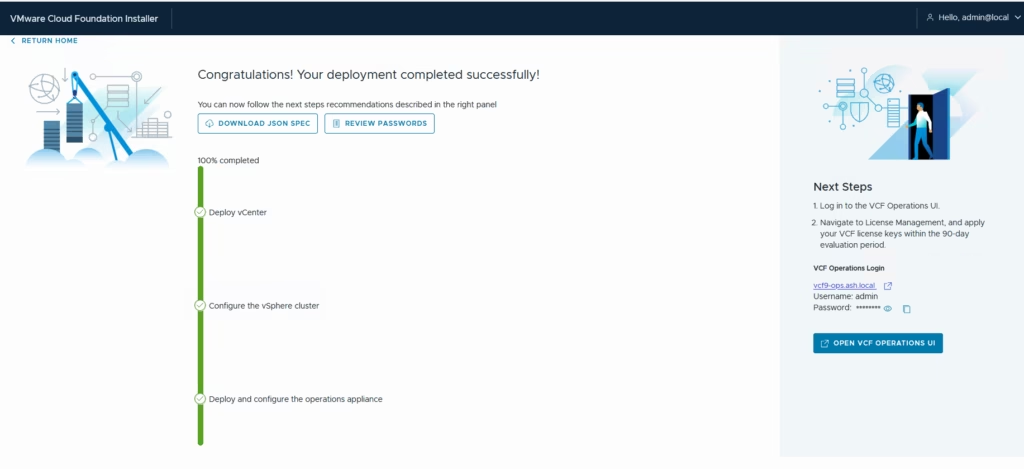
That completes the VMware vSphere Foundation deployment.