


Below is a quick breakdown of both timeout types and how to adjust the the web UI session & cli-timeout for the NSX‑T Manager.
CLI Timeout (SSH Sessions)
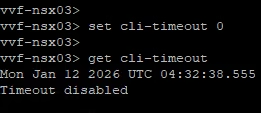
Disable Timeout (Lab Only)
If you want SSH sessions to stay open with no timeout, set the CLI timer to 0:
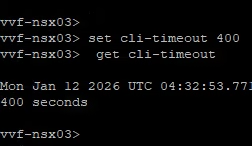
Reduce Timeout
To shorten the idle period, set a lower value. For example, 5 minutes:
NSX-T Manager Web-UI Timeout
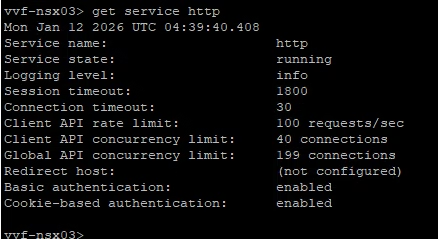
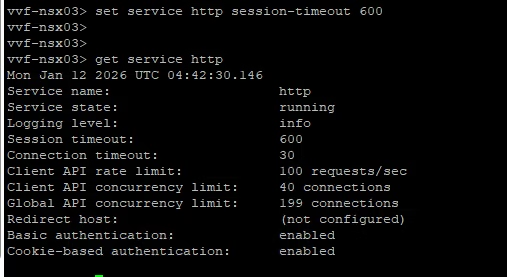
To check the current settings type get service http
Remove session timeout
You can view the current web UI session timeout with: The default is 1800 seconds (30 minutes). To disable the web UI timeout entirely:
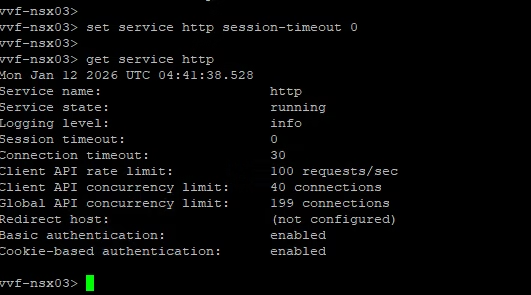
Again, fine for testing environments but not something you’d use in production
Reduce the Timeout
If you want a shorter, more secure timeout—say 5 minutes—set and then verify the change
A small change, but a handy one for tightening security or making lab work easier.