


Tags let you run only the tasks you want, instead of running the whole playbook.
That’s where tags come in.
Example Playbook (tags-simple.yml)
sudo vi tags-simple.ymlThis playbook installs different packages on Ubuntu, Zorin, and CentOS.One package — pv — is shared between Ubuntu and CentOS.
---
- hosts: ubuntu
  become: true
  tasks:
    - name: Install sl on Ubuntu
      tags: sl
      apt:
        name: sl
        state: present

    - name: Install jq on Ubuntu
      tags: jq
      apt:
        name: jq
        state: present

    - name: Install pv on Ubuntu
      tags: pv
      apt:
        name: pv
        state: present

- hosts: zorin
  become: true
  tasks:
    - name: Install cowsay on Zorin
      tags: cowsay
      apt:
        name: cowsay
        state: present

    - name: Install fortune on Zorin
      tags: fortune
      apt:
        name: fortune
        state: present

- hosts: centos
  become: true
  tasks:
    - name: Install htop on CentOS
      tags: htop
      dnf:
        name: htop
        state: present

    - name: Install ncdu on CentOS
      tags: ncdu
      dnf:
        name: ncdu
        state: present

    - name: Install pv on CentOS
      tags: pv
      dnf:
        name: pv
        state: present
See all tags in the playbook
ansible-playbook tags-simple.yml --list-tags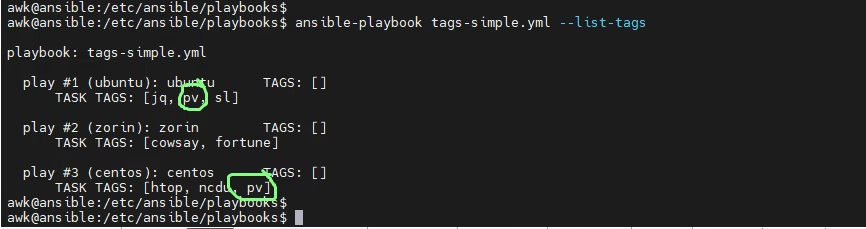
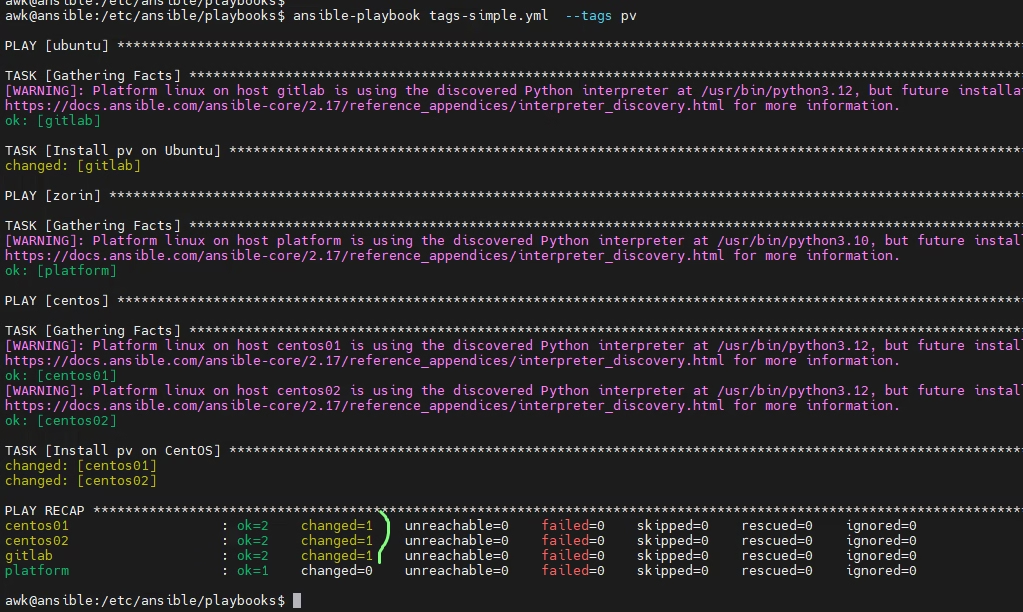
Run only the shared package (pv)
ansible-playbook tags-simple.yml --tags pvWhat happens:
- Ubuntu → installs pv
- CentOS → installs pv
- Zorin → skipped (no pv task)
So by Running --tags pv installs pv on Ubuntu + CentOS and skips Zorin .
By Running –-tags sl, etc. only runs that one task
ansible-playbook tags-simple.yml --tags sl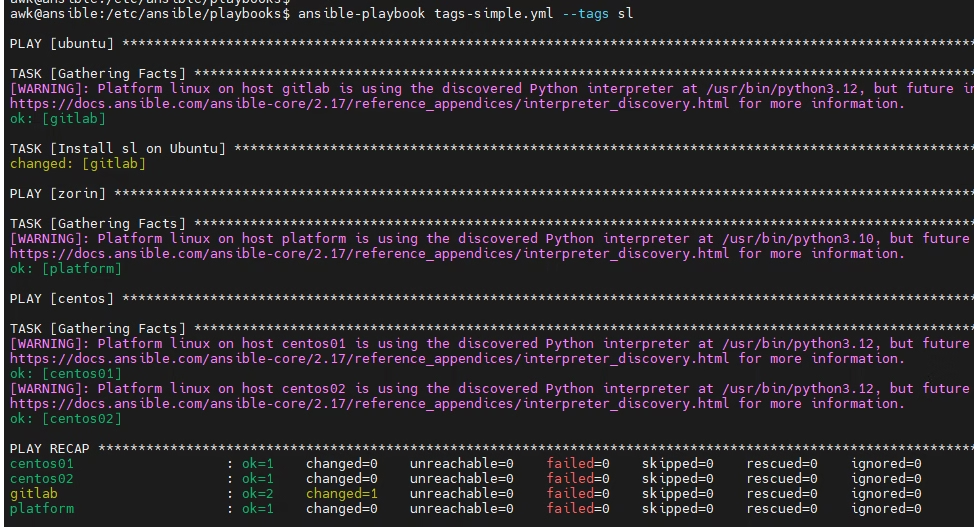
By Running –-tags cowsay, etc. only runs that one task
ansible-playbook tags-simple.yml --tags cowsay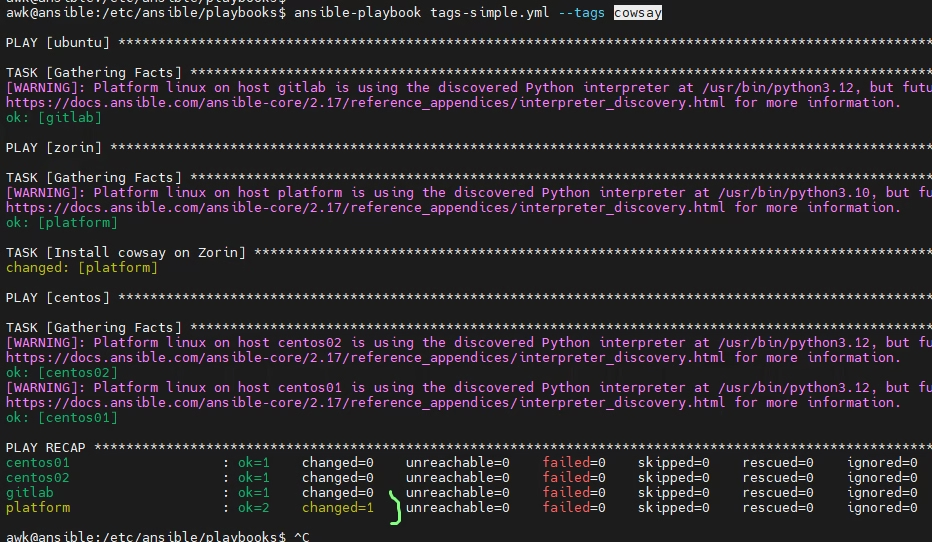
ok, the summary is
Tags basically let you run one task instead of the whole playbook
We added one shared package (pv) on Ubuntu + CentOS and then we used tags so we can run only the task we want. By Running --tags pv installs pv on Ubuntu + CentOS and skips Zorin . By Running --tags sl, --tags cowsay, etc. only runs that one task d