

Context Profiles give NSX the ability to make decisions based on application context, URL categories, FQDNs, and Layer-7 attributes—not just ports and IP addresses. This enables a smarter, application-centric security model that drastically simplifies micro-segmentation.
In this example, we’ll look at a simple but powerful use case to block access to Cisco.com from a specific VM or segment, while allowing that VM to access everything else on the internet. This demonstrates NSX’s ability to enforce Layer‑7, FQDN, and App‑ID aware rules beyond simple IP/port filtering
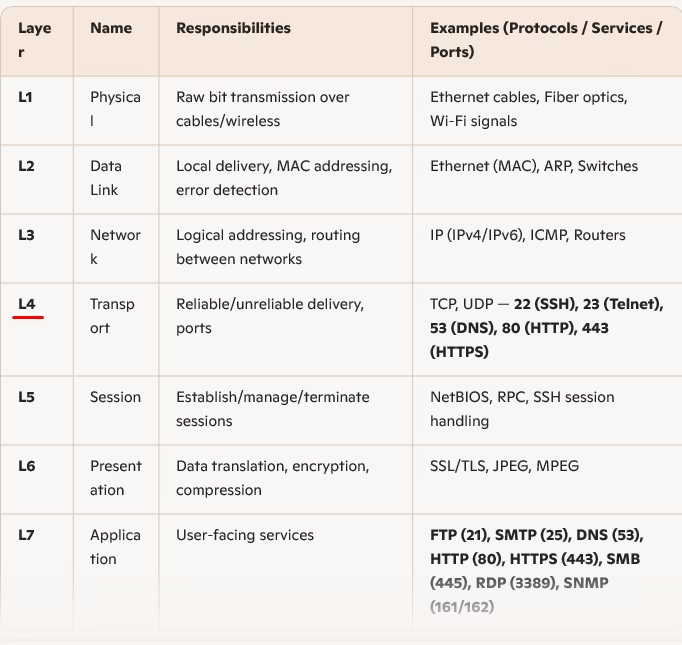
Here is the OSI layer to show where all ports and services are in detail.
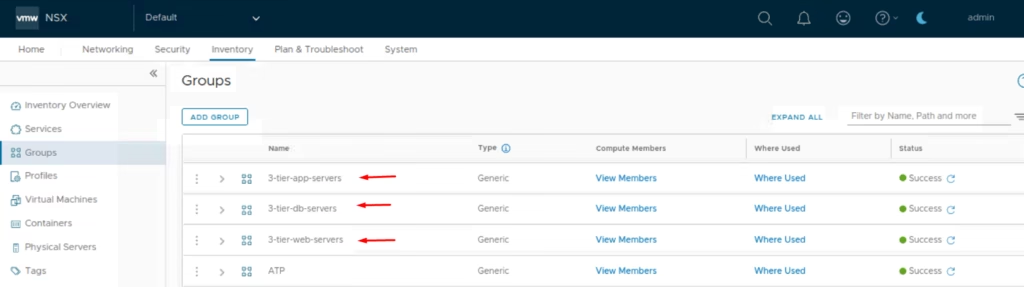
Define a Group containing the target VM(s)
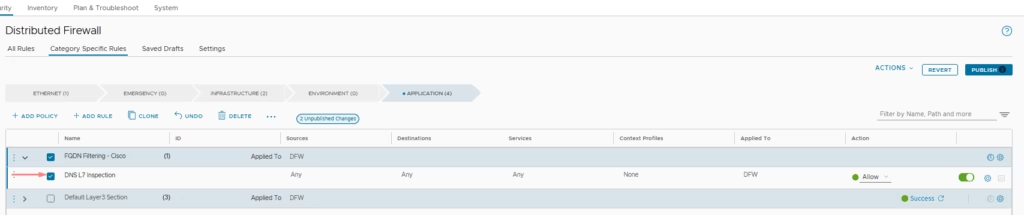
Add Firewall Policy in DFW → Application Section > Add New Policy and here will add rule

Rule 1: Allow DNS L7 Inspection- Service: DNS-UDP
- Purpose: Mandatory to resolve FQDNs and enable DNS inspection.
Under Services choose DNS-UDP
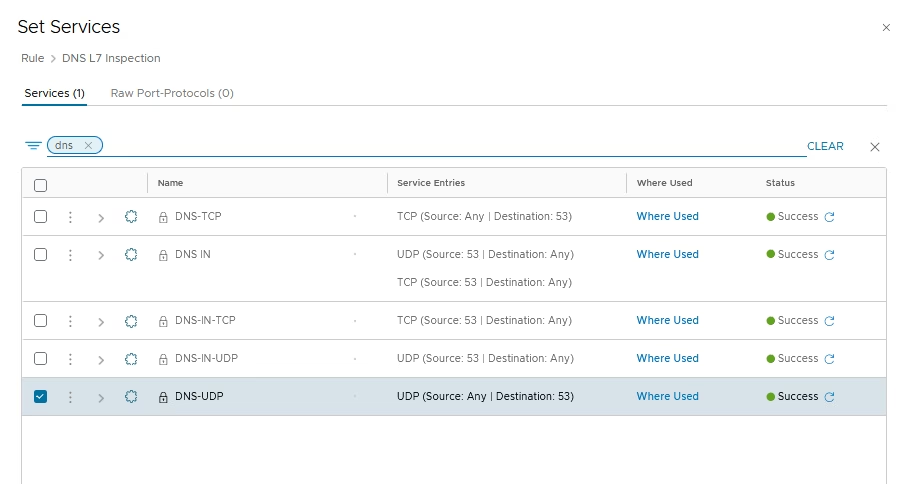
This allows NSX to log DNS queries and extract domain names for correlation.

Context Profile → Add DNS
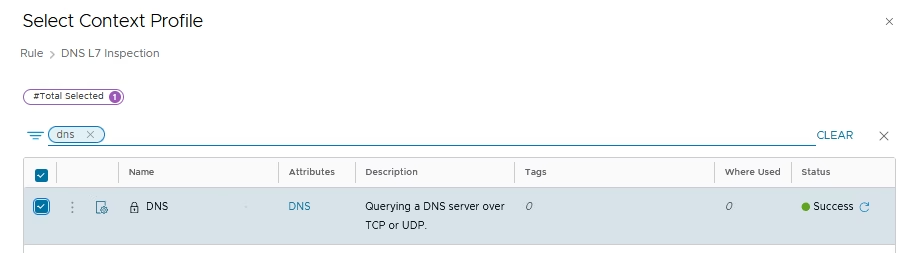
The DNS L7 inspection rule is ready
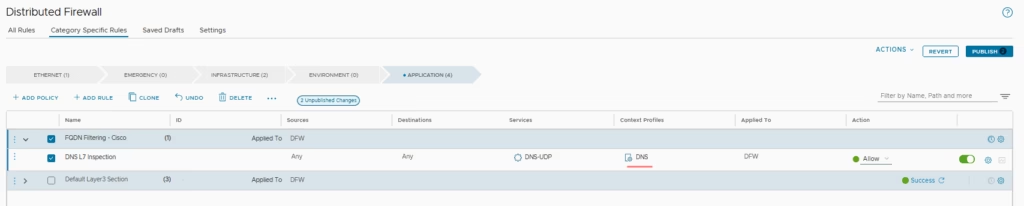
Rule 2: Deny HTTPS to Cisco.com- Context Profile: App‑ID =
HTTPS - FQDN =
cisco.com - Action:
Reject
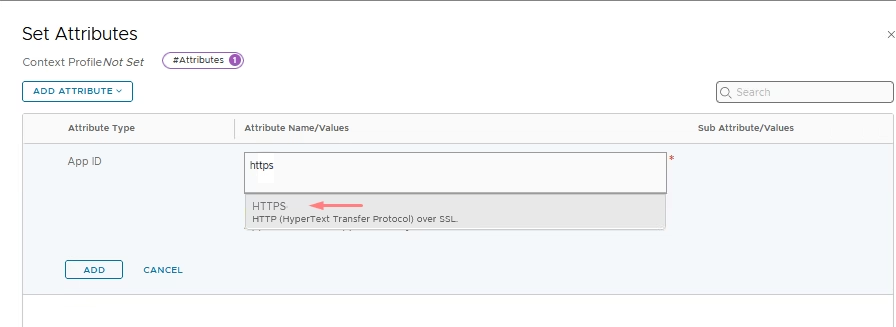
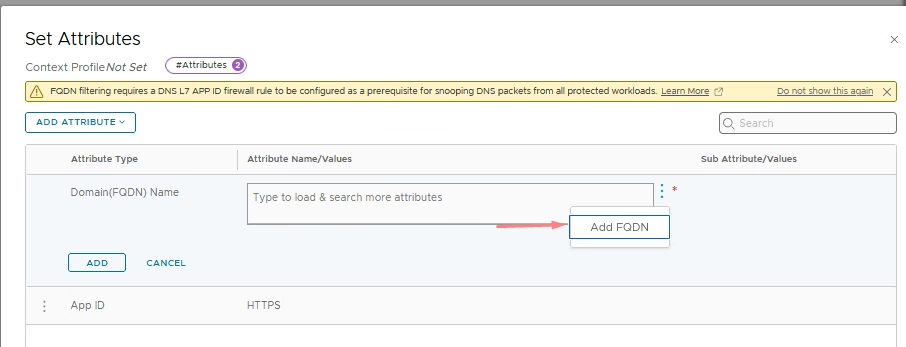
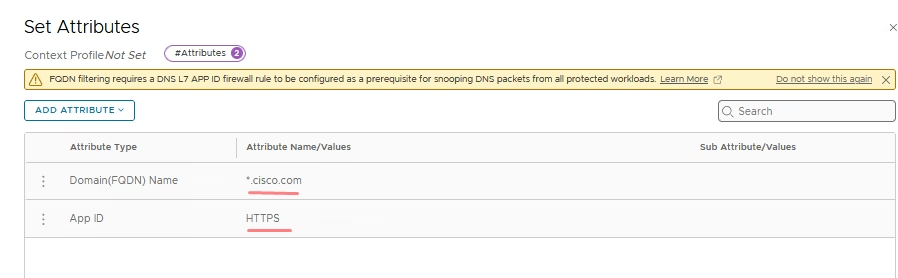
Add a new rule to deny HTTPS access to Cisco.com. Open the Context Profile for this rule, select HTTPS under the App‑ID attribute, and enter cisco.com in the FQDN field. Finally, click Save to confirm the configuration.
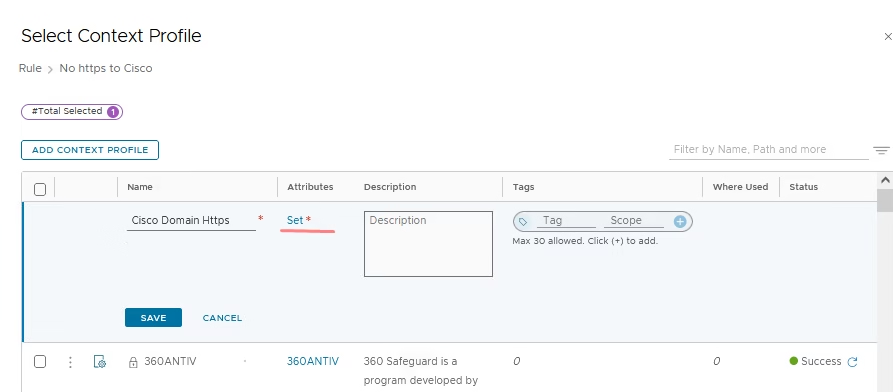
In the App‑ID section of the context profile, choose HTTPS as the protocol for the traffic
In the FQDN section of the attribute section, we add cisco.com
After completing both configurations, select Save to apply the changes.
Validate the Context Profile
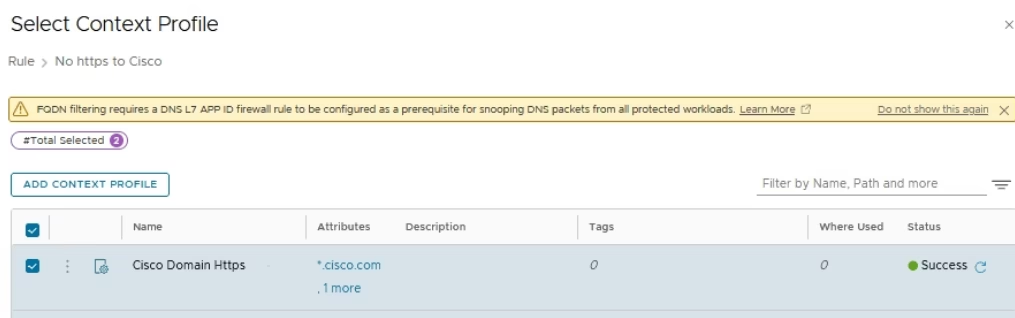
Both rules are ready so we just click Publish
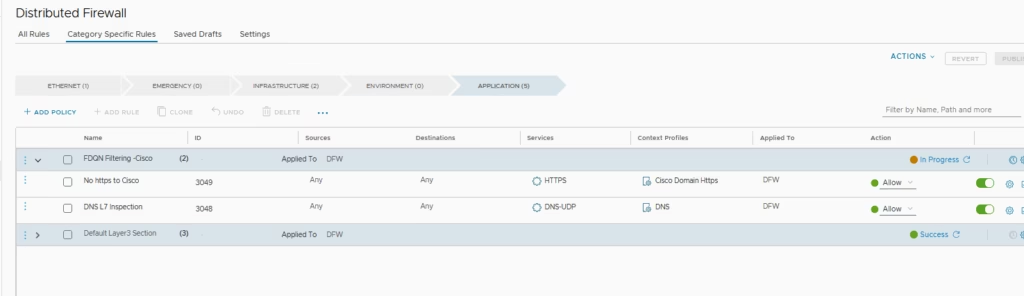
At this stage, the web server can still ping Cisco.com. To block this, we simply apply the new rule we created
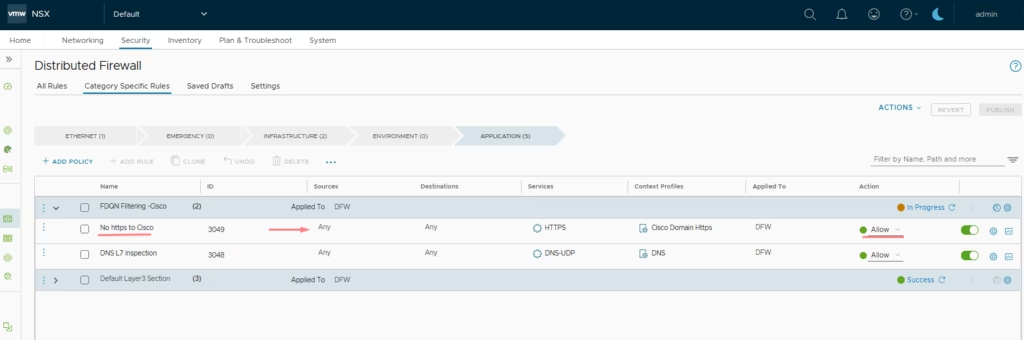
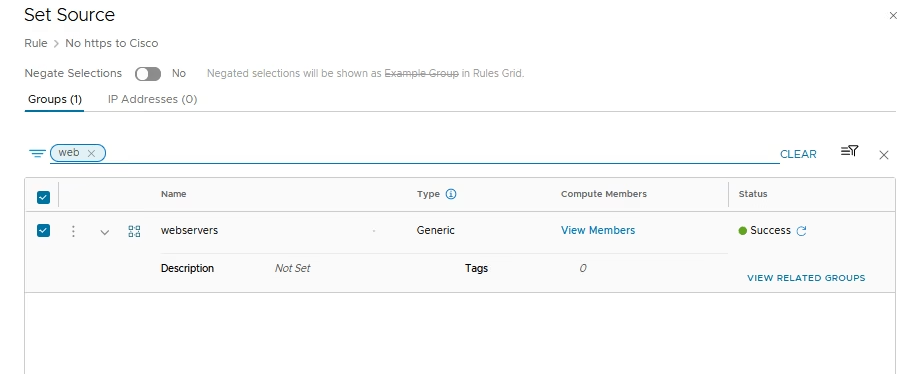
Add our web server group to it
Publish & Apply Rules
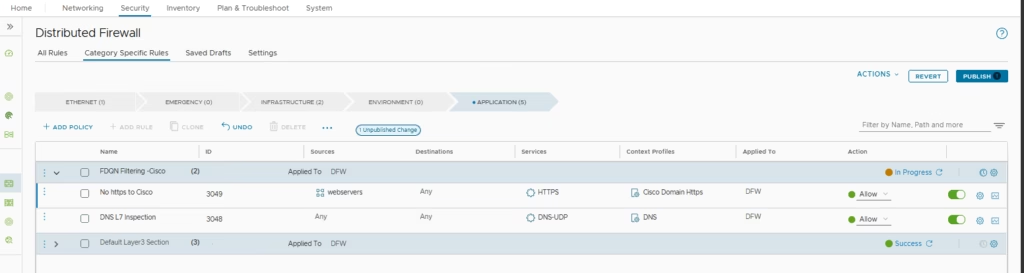
Now, choose the option to reject the traffic and Publish & Apply Rules
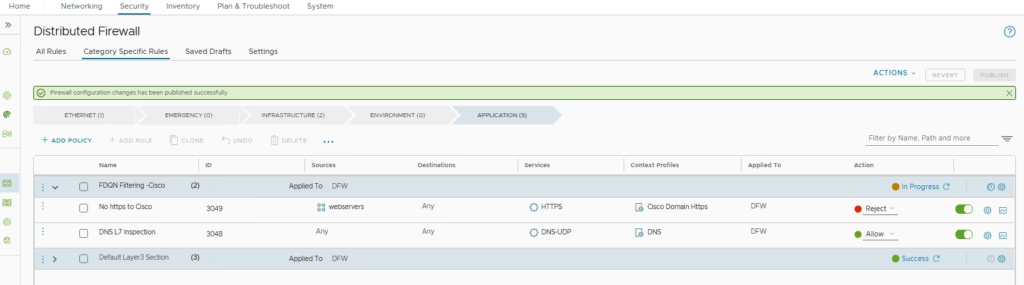
For URL Analysis → Enable the rule and review logs, URL Analysis dashboard shows accessed sites, categories, reputation scores and Logs show DNS pass, cisco.com https pass and rejects..
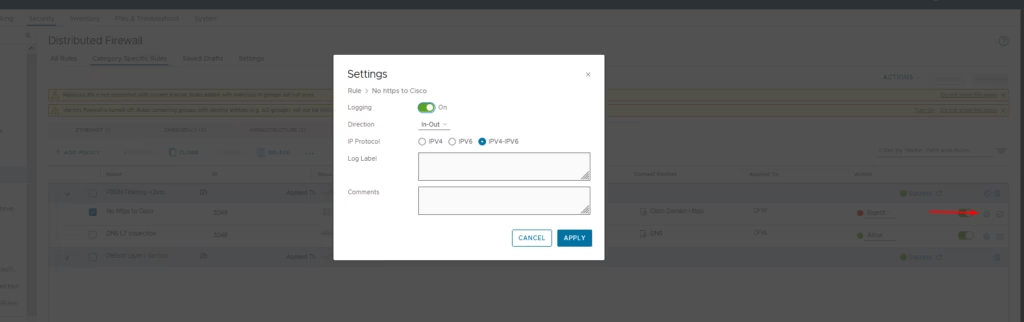
Connection attempts to cisco.com are blocked for the specified VM group . All other internet traffic remains unaffected
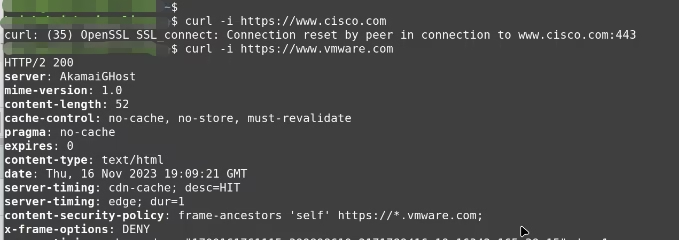
Logs and URL Analysis provide visibility into enforcement and domain resolution.