


SDDC Manager can be integrated directly with a Microsoft Certificate Authority (CA). Once configured, you can automate the generation and replacement of signed certificates across your environment, eliminating manual overhead and reducing risk.
⚠️ Note: VMware has announced that SDDC Manager will be deprecated in the next VCF release. While it remains the central management plane today, future versions will transition certificate and lifecycle management into new tooling via VCF operations which makes it even more important to understand current practices while preparing for upcoming changes.
On the SDDC Manager interface, Navigate to Certificate Management and Go to Administration > Security > Certificate Management
Click Edit to begin configuring the Microsoft CA integration
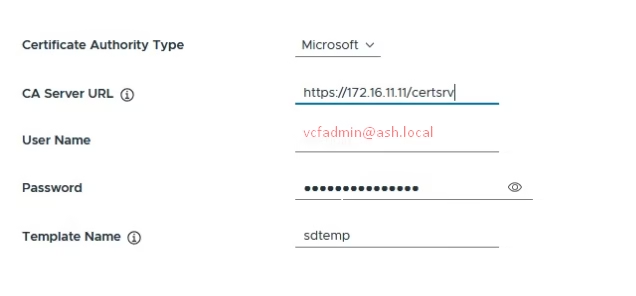
Fill in the following values:
- Certificate Authority:
Microsoft - CA Server URL:
https://cert.ash.local/certsrv - Username:
administrator - Password: (service account password)
- Template Name:
VMware
Once entered, click Save to apply the configuration
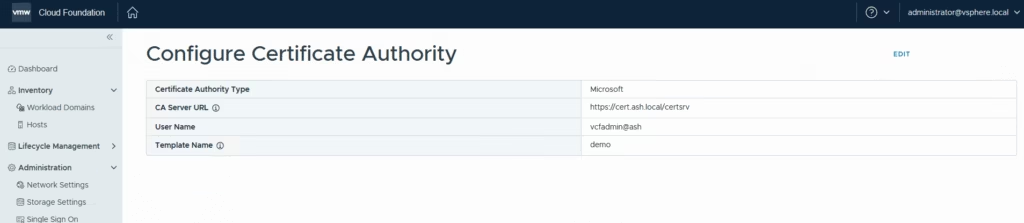
You can issue and replace certificates for VCF components directly from the Certificate Management dashboard but we are going to do it via vcf operations in our next blog as sso is already configured.